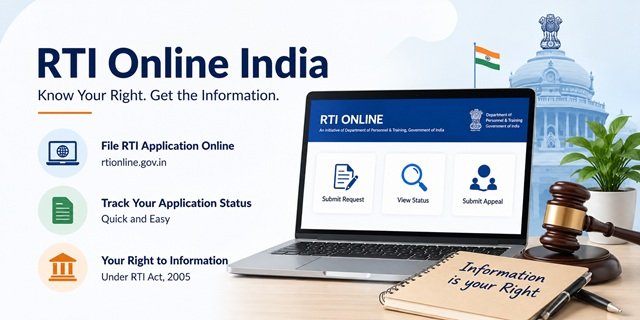
The Right to Information Act, 2005, gives every citizen of India a legal right to request information from any public authority of the Government of India or any state government. A public authority under the RTI Act includes all central and state government ministries, departments, public sector undertakings, constitutional bodies, and any institution substantially financed by government funds. Any Indian citizen can file an RTI application regardless of age, gender, location, or educational background. No reason needs to be given for seeking information.
The central government’s online portal for RTI applications is at rtionline.gov.in, developed, designed, hosted, and maintained by the National Informatics Centre and managed by the Department of Personnel and Training (DoPT), Government of India. It covers only central government public authorities – for state government RTIs, each state has its own portal or accepts applications by post. The Central Information Commission (CIC), which hears second appeals and complaints for central government RTIs, is at cic.gov.in.
This page covers how to file an RTI for central government departments at rtionline.gov.in, how to file for state government departments, the complete state-wise RTI portal directory for all 28 states and 8 Union Territories, RTI fees by state, the appeal process, exemptions, and practical filing tips.
Central RTI vs State RTI: How to Decide
Before filing, you must know whether the information you seek is with a central government authority or a state government authority. Filing at the wrong place wastes 30 days and may result in rejection without a refund.
File on rtionline.gov.in (Central Portal) for information from:
- Central government ministries and departments (Railways, Defence, Finance, Home Affairs, Health and Family Welfare, Education, External Affairs, etc.)
- Central public sector undertakings (ONGC, NTPC, Coal India, BSNL, Air India, etc.)
- Constitutional bodies under the Centre (CBI, ED, SEBI, RBI, UIDAI/Aadhaar, EPFO, Passport Office, Income Tax, Customs and Excise)
- Central universities and IITs, IIMs, AIIMs
- High Courts and the Supreme Court (through their own RTI channels)
File on the State RTI Portal or by post to the state PIO for information from:
- State government departments (Revenue, Police, Education, Health, PWD, Agriculture, etc.)
- State public sector undertakings (state electricity boards, state transport corporations, state housing boards)
- Municipal corporations, Nagar Panchayats, Gram Panchayats
- State universities and government colleges
- Land records, mutation, and revenue records
- Ration Card, Civil Supplies, PDS matters
- State police matters
Important warning from rtionline.gov.in: RTI applications filed for state public authorities, including the Government of NCT of Delhi, on the central portal will be returned without any refund of the Rs 10 fee.
What Information Can You Seek Under RTI
The RTI Act allows citizens to:
- Inspect work, documents, and records of a public authority
- Take certified samples of material
- Obtain certified copies of documents or records
- Obtain information in any form, including on disk, tape, video cassette, or in any other electronic format
- Get information available on a computer or stored in any other device
Exemptions Under Section 8: What Cannot Be Sought
Section 8 of the RTI Act lists categories of information that public authorities are not obliged to disclose. Filing an RTI for these categories will result in rejection. Key exemptions include:
- Information affecting the sovereignty, integrity, security, strategic, scientific or economic interests of India
- Information expressly forbidden by any court of law or whose disclosure may constitute contempt of court
- Information that would breach the privilege of Parliament or the State Legislature
- Commercial confidence, trade secrets, or intellectual property whose disclosure would harm the competitive position of a third party
- Information available to a person in his fiduciary relationship
- Information received in confidence from a foreign government
- Information that would endanger the life or physical safety of any person
- Cabinet papers, including records of deliberations of the Council of Ministers, Secretaries, and other officers
- Personal information that has no relationship to any public activity or interest
However, even exempt information must be disclosed if the public interest in disclosure outweighs the harm to the protected interests. Information that cannot be denied to Parliament or the State Legislature cannot be denied to citizens either. The full text of Section 8 is at cic.gov.in/rti_act.
Filing RTI Online for Central Government: Step-by-Step Process
Step 1: Open the RTI Online Portal
Visit rtionline.gov.in. You can file an RTI application without creating an account. However, registering at rtionline.gov.in/login.php allows you to view all your applications and appeals from a single dashboard.
If you choose to file without registration, save your Registration Number carefully because it will be required for tracking the application later.
Step 2: Read the Instructions
Click “Submit Request” on the homepage or visit rtionline.gov.in/guidelines.php?request.
Read the instructions carefully before proceeding. The portal accepts RTI applications only for Central Government Ministries, Departments and Public Authorities aligned with the RTI Online system.
Step 3: Select the Correct Public Authority
Select the Ministry, Department or Central Public Authority from the dropdown list.
You can view the complete list of aligned authorities at rtionline.gov.in/request/allpa.php.
If the authority is not listed, you must submit the RTI application through the offline process or the authority’s own RTI mechanism.
Step 4: Fill the RTI Application Form
Enter your:
- Name
- Postal Address
- Email Address
- Mobile Number (optional but recommended)
Write your RTI request in the application box.
The portal currently allows up to 3,000 characters. If your application is longer, write a summary and upload the complete application as a PDF in the supporting document section.
Step 5: Claim BPL Exemption (If Applicable)
If you are a Below Poverty Line (BPL) cardholder, select the BPL option and upload a self-attested copy of your valid BPL certificate.
BPL applicants are exempt from the prescribed RTI application fee and charges as per applicable RTI rules.
Step 6: Pay the RTI Application Fee
Non-BPL applicants must pay the prescribed Rs 10 RTI application fee.
The portal supports:
- Internet Banking
- Debit Cards
- Credit Cards
- RuPay Cards
- UPI
No fee is charged for filing a First Appeal.
Step 7: Submit the Application
After successful payment, submit the application.
A unique Registration Number is generated and sent through email and SMS (if a mobile number was provided).
Save this number carefully. The application is electronically forwarded to the concerned Central Public Information Officer (CPIO) through the designated nodal mechanism.
Step 8: Track Your RTI Status
Visit rtionline.gov.in/request/status.php and enter your Registration Number and email address.
OTP verification may be required before status information is displayed.
For detailed portal guidance, download the User Manual from rtionline.gov.in/viewPDF.php?file=um_citizen.pdf.
Payment Deducted but Registration Number Not Generated?
Use the Payment Reconciliation facility at rtionline.gov.in/request/status_pendingPayment.php.
Do not submit a fresh RTI application immediately. Wait 24 to 48 working hours for reconciliation.
If the issue remains unresolved, email helprtionline-dopt@nic.in with your transaction details.
Need Help?
- RTI Helpdesk: 011-24010690 / 011-24010691
- Timing: 9:00 AM to 5:30 PM (Monday to Friday)
- Email: helprtionline-dopt@nic.in
Filing RTI by Post for the Central Government
If the public authority is not listed on rtionline.gov.in, or if you prefer the physical route:
Step 1: Write your RTI application on plain paper or an A4 sheet. Address it to the Central Public Information Officer (CPIO) of the concerned Ministry or Department.
Step 2: Include your name, complete postal address, mobile number, and email address. Describe the specific information you are seeking clearly and in numbered points. Do not ask for opinions – ask for documents, records, or data.
Step 3: Attach a crossed Indian Postal Order (IPO) of Rs 10 in favour of the Accounts Officer of the concerned Ministry/Department. BPL applicants attach a self-attested copy of their BPL certificate instead of the IPO.
Step 4: Send by Speed Post with Acknowledgement Due (AD) to the CPIO’s office address. The Speed Post receipt and AD are your proof of filing date – needed for First Appeal timelines.
Response Timeline: What Happens After You File
- 30 days: The CPIO must provide the information or reject with reasons within 30 days of receiving the application.
- 48 hours: For information relating to the life or physical safety of a person, the CPIO must reply within 48 hours.
- 5-day transfer: If the information requested is held by a different public authority, the CPIO must transfer your application to the correct PIO within 5 days under Section 6(3). In this case, the 30-day timeline is calculated from the date the transferred application is received by the new PIO.
- Additional fee: If providing the information requires copies or inspection charges, the CPIO will communicate the additional fee. For online filers, this is visible in View Status and payment can be made online. Inspection is free for the first hour; additional time is charged at Rs 5 per 15 minutes. Copies cost Rs 2 per page (A4/A3).
First Appeal Under Section 19(1)
If the CPIO does not reply within 30 days, or if the reply is unsatisfactory, file a First Appeal to the First Appellate Authority (FAA) of the same Ministry or Department within 30 days of the deadline passing or the unsatisfactory reply being received.
Online First Appeal for Central Government: Go to rtionline.gov.in/guidelines.php?appeal and click “Submit First Appeal”. You need the original Registration Number and email ID. No fee is charged for the First Appeal. An Online First Appeal can only be filed against a previously filed online RTI application.
For physical RTI applications: Write a First Appeal to the FAA of the department. Include the original RTI application, any reply received, and the specific reasons why the reply is unsatisfactory. Send by Speed Post AD.
The FAA must dispose of the First Appeal within 30 days (extendable to 45 days with written reasons).
Second Appeal to Central Information Commission (CIC)
If the First Appellate Authority (FAA) does not issue a decision within the prescribed time limit, or if you are dissatisfied with the First Appeal decision, you may file a Second Appeal before the Central Information Commission (CIC) within 90 days.
Step 1: Visit the CIC Second Appeal Portal at dsscic.nic.in/online-appeal-application/onlineappealapplication/.
Step 2: Enter your First Appeal Registration Number. The portal is integrated with the RTI Online system and can automatically retrieve details of the original RTI application and First Appeal.
Step 3: Review the information, upload supporting documents if required, and submit the Second Appeal online.
Central Information Commission (CIC) Quick Reference
| Service | Details |
|---|---|
| Official Website | cic.gov.in |
| Contact Information | cic.gov.in/contact |
| Chief Information Commissioner | Shri Raj Kumar Goyal (since 15 December 2025) |
| Second Appeal Portal | File Second Appeal |
| Cause List | View Cause List |
| CIC Decisions | View Decisions |
| State Information Commissions | View SIC Directory |
Penalty on PIO Under Section 20
If the CIC finds that the CPIO refused to receive an RTI application, failed to provide information within the time limit, provided incorrect or misleading information, or obstructed the furnishing of information, the CIC can impose a penalty of Rs 250 per day of delay, subject to a maximum of Rs 25,000. The penalty is deducted from the personal salary of the PIO. The CIC can also recommend disciplinary action against the PIO.
State-Wise RTI Portal Directory
For state government RTIs, use the state-specific portal or file by post to the CPIO of the relevant department. The table below lists every state and UT, the online portal URL where available, the RTI fee, and the State Information Commission (SIC) for second appeals.
States with Working Online RTI Portals
| State / UT | Portal, Fee & SIC Contact |
|---|---|
| Andhra Pradesh |
|
| Assam |
|
| Bihar |
|
| Chhattisgarh |
|
| Delhi |
|
| Gujarat |
|
| Haryana |
|
| Himachal Pradesh |
|
| Jammu and Kashmir |
|
| Jharkhand |
|
| Karnataka |
|
| Kerala |
|
| Ladakh |
|
| Madhya Pradesh |
|
| Maharashtra |
|
| Meghalaya |
|
| Mizoram |
|
| Odisha |
|
| Punjab |
|
| Rajasthan |
|
| Sikkim |
|
| Tamil Nadu |
|
| Telangana |
|
| Tripura |
|
| Uttar Pradesh |
|
| Uttarakhand |
|
| West Bengal |
|
Important: State RTI portals, fees, and contact details may be updated by the respective State Governments. Always verify the latest fee and filing procedure on the official portal before submitting an application.
States and UTs Where Postal Filing Is the Primary or Only Route
| State / UT | Filing Method, Fee & SIC Contact |
|---|---|
| Arunachal Pradesh |
|
| Goa |
|
| Manipur |
|
| Nagaland |
|
| Andaman and Nicobar Islands |
|
| Chandigarh |
|
| Dadra and Nagar Haveli and Daman and Diu |
|
| Lakshadweep |
|
| Puducherry |
|
BPL exemption applies in all states and UTs: Citizens holding a BPL card are exempt from all RTI fees in every state and UT under Section 7(5) of the RTI Act, 2005. Attach a self-attested photocopy of the BPL card issued by the appropriate government with your application.
How to Write an Effective RTI Application
A well-drafted RTI application increases the probability of receiving complete, relevant information within 30 days. Follow these principles:
- Address the correct authority: Address to the CPIO (Central Public Information Officer) for central matters, or the SPIO (State Public Information Officer) for state matters. Write the full designation and office address.
- Be specific and numbered: Break your questions into numbered points. Vague questions get vague answers. “Please provide a certified copy of the work order, contract amount, and expenditure statement for Project XYZ between April 2024 and March 2025” is better than “Tell me everything about Project XYZ”.
- Ask for documents, not opinions: The RTI Act entitles you to information held in records. PIOs are not required to create new information or provide interpretations.
- Mention Section 6(1): State at the top – “Under the Right to Information Act, 2005, I wish to seek the following information under Section 6(1)…”
- Do not combine Central and State RTIs: One RTI application to one PIO for one public authority. If information is with both central and state authorities, file separately on each.
- Life and liberty matters: If your RTI relates to a matter of life or physical safety, clearly state this. The PIO must reply within 48 hours under the proviso to Section 7(1).
Common RTI Mistakes That Lead to Rejection
- Asking questions instead of seeking records or documents.
- Filing a State Government RTI on the Central RTI Online portal.
- Sending one RTI application to multiple departments.
- Seeking explanations, opinions or reasons instead of existing records.
- Writing vague requests without dates, file numbers or project details.
- Using abusive or argumentative language in the application.
Quick Reference
| Service | Link / Contact |
|---|---|
| Central RTI Portal | rtionline.gov.in |
| Submit RTI Request | Submit Online Request |
| Submit First Appeal | Submit First Appeal |
| View RTI Status | Check Status |
| All Public Authorities | View List |
| Payment Reconciliation | Payment Issue Resolution |
| User Manual | Download PDF |
| RTI Online FAQ | View FAQs |
| RTI Helpdesk | 011-24010690 / 011-24010691 |
| Helpdesk Email | helprtionline-dopt@nic.in |
| Central Information Commission (CIC) | cic.gov.in |
| CIC Second Appeal Portal | File Second Appeal |
| CIC Cause List | View Cause List |
| RTI Act, 2005 | Read the RTI Act |
| State Information Commissions | SIC Directory |
| National RTI Information Page | india.gov.in/rti |
Frequently Asked Questions
Q. Can I file RTI online for state government matters?
Ans. Yes, but not through the central portal rtionline.gov.in. Use the state-specific portal listed in the state-wise directory above. If the state does not have an online portal, file by post with a Rs 10 Indian Postal Order addressed to the CPIO of the concerned state department. Filing state RTIs on rtionline.gov.in will result in the application being returned without a refund.
Q. Is registration mandatory on rtionline.gov.in?
Ans. No. You can file an RTI on rtionline.gov.in directly using the “Submit Request” tab without creating an account. However, if you file without logging in, the filed RTI will not appear in your account’s history. You can still check its status using the registration number at View Status. Creating an account allows you to view all filings in one place.
Q. What is the text limit for an RTI application on the central portal?
Ans. The text box on rtionline.gov.in accepts up to 3,000 characters. If your application requires more text, write the key questions (under 3,000 characters) in the text box and upload the complete application as a PDF attachment in the Supporting Document column of the form.
Q. What payment methods are accepted for the central RTI fee?
Ans. The Rs 10 fee on rtionline.gov.in can be paid through SBI internet banking and associated banks, SBI ATM-cum-Debit card, Master or Visa credit or debit cards, RuPay cards, and UPI. The fee goes to the Accounts Officer of the concerned Ministry or Department. No fee is charged for filing a First Appeal.
Q. What happens if my payment was deducted but no registration number was generated?
Ans. Use the Payment Reconciliation feature at rtionline.gov.in/request/status_pendingPayment.php. Do not file the RTI again or make another payment. Wait 24 to 48 working hours for the registration number to be generated after bank scroll reconciliation. If it is still not generated, email helprtionline-dopt@nic.in with your bank transaction details and the date of payment.
Q. My RTI has not been replied to within 30 days. What do I do?
Ans. File a First Appeal under Section 19(1) of the RTI Act to the First Appellate Authority (FAA) of the same public authority. For online RTIs filed on rtionline.gov.in, file the First Appeal online at rtionline.gov.in/guidelines.php?appeal using the original registration number. The First Appeal must be filed within 30 days of the 30-day reply deadline passing. The FAA must decide the First Appeal within 30 days (extendable to 45 days).
Q. What is the Second Appeal and who hears it?
Ans. If the FAA does not respond or the First Appeal decision is unsatisfactory, file a Second Appeal with the Central Information Commission (CIC) at cic.gov.in within 90 days of the FAA decision or deadline. File online at dsscic.nic.in/online-appeal-application/onlineappealapplication/. The CIC can impose a penalty of Rs 250 per day (up to Rs 25,000) on the PIO and recommend disciplinary action. For state government RTIs, the Second Appeal goes to the respective State Information Commission (SIC).
Q. Does a BPL cardholder need to pay the RTI fee?
Ans. No. Citizens below the poverty line are completely exempt from all RTI fees under Section 7(5) of the RTI Act, 2005. This exemption applies to both central and state government RTIs in all 36 states and UTs. Attach a self-attested copy of your BPL certificate (or Antyodaya card) issued by the appropriate government, along with your RTI application. The information must be provided free of cost, including for any copies of documents.
Q. Can I file RTI to get information about my own Aadhaar, PAN, or passport?
Ans. Yes. Aadhaar (UIDAI), PAN (Income Tax), and Passport (Ministry of External Affairs/Passport Office) are all central government authorities. File on rtionline.gov.in and select UIDAI for Aadhaar, Income Tax Department for PAN, or Ministry of External Affairs for Passport-related information. For the Regional Passport Office handling your case, note that some RPOs are listed separately on the portal.
Q. What is the difference between First Appeal and Second Appeal?
Ans. A First Appeal under Section 19(1) is filed to the First Appellate Authority (FAA) within the same department when the CPIO does not reply or gives an unsatisfactory reply. It must be filed within 30 days of the deadline or reply. A Second Appeal under Section 19(3) is filed to the CIC (for central) or SIC (for state) when the First Appeal is also unsatisfactory. It must be filed within 90 days of the FAA’s order or deadline. A Complaint under Section 18 can also be filed directly to the CIC/SIC if the PIO refused to accept the RTI application, demanded an incorrect fee, or misled the applicant.
Q. Can I file an RTI anonymously?
No. The RTI Act requires the applicant to provide a name and address for communication. Anonymous RTI applications are generally not processed.
Q. Can I ask questions or seek explanations under RTI?
RTI is meant for obtaining existing records, documents and information held by a public authority. Public Information Officers are not required to create new information, give opinions or answer hypothetical questions.

Tabassum is a government document researcher and writer with over 5 years of experience exclusively dedicated to tracking and simplifying Central and State Government document processes across India. She has researched and published detailed guides on 100+ government documents and certificates – including Aadhaar Card, PAN Card, Ration Card, Domicile Certificate, and Birth Certificate – covering all states and the Central Government, helping lakhs of Indian citizens successfully complete their paperwork in simple, easy-to-understand language.