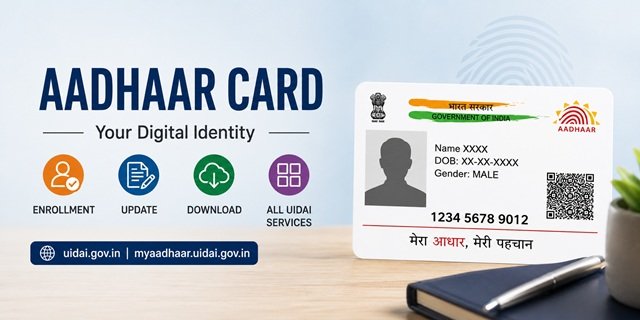
Aadhaar is a 12-digit unique identity number issued by the Unique Identification Authority of India (UIDAI) to every resident of India. It serves as proof of identity and address across government schemes, banking services, income tax filings, SIM card issuance, and more. If you need to enrol for the first time, update existing details, download your e-Aadhaar, or access any UIDAI service, this guide covers every step from the official portal at uidai.gov.in and its service portal myaadhaar.uidai.gov.in.
Who Can Enroll for Aadhaar
Any resident of India, regardless of age, can enrol for Aadhaar. This includes newborns, children, adults, senior citizens, and Non-Resident Indians (NRIs) who are residents of India. There is no income or category restriction. Enrollment is free of charge at every authorised enrollment centre.
Children below 5 years of age receive a blue-colored Aadhaar called Baal Aadhaar. Children aged 5 to 15 years must get their biometrics updated when they turn 5 and again when they turn 15. Adults enrol with full biometric data, including all ten fingerprints, both iris scans, and a photograph.
Documents Required for Aadhaar Enrollment
You need two types of documents: one as Proof of Identity (PoI) and one as Proof of Address (PoA), like a Ration Card. Both must carry your name. The complete list of accepted documents is available at UIDAI’s supporting documents PDF.
Commonly accepted identity proof documents include a passport, PAN card, voter ID card, driving licence, and government-issued photo ID cards. Commonly accepted address proof documents include a passport, bank passbook, utility bills (electricity, water, telephone), and government-issued address documents.
You must carry original copies of all documents to the enrollment centre. The operator returns all originals after scanning, along with an acknowledgement slip that carries your Enrollment ID (EID).
Baal Aadhaar: Enrollment for Children Under 5
Children below 5 years get enrolled under the Head of Family (HoF) based method. The parent or guardian must be present and authenticate on the child’s behalf. For children born after October 1, 2023, a birth certificate is mandatory at the time of enrollment. The Aadhaar number of at least one parent is also required for HoF-based enrollment.
Baal Aadhaar does not capture biometrics because the biometric data of very young children is not stable. Once the child turns 5, they must visit an enrollment centre to have biometrics recorded, and the Aadhaar is updated accordingly. The same process repeats when the child turns 15.
How to Apply for Aadhaar: New Enrollment Process
Step 1: Locate the nearest Aadhaar enrollment centre using the Bhuvan Aadhaar portal at bhuvan.nrsc.gov.in/aadhaar. You can also book an appointment in advance at bookappointment.uidai.gov.in to avoid wait times.
Step 2: Carry original documents for identity and address proof. Download and fill out the enrollment form before visiting, available at uidai.gov.in enrollment forms page.
Step 3: At the centre, the operator records your demographic details (name, date of birth, gender, address, mobile number, email ID) and captures biometric data (fingerprints, iris scans, and photograph). Enrollment is entirely free.
Step 4: After the process, you receive an acknowledgement slip with your 28-digit Enrollment ID (EID) and the date and time of enrollment. Keep this slip safe, as you need the EID to check your Aadhaar generation status.
How to Check Aadhaar Enrollment Status
After enrolling, use the EID from your acknowledgement slip to track whether your Aadhaar has been generated. Visit myaadhaar.uidai.gov.in/check-aadhaar, enter your EID along with the date and time of enrollment, and submit. The portal confirms whether your Aadhaar number has been assigned.
How to Download e-Aadhaar
e-Aadhaar is the digitally signed, password-protected electronic version of your Aadhaar. It carries the same legal validity as a physical Aadhaar card. You can download it any number of times at no charge.
Step 1: Go to myaadhaar.uidai.gov.in/genricDownloadAadhaar/en.
Step 2: Enter your 12-digit Aadhaar number or 28-digit Enrollment ID (EID) or your 16-digit Virtual ID (VID). Enter the security code shown on screen and click Send OTP.
Step 3: Enter the OTP received on your registered mobile number and click Verify and Download. The e-Aadhaar PDF downloads to your device. The password to open the PDF is a combination of your name (first four letters, uppercase) and your birth year (YYYY format). For example, if your name is Ramesh and you were born in 1990, the password is RAME1990.
You can also opt to download a masked e-Aadhaar, which hides the first eight digits of your Aadhaar number and shows only the last four. This version is suitable for sharing, where showing your full Aadhaar number is not necessary.
How to Order an Aadhaar PVC Card
The Aadhaar PVC card is a durable, wallet-sized card made of PVC plastic. It includes a secure QR code, a hologram, and printed Aadhaar details. The fee to order one is Rs 75 (including GST and postage). UIDAI delivers it to your registered address by post.
Step 1: Visit myaadhaar.uidai.gov.in and log in using your Aadhaar number and the OTP sent to your registered mobile.
Step 2: Select the Order Aadhaar PVC Card option. Preview your Aadhaar details and confirm the delivery address.
Step 3: Make the Rs 50 payment through the available online payment options and complete the order.
You can track the delivery status at myaadhaar.uidai.gov.in/checkStatus/en using the Service Request Number (SRN) generated at the time of ordering.
How to Update Aadhaar Details
UIDAI lets you update various details in Aadhaar through online and offline channels. The type of update determines which route you must use.
Address Update Online
You can update your address without visiting a centre if you have a registered mobile number and a valid address proof document. Go to myaadhaar.uidai.gov.in/du/en for the document-based online update service. Log in with your Aadhaar number and OTP, upload a clear, coloured scan of your address proof document, and enter the new address. A Service Request Number (SRN) is generated on successful submission.
Address update is also available for those without a valid address proof through the Address Validation Letter route at myaadhaar.uidai.gov.in. You can enter the address in English, and UIDAI transliterates it into the regional language of your choice from among Bengali, Gujarati, Hindi, Kannada, Malayalam, Marathi, Odia, Punjabi, Tamil, Telugu, and Urdu.
Updates That Require a Centre Visit
Name, date of birth, gender, and mobile number updates cannot be done online at this time. For these changes, you must visit the nearest Aadhaar enrollment or update centre with the relevant supporting documents. You can locate a center at appointments.uidai.gov.in/easearch.aspx. You can also book an advance appointment at bookappointment.uidai.gov.in to avoid waiting.
The charges for update services at Aadhaar centres are available at UIDAI’s enrollment and update charges PDF.
How to Check Aadhaar Update Status
Once you submit an update request (online or at a centre), track its progress at myaadhaar.uidai.gov.in/CheckAadhaarStatus/en. Enter your SRN or EID to see the current processing stage. You can also view a full history of all updates done on your Aadhaar by logging in to myaadhaar.uidai.gov.in.
Aadhaar App: Carry Your Aadhaar on Your Phone
UIDAI’s official Aadhaar app lets you access your Aadhaar digitally on your smartphone. Download it from pehchaan.uidai.gov.in/app/download. The app requires a registered mobile number to set up your profile via OTP. Once set up, you can view your Aadhaar, download e-Aadhaar, generate a Virtual ID, order a PVC card, scan QR codes, and access other UIDAI services directly from your phone.
Virtual ID and Masked Aadhaar: Sharing Aadhaar Safely
A Virtual ID (VID) is a temporary, revocable 16-digit number you can use instead of your actual Aadhaar number when authenticating with service providers. The VID maps to your Aadhaar in UIDAI’s system, but does not reveal your actual number to the entity verifying it. Generate or retrieve your VID at myaadhaar.uidai.gov.in/genericGenerateOrRetriveVID/en. You can generate a new VID any time you want, which automatically invalidates the previous one.
Masked Aadhaar replaces the first eight digits of your Aadhaar number with “xxxx-xxxx” and shows only the last four digits. This format is useful when submitting copies of your Aadhaar to non-essential services. You get the option to download a masked version during the e-Aadhaar download process.
How to Lock and Unlock Aadhaar Biometrics
UIDAI lets you lock your biometrics to prevent any unauthorised biometric authentication using your Aadhaar. When biometrics are locked, fingerprint and iris-based authentication will not work. You can still use OTP-based authentication or your Virtual ID during this period.
To lock or unlock biometrics, visit myaadhaar.uidai.gov.in/lock-unlock-aadhaar/en or download an Aadhaar Mobile App. Log in with your Aadhaar number and OTP, select the lock or unlock option, and confirm. The change takes effect immediately.
How to Lock and Unlock Your Aadhaar Number
In addition to biometric locking, you can also lock your Aadhaar number itself. When your Aadhaar number is locked, no one can use it for any kind of authentication until you unlock it. While it is locked, you authenticate using only your VID. To lock or unlock your Aadhaar number, use myaadhaar.uidai.gov.in/lock-unlock-aadhaar/en.
Linking Aadhaar with Key Services
Aadhaar linking with other services varies depending on the service provider. Below are the steps for the most commonly required linkages.
Aadhaar-PAN Linking: You link Aadhaar with your PAN card through the Income Tax department’s portal at incometax.gov.in. Your name, gender, and date of birth must match in both documents for the linking to succeed. If details differ, you must get either your Aadhaar or your PAN corrected first before attempting to link.
Aadhaar-Bank Account Linking: Contact your bank branch directly or use your bank’s internet banking or mobile banking app to link your Aadhaar with your account. The process varies by bank. Once linked, you can check the seeding status on myaadhaar.uidai.gov.in under the Bank Seeding Status option.
Aadhaar-Mobile Number Linking: Visit your telecom service provider’s nearest store with your Aadhaar card to link your mobile number. Biometric or OTP-based verification takes place at the store. This is done by the telecom operator and is not a UIDAI-managed process.
Aadhaar-Ration Card Linking: This is managed by the state’s food and civil supplies department. Visit your state’s public distribution system portal or the nearest ration card office. In most states, you submit your Aadhaar number at the fair price shop or through the state PDS portal. Refer to your state-specific ration card guide on this site for the exact process.
How to Retrieve a Lost or Forgotten Aadhaar Number
If you have lost your Aadhaar card and do not remember your number, retrieve it using your registered mobile number or email at myaadhaar.uidai.gov.in/retrieve-eid-uid/en. Enter your name and registered mobile number or email, verify with OTP, and your Aadhaar number or Enrollment ID gets sent to your registered contact details.
How to Verify an Aadhaar Number
Anyone can verify whether an Aadhaar number exists in the UIDAI system at myaadhaar.uidai.gov.in/verifyAadhaar. This tool confirms if a given 12-digit number is a valid Aadhaar number. It does not reveal any personal details of the Aadhaar holder.
You can also verify whether a specific mobile number or email ID is registered against your Aadhaar at myaadhaar.uidai.gov.in/verify-email-mobile/en.
Offline eKYC: Share Your Aadhaar Data Without Authentication
UIDAI’s Offline eKYC feature lets you generate an encrypted XML file containing your Aadhaar data to share with service providers, without needing OTP-based online verification. Generate this file at myaadhaar.uidai.gov.in/offline-ekyc. The file is encrypted and password-protected, ensuring your data remains secure even while being shared offline.
Raising a Complaint or Grievance
UIDAI offers multiple ways to raise a complaint or ask a question about your Aadhaar.
The toll-free helpline number is 1947. It is available Monday to Saturday from 7:00 am to 11:00 pm, and on Sundays from 8:00 am to 5:00 pm (closed on Republic Day, Independence Day, and Gandhi Jayanti). The helpline supports 12 languages: Hindi, English, Telugu, Tamil, Kannada, Malayalam, Assamese, Bengali, Gujarati, Marathi, Punjabi, and Odia.
To file a written complaint, use the online grievance portal at myaadhaar.uidai.gov.in/grievance-feedback/en. After submitting, track the status of your complaint at myaadhaar.uidai.gov.in/grievance-feedback-status/en.
You can also send an email to help@uidai.gov.in with your EID or SRN number for faster resolution. UIDAI also accepts grievances through the Government of India’s CPGRAMS portal at pgportal.gov.in.
For in-person support, walk into the UIDAI regional office serving your state. UIDAI has regional offices in Hyderabad, Guwahati, Ranchi, Chandigarh, Mumbai, Delhi, Bengaluru, and Lucknow, covering all states and Union Territories.
Quick Reference Links
- UIDAI Official Portal: uidai.gov.in
- MyAadhaar Service Portal: myaadhaar.uidai.gov.in
- Download e-Aadhaar: myaadhaar.uidai.gov.in/genricDownloadAadhaar/en
- Order PVC Card: myaadhaar.uidai.gov.in
- Check PVC Card Status: myaadhaar.uidai.gov.in/checkStatus/en
- Check Aadhaar Enrollment Status: myaadhaar.uidai.gov.in/check-aadhaar
- Update Address Online: myaadhaar.uidai.gov.in/du/en
- Check Update Status: myaadhaar.uidai.gov.in/CheckAadhaarStatus/en
- Virtual ID Generator: myaadhaar.uidai.gov.in/genericGenerateOrRetriveVID/en
- Lock or Unlock Biometrics and Aadhaar: myaadhaar.uidai.gov.in/lock-unlock-aadhaar/en
- Verify Aadhaar Number: myaadhaar.uidai.gov.in/verifyAadhaar
- Retrieve Lost UID or EID: myaadhaar.uidai.gov.in/retrieve-eid-uid/en
- Locate Enrollment Center: bhuvan.nrsc.gov.in/aadhaar
- Book Appointment: bookappointment.uidai.gov.in
- Offline eKYC: myaadhaar.uidai.gov.in/offline-ekyc
- Grievance Portal: myaadhaar.uidai.gov.in/grievance-feedback/en
- Enrollment and Update Forms: uidai.gov.in enrollment forms
- Aadhaar App Download: pehchaan.uidai.gov.in/app/download
- PAN-Aadhaar Linking: incometax.gov.in
- CPGRAMS National Grievance Portal: pgportal.gov.in
Frequently Asked Questions
How do I apply for Aadhaar for the first time?
Visit the nearest Aadhaar enrollment centre with original documents for identity and address proof. The operator records your details and biometrics at no charge. You receive an acknowledgement slip with your Enrollment ID. Locate a centre at bhuvan.nrsc.gov.in/aadhaar or book an advance appointment at bookappointment.uidai.gov.in.
Can I update my Aadhaar address online without visiting a centre?
Yes, an address update is available online if you have a mobile number registered with your Aadhaar. Go to myaadhaar.uidai.gov.in/du/en, log in with your Aadhaar and OTP, upload your address proof document, and submit. Other details like name, date of birth, gender, and mobile number require a centre visit.
How do I download e-Aadhaar if my mobile number is not registered?
Without a registered mobile number, online e-Aadhaar download is not possible through the web portal. You must visit an Aadhaar enrollment centre to first register your mobile number, and then download the e-Aadhaar online. Alternatively, you can use the Aadhaar app if your mobile is already linked.
What is the fee for ordering an Aadhaar PVC card?
The fee is Rs 50, which includes GST and postal delivery charges. UIDAI delivers the PVC card to your registered address by post. You can order it at myaadhaar.uidai.gov.in.
How do I update my mobile number in Aadhaar?
Mobile number update requires an in-person visit to an Aadhaar enrollment centre. This cannot be done through the online portal or the Aadhaar app at this time. Locate the nearest centre at bhuvan.nrsc.gov.in/aadhaar.
What is a Virtual ID and why should I use it?
A Virtual ID (VID) is a temporary 16-digit number that you can use for Aadhaar authentication instead of sharing your actual 12-digit Aadhaar number. It provides the same verification without exposing your Aadhaar number. You can revoke and regenerate your VID any time. Generate one at myaadhaar.uidai.gov.in/genericGenerateOrRetriveVID/en.
What is Baal Aadhaar and how is it different from a regular Aadhaar?
Baal Aadhaar is the blue-colored Aadhaar card issued to children below 5 years. Unlike regular Aadhaar, it does not capture biometric data (fingerprints and iris scans), as young children’s biometrics are not stable. Parents or guardians enrol the child using HoF-based authentication. Biometrics are added when the child turns 5 and updated again at 15.
How do I lock my Aadhaar biometrics to prevent misuse?
Go to myaadhaar.uidai.gov.in/lock-unlock-aadhaar/en, log in with your Aadhaar number and OTP, and select the biometric lock option. Once locked, no one can authenticate using your fingerprints or iris scan. You can unlock it the same way whenever needed.
How do I link Aadhaar with my PAN card?
Visit the Income Tax department’s portal at incometax.gov.in and use the Link Aadhaar option. Your name, date of birth, and gender must match in both documents. If there is a mismatch, correct the discrepancy in either document before attempting to link.
What is masked Aadhaar and when should I use it?
Masked Aadhaar is a version of your e-Aadhaar where the first eight digits of your Aadhaar number are replaced with “xxxx-xxxx”, showing only the last four digits. Use it when submitting your Aadhaar to services where full disclosure of your number is not needed, such as hotel check-ins or non-essential form submissions. Download it during the e-Aadhaar download process by selecting the masked option.
How do I check if my Aadhaar is linked to my bank account?
Log in to myaadhaar.uidai.gov.in with your Aadhaar and OTP. Under Aadhaar Services, select Bank Seeding Status. This shows whether your Aadhaar is seeded with a bank account. For linking, contact your bank branch directly or use your bank’s app or internet banking.
I lost my Aadhaar card. How do I get my number back?
If your mobile number is registered with Aadhaar, retrieve your number at myaadhaar.uidai.gov.in/retrieve-eid-uid/en by entering your name and registered mobile or email, then verifying with OTP. Once you have the number, download a fresh e-Aadhaar or order a new PVC card.
How do I raise a complaint if my Aadhaar update request is rejected?
File a complaint at myaadhaar.uidai.gov.in/grievance-feedback/en with your SRN and the reason for rejection. You can also call the toll-free helpline at 1947 (Monday to Saturday, 7 am to 11 pm; Sunday, 8 am to 5 pm) or email help@uidai.gov.in. Keep your EID or SRN ready for faster resolution.

Tabassum is a government document researcher and writer with over 5 years of experience exclusively dedicated to tracking and simplifying Central and State Government document processes across India. She has researched and published detailed guides on 100+ government documents and certificates – including Aadhaar Card, PAN Card, Ration Card, Domicile Certificate, and Birth Certificate – covering all states and the Central Government, helping lakhs of Indian citizens successfully complete their paperwork in simple, easy-to-understand language.