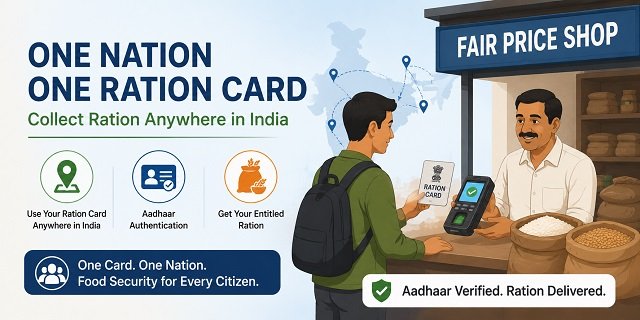
One Nation One Ration Card (ONORC) is a Government of India initiative that allows any National Food Security Act (NFSA) Ration Card holder to collect their entitled foodgrains from any fair price shop (FPS) in India, not just the shop assigned to their home-state ration card. Whether you are a migrant worker in a different city, a student studying in another state, or someone temporarily relocated for work, ONORC lets you collect your monthly rice, wheat, or coarse grain entitlement at any ONORC-enabled FPS using your existing ration card and Aadhaar authentication. The scheme is implemented through the Integrated Management of Public Distribution System (IMPDS) at impds.nic.in and developed by the National Informatics Centre.
For a national overview of ration cards across India, read our Ration Card India guide.
What ONORC Solves: The Migrant Worker Problem
Before ONORC, a Ration Card issued in, say, Bihar could only be used at a fair price shop in Bihar. If you worked in Mumbai for six months, you could not collect your subsidised grain there. Your family in Bihar might collect their share, but you had no access to your individual entitlement while away. This left tens of millions of seasonal workers, construction labourers, factory workers, and domestic workers without their food security benefits for months at a stretch.
ONORC solves this by creating a national portability system. When you visit any ONORC-enabled FPS in any state, the ePoS device communicates with the national IMPDS database, verifies your identity through Aadhaar authentication, checks your remaining monthly entitlement, and releases the grain on the spot. Your transaction is recorded against your home-state ration card, reducing your available balance for that month.
Who Can Use ONORC
Any NFSA Ration Card holder with an Aadhaar-seeded card can use ONORC. This includes:
- All AAY (Antyodaya Anna Yojana) cardholders across all states and UTs
- All PHH (Priority Household) cardholders across all states and UTs
Two conditions must be met for ONORC to work:
- Your Aadhaar Card number must be seeded (linked) to your ration card in your home state’s database. Without Aadhaar seeding, the system cannot verify your identity at a distant FPS.
- The FPS you visit must be ONORC-enabled, meaning its ePoS device is connected to the national IMPDS network. All major states and UTs have enabled their FPS network under IMPDS.
Exact Step-by-Step Process: How to Collect Ration at an ONORC FPS
The following is the exact process when you walk into any ONORC-enabled fair price shop outside your home state:
Step 1: Find an ONORC-enabled FPS: Download the Mera Ration 2.0 App on your Android phone from the Play Store. Open the app and use the “Locate Nearest FPS” feature. The app shows all nearby fair price shops and whether they are ONORC-enabled. Alternatively, ask any FPS dealer in the area whether their shop is on IMPDS and whether they accept ONORC.
Step 2: Tell the FPS dealer you want to collect under ONORC: Inform the dealer that you are a migrant cardholder from another state and want to use portability. This prepares the dealer to use the ONORC transaction mode on their ePoS device instead of the regular local distribution mode.
Step 3: Provide your Aadhaar number: Give the FPS dealer your 12-digit Aadhaar number. The dealer enters it into the ePoS device. The system searches the national IMPDS database to locate your ration card and confirms your current month’s remaining entitlement.
Step 4: Aadhaar biometric authentication: Place your finger (any finger) on the biometric sensor of the ePoS device. The device captures your fingerprint and sends it to UIDAI for authentication. If authentication succeeds, the system confirms your identity and your entitlement amount appears on the device screen.
Step 4 Alternative: OTP authentication if biometric fails: If your fingerprint does not authenticate (due to worn ridges, skin conditions, injury, or network issues), ask the dealer to switch to OTP mode. The ePoS device sends a one-time password to your Aadhaar-linked mobile number. Enter this OTP on the device. Successful OTP entry completes authentication.
Step 5: Verify the entitlement quantity on screen: After authentication, the ePoS device displays how many kilograms you are entitled to collect for that month (based on your card category and how much has already been distributed to your family in the home state). Verify this quantity before the dealer proceeds.
Step 6: Collect your grain: The dealer weighs and gives you the grain. The entitlement could be partial (if your family has already collected some this month from your home-state FPS) or the full monthly amount. Under NFSA, PHH members get 5 kg each per month and AAY households get 35 kg per month. Under PMGKAY, all this grain is free of cost.
Step 7: Transaction gets recorded: The moment the dealer confirms the transaction on the ePoS device, the IMPDS system deducts the collected quantity from your monthly entitlement. If you have already collected 3 kg at your home-state FPS, only the remaining 2 kg (for a PHH member) will be available for portability collection.
Pro-Rata Entitlement: How the Balance System Works
ONORC uses a pro-rata deduction model. Your monthly entitlement is a fixed quantum: for PHH, it is 5 kg per person, for AAY, it is 35 kg per household. This total is shared between your home FPS and any ONORC transaction you make that month.
For example, if you are a PHH member entitled to 5 kg per month, and your family collects 3 kg from your home FPS in the first week, the remaining 2 kg is still available for portability collection anywhere in India before the month ends. If you collect the full 5 kg at an ONORC FPS in another city, nothing remains for the home FPS that month. This prevents double-dipping: you cannot claim more than your monthly entitlement in total, regardless of how many FPS you visit.
Mera Ration 2.0 App: Features and How to Use It
The Mera Ration 2.0 App, developed by the National Informatics Centre (NIC) for the Ministry of Consumer Affairs, Food and Public Distribution, is the official companion app for ONORC. Here is how to use it:
Download: Search “Mera Ration 2.0” on the Google Play Store and install the app. It is free.
View your ration card details: Open the app, select your language, and enter your Aadhaar number or ration card number. The app fetches your ration card information from the national database, including your name, card category (AAY or PHH), and the names of family members enrolled.
Check monthly entitlement: The app dashboard shows your current month’s food grain entitlement: how many kilograms of rice, wheat, or coarse grain you are eligible for. It also shows whether your home-state FPS has already processed your distribution for the month.
View transaction history: See a record of all past distributions, including ONORC transactions. This helps you track when and where your grain was collected, and how much entitlement remains for the current month.
Locate Nearest FPS: The app uses your location to show nearby fair price shops on a map. It indicates which shops are ONORC-enabled. Tap on any FPS to see its address, the dealer’s name, and the contact number.
File a grievance: If you are denied ration, experience incorrect quantity distribution, or face any FPS irregularity, file a grievance directly through the app. The complaint is registered on the IMPDS system and forwarded to the concerned state’s supply officer.
For technical support: Android queries go to sood.sandeep@nic.in or call 0177-2880890. iOS queries go to kerkan@nic.in or call 0497-2700761.
What Happens if an FPS Refuses to Serve You Under ONORC
FPS dealers are obligated under the NFSA to serve valid ONORC requests. If a dealer refuses to transact under ONORC, claims their device does not support it, or demands extra payment for the service:
Step 1: Note the FPS license number displayed on the dealer’s notice board (all FPS are required to display this).
Step 2: Call the ONORC/IMPDS toll-free helpline at 14445. This number is specifically set up for interstate portability complaints and operates at the national level.
Step 3: File a grievance through the Mera Ration 2.0 app using the in-app grievance feature, or use the national NFSA grievance portal at nfsa.gov.in. Select “portability / ONORC” as the issue type and describe the refusal.
Step 4: Contact the national PDS helpline at 1967 for general PDS complaints.
ONORC and the Puducherry Exception
Puducherry operates ONORC differently from all other states. When a Puducherry ration card holder uses ONORC in another state, instead of collecting physical grain, the equivalent food subsidy amount is credited directly to their Aadhaar-linked bank account through Direct Benefit Transfer (DBT). Similarly, when a resident from another state uses ONORC in Puducherry, the Puducherry administration processes the transaction through DBT mode. If you are from Puducherry and working in another state, check the ONORC helpdesk on the Puducherry PDS portal at pdsswo.py.gov.in for DBT payment status.
How IMPDS Tracks Portability Transactions
The Integrated Management of Public Distribution System (IMPDS) at impds.nic.in is the backend platform that makes ONORC work. Every ONORC-enabled FPS across all states is connected to this central system. When a transaction happens at any FPS, the IMPDS database records:
- The Ration Card number and home state
- The state and FPS where the transaction happened
- The quantity collected
- The authentication method used (biometric or OTP)
- The date and time of the transaction
This data is publicly visible in aggregate through the ONORC analytics dashboard at impds.nic.in/onorc, which shows inter-state portability transaction volumes across states in real time.
ONORC and PMGKAY: Free Grain for Migrants Too
Under the Pradhan Mantri Garib Kalyan Anna Yojana (PMGKAY), extended through December 2028, all NFSA grain is provided free of cost: Rs 0 per kg. This applies equally to ONORC transactions. When you collect grain at an ONORC FPS in another state, you pay nothing for the grain itself. The only costs that may legitimately arise are any state-level charges on additional state-funded commodities (like sugar in some states), but the core NFSA grain (rice, wheat, coarse grains) is completely free.
Common Situations Where ONORC Helps
Migrant construction workers: A labourer from Uttar Pradesh working at a construction site in Bengaluru can collect their monthly rice entitlement at any ONORC FPS in Bengaluru. Their family in UP can simultaneously collect the remaining family members’ entitlements from their home FPS. Each person’s portion is tracked separately in the IMPDS system.
Domestic workers: A domestic worker from Jharkhand working in Delhi can use ONORC to collect their individual PHH entitlement of 5 kg of grain per month from any FPS in Delhi.
Students: A student from Tamil Nadu studying in Pune who holds a PHH ration card can collect their 5 kg monthly entitlement at an ONORC FPS near their college in Pune, without needing to register a new card in Maharashtra.
Seasonal agricultural workers: Workers who move to Punjab or Haryana during the wheat or paddy harvest season can access their NFSA entitlement from local FPS during their stay.
Quick Reference Links
- IMPDS National Portal: impds.nic.in
- ONORC Analytics Dashboard: impds.nic.in/onorc
- Mera Ration 2.0 App (Play Store): Download on Play Store
- NFSA Portal: nfsa.gov.in
- My Ration Card Details: nfsa.gov.in RC details
- NFSA Grievance Portal: nfsa.gov.in grievance
- Puducherry ONORC Helpdesk (DBT mode): pdsswo.py.gov.in
Frequently Asked Questions
Does ONORC work in every state and UT in India?
Yes. All 36 states and Union Territories are covered under ONORC through the IMPDS network. Every state has enrolled its NFSA-registered fair price shops under IMPDS, enabling inter-state portability. Whether you travel to a metropolitan city or a small town, the local ONORC-enabled FPS can authenticate your ration card and release your entitlement.
Do I need to inform anyone or register before using ONORC in another state?
No prior registration or notification is needed. You walk into any ONORC-enabled FPS, provide your Aadhaar Card number, authenticate biometrically or via OTP, and collect your grain. The system handles the rest automatically by checking your national IMPDS record.
What if my Aadhaar biometric authentication fails at the FPS?
Ask the FPS dealer to switch to OTP mode. In OTP mode, the ePoS device triggers a one-time password that gets sent to the mobile number linked with your Aadhaar. Enter this OTP on the device to complete authentication. If neither biometric nor OTP works (for example, if your Aadhaar-linked mobile number is not active), you will not be able to use ONORC at that FPS on that occasion. In this case, call 14445 for assistance or update your Aadhaar-linked mobile through UIDAI before your next attempt.
Can I collect my full monthly entitlement in one state and then collect again in another state the same month?
No. ONORC works on a pro-rata deduction model. Your total monthly entitlement is a fixed quantity. The moment you collect from any FPS, that quantity is deducted from your monthly balance in the IMPDS system. Once the full entitlement for the month is exhausted, no further collection is possible from any FPS: home state or otherwise: until the next month’s allocation opens.
Can my family collect rations from the home state FPS while I collect at an ONORC FPS?
Yes, if you and your family members have separate individual entitlements. Under NFSA, the total entitlement is calculated per person for PHH (5 kg per member) and per household for AAY (35 kg per card). If the IMPDS system has individual member-level tracking in your state, your 5 kg portion can be collected via ONORC while your family’s portions are collected at the home FPS. In states where the entire household entitlement is treated as one unit, the total quantity is shared across all collections. Check with your state supply office for how member-level portability is configured.
What is the IMPDS helpline number for ONORC complaints?
The dedicated toll-free helpline for ONORC and IMPDS inter-state portability complaints is 14445. Call this number if an FPS refuses to serve you under ONORC, if your transaction failed but grain was not received, or if you face any issue with the portability authentication process. The number connects to the national-level IMPDS complaints system.
How does the Mera Ration app help me find ONORC-enabled FPS?
Open the Mera Ration 2.0 app (download from the Play Store), enter your Aadhaar or Ration Card number, and tap the “Locate Nearest FPS” option. The app uses your phone’s GPS location to show a map of nearby Fair Price shops. ONORC-enabled shops are marked distinctly. Tap on any FPS pin to see the dealer’s name, address, and contact number. You can filter by proximity to identify the closest ONORC shop.
I am from Puducherry. How does ONORC work for me in another state?
Puducherry is the only state/UT where ONORC operates in DBT mode. When you use ONORC in another state with your Puducherry ration card, instead of receiving physical grain, the equivalent food subsidy amount is transferred directly to your Aadhaar-linked bank account. You can track the payment status on the Puducherry PDS helpdesk at pdsswo.py.gov.in/helpdesk/Payment_Status.aspx using your ration card number.
My ration card is not Aadhaar-seeded. Can I still use ONORC?
No. ONORC authentication relies entirely on Aadhaar verification at the ePoS device. If your ration card is not Aadhaar-seeded, the IMPDS system cannot find your record when the FPS dealer enters your Aadhaar number. To use ONORC, first get your Aadhaar seeded to your ration card by visiting your home state’s District Food Supply Office or the local fair price shop (seeding can be done at some FPS). Once seeded, ONORC works the next time you try.
What commodities can I collect through ONORC?
Under ONORC, you can collect your NFSA entitlement of rice, wheat, or coarse grains, whichever is allocated in that state for NFSA beneficiaries. Under PMGKAY (extended through December 2028), all this grain is free. You cannot collect state-specific commodities like sugar, kerosene, or atta through ONORC at another state’s FPS: those are managed by individual states and not included in the national portability framework.
Is there a time limit on when I can collect my ONORC entitlement each month?
The monthly NFSA allocation is typically distributed within a specific window that each state sets for its FPS. When you visit an ONORC FPS in another state, the system checks your remaining entitlement based on that month’s allocation. If the allocation window for that month has closed in the transacting state, the FPS may not be able to process the transaction. Most states keep ONORC transactions open throughout the month. Check with the FPS dealer or call 14445 if you face a timing-related denial.
Can I use ONORC if I have a ration card from a state that is not online yet?
All 36 states and UTs are now covered under IMPDS and ONORC. However, if your Ration Card was issued before your state fully computerised its PDS records, or if your Aadhaar seeding was not completed in the old system, the IMPDS database may not have your record. In that case, contact your state’s District Food Supply Office to ensure your card is properly entered and Aadhaar-seeded in the national IMPDS database before attempting an ONORC transaction.

Tabassum is a government document researcher and writer with over 5 years of experience exclusively dedicated to tracking and simplifying Central and State Government document processes across India. She has researched and published detailed guides on 100+ government documents and certificates – including Aadhaar Card, PAN Card, Ration Card, Domicile Certificate, and Birth Certificate – covering all states and the Central Government, helping lakhs of Indian citizens successfully complete their paperwork in simple, easy-to-understand language.