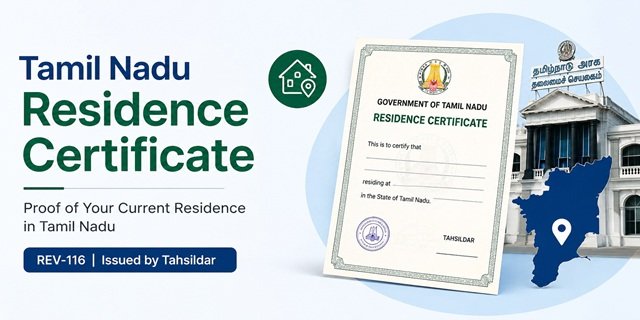
When a government office, educational institution, employer, or welfare authority asks for proof of your current address in Tamil Nadu, they may ask for a Residence Certificate. This certificate officially confirms that you are residing at a specific location within the state and serves as supporting evidence of your present residential status.
The certificate is issued by the Revenue Department through the Tahsildar after local verification. Residents can submit applications online through the Tamil Nadu e-Sevai system or seek assistance from authorised e-Sevai Centres operating across the state.
Many people confuse the Residence Certificate with the Nativity Certificate. However, both certificates serve different purposes. A Residence Certificate confirms where you currently live, while a Nativity Certificate helps establish your native connection with Tamil Nadu. Choosing the correct certificate before applying can save both time and effort.
A Brief Overview of Tamil Nadu Residence Certificate
|
Tamil Nadu Residence Certificate
|
|
|---|---|
| Certificate Name | Residence Certificate (REV-116) |
| Department | Revenue and Disaster Management Department |
| Issuing Authority | Tahsildar |
| Application Mode | Online and e-Sevai Centre |
| Official Service | Residence Certificate |
| State | Tamil Nadu |
| Primary Purpose | Proof of current residence within Tamil Nadu |
Why Do People Need a Residence Certificate?
The certificate helps applicants demonstrate that they currently reside at a particular address in Tamil Nadu. Different organisations may request it as part of their verification process.
- School and college admission formalities
- Hostel admission requirements
- Scholarship applications
- Government welfare scheme enrolment
- Local residence verification requests
- Employment-related documentation
- Submission before government departments requiring address confirmation
Who Can Apply for a Tamil Nadu Residence Certificate?
Any person who ordinarily resides in Tamil Nadu and can support the claim with valid residential records may apply for the certificate.
- Individuals residing in Tamil Nadu on a regular basis
- Students living with parents or guardians in Tamil Nadu
- Applicants whose address appears in valid government-issued records
- Persons seeking official proof of their current residential address
Documents Required
Before starting the application, keep clear scanned copies of the supporting documents ready. The Revenue Department uses these records to verify your identity and confirm that you currently reside at the address mentioned in the application.
- Aadhaar Card – commonly used as both identity and address proof
- Voter ID Card – useful if it contains your current Tamil Nadu address
- Ration Card – helps establish residence of the family at the declared address
- Passport – accepted as identity and residential proof where applicable
- Driving Licence – can be used if it reflects your present address
- Electricity Bill, Water Bill, or Property Tax Receipt – recent utility or property-related records supporting residence at the address
- Rental Agreement – useful for applicants living in rented accommodation, wherever accepted by the local authority
- School, College, or Institution Record – may be used in cases involving students residing in Tamil Nadu
- Parent’s or Guardian’s Address Proof – required when a minor applicant applies through parents or guardians
- Passport-Size Photograph – if requested during the application process
Ensure that the address mentioned in your supporting documents matches the address entered in the application form. If different documents show different addresses, the verification officer may ask for clarification or additional records before approving the certificate.
How to Apply Online Through TN e-Sevai Portal
The Tamil Nadu Government allows citizens to apply for a Residence Certificate online through the TN e-Sevai Portal. You can complete the entire application process from home using a computer or smartphone with internet access.
Step 1: Visit the official TN e-Sevai Portal. If you are a first-time user, create an account using your mobile number and email address. Existing users can sign in directly.
Step 2: After logging in, open the list of available citizen services and navigate to the Revenue Department section.
Step 3: Select Residence Certificate (REV-116) from the available Revenue Department services.
Step 4: Enter the applicant’s personal information carefully, including name, date of birth, mobile number, and complete residential address. Provide the address exactly as it appears in your supporting documents.
Step 5: Fill in the location details such as district, taluk, village, town, ward, or panchayat, wherever applicable. Incorrect location details can delay verification.
Step 6: Upload scanned copies of the required documents. Ensure that all files are readable and that no information is cropped or blurred.
Step 7: Review every entry before submission. Check your name, address, and document details carefully to avoid objections during verification.
Step 8: Submit the application and complete the online payment process, if applicable for your application mode.
Step 9: After successful submission, the system generates an Application Reference Number. Save this number carefully because you will need it later to track the application status and download the certificate.
Can You Apply Through the TNeGA Portal?
Yes. Citizens can also access Tamil Nadu Government citizen services through the Tamil Nadu e-Governance Agency (TNeGA) platform. The portal provides access to various government services and redirects applicants to the appropriate e-Sevai service system for application processing.
If you start from the TNeGA portal, choose the citizen services section and follow the links provided for Revenue Department services. From there, proceed with the Residence Certificate application process and complete the submission using your registered account.
Applying Through an e-Sevai Centre
Applicants who are not comfortable using online services can visit an authorised e-Sevai Centre. These centres operate across Tamil Nadu and help citizens submit applications electronically.
Step 1: Visit the nearest e-Sevai Centre with all original documents and photocopies.
Step 2: Inform the operator that you want to apply for a Residence Certificate (REV-116).
Step 3: Submit the required documents for scanning and verification.
Step 4: The operator enters your details into the system and uploads the supporting records on your behalf.
Step 5: Pay the applicable service charges and collect the acknowledgement receipt.
Step 6: Keep the Application Reference Number printed on the receipt. You can use it later to track the status of your application.
Applying through an e-Sevai Centre is often useful for senior citizens, students, first-time applicants, and people who do not have access to scanning facilities or stable internet connectivity.
What Happens After You Submit the Application?
Submitting the application does not mean the certificate is issued immediately. The Revenue Department verifies the information provided by the applicant before approving the request. During this stage, officials check whether the applicant genuinely resides at the address mentioned in the application.
The application moves through multiple levels of scrutiny before the final certificate is issued. The exact workflow may vary slightly from one district to another, but the verification generally involves local revenue authorities and the Tahsildar’s office.
How the Verification Process Works
Stage 1: Initial Scrutiny
After submission through the TN e-Sevai system, the application reaches the concerned revenue office. Officials review the form and uploaded documents to ensure that all mandatory information has been provided.
If any document is missing, unclear, or inconsistent with the details entered in the application, the authority may place the application on hold and seek clarification from the applicant.
Stage 2: Local Verification
The application is forwarded to the local revenue administration for address verification. Depending on the location, the verification may involve the Village Administrative Officer (VAO) or other authorised revenue officials.
The officer may examine local records, residence-related documents, and other supporting information to confirm that the applicant actually resides at the declared address.
In certain cases, officials may contact the applicant or conduct a local enquiry if additional confirmation is required.
Stage 3: Revenue Review
Once local verification is completed, the report is sent to the higher revenue authority for review. The officer examines the verification findings along with the supporting documents submitted by the applicant.
If the records support the residence claim, the application moves to the approval stage.
Stage 4: Certificate Approval
The Tahsildar reviews the application and the verification report. After satisfying all requirements, the Tahsildar approves the request and authorises issuance of the Residence Certificate.
The approved certificate becomes available in the applicant’s account for download through the online system.
How to Check Application Status
You do not need to visit any office repeatedly to know the progress of your application. Tamil Nadu provides an online status tracking facility that allows applicants to monitor each stage of processing.
Step 1: Visit the TN e-Sevai Portal.
Step 2: Open the application tracking or status enquiry section.
Step 3: Enter your Application Reference Number.
Step 4: Submit the details to view the latest status.
The system may display updates such as:
- Application Submitted
- Under Verification
- Pending for Review
- Approved
- Rejected
- Certificate Available for Download
Applicants may also receive status updates through their registered mobile number whenever the application progresses to a new stage.
How to Download the Residence Certificate
Once the application is approved, the certificate can be downloaded online without visiting the revenue office.
Step 1: Log in to the TN e-Sevai Portal using your registered credentials.
Step 2: Open the section containing your submitted applications or issued certificates.
Step 3: Locate the approved Residence Certificate.
Step 4: Click the download option to save the digitally issued certificate.
Step 5: Keep both digital and printed copies for future use whenever an authority requests proof of residence.
You can also verify the authenticity of issued certificates through the Tamil Nadu certificate verification system available at tnedistrict.tn.gov.in.
Processing Time, Fees, Validity & Common Problems
Processing Time
The Tamil Nadu Revenue Department generally processes a Residence Certificate application within 15 working days from the date of successful submission. The actual timeline may vary depending on the verification workload in your Taluk and the completeness of the documents submitted.
Applications submitted through the online e-Sevai system and those filed through authorised e-Sevai Centres follow the same verification process. If the Revenue Inspector, Village Administrative Officer (VAO), or Tahsildar requires additional clarification, the timeline may extend until the required information is provided.
Application Fee
According to the Tamil Nadu e-Sevai service catalogue for Residence Certificate (REV-116), applicants are required to pay the prescribed service charges while submitting the application through the e-Sevai platform or an authorised e-Sevai Centre.
- Government Fee: As prescribed under the service
- e-Sevai Service Charge: Applicable as per the mode of application
- Online Payment: Available through the Tamil Nadu e-Sevai portal
Applicants using an authorised e-Sevai Centre may have to pay the notified facilitation charge in addition to the applicable government fee.
Validity of Tamil Nadu Residence Certificate
The Residence Certificate is generally issued to certify the applicant’s residential status at the time of verification. The certificate itself does not normally carry a fixed expiry date. However, many educational institutions, scholarship authorities, employers, and government departments may insist on a recently issued certificate.
For this reason, applicants should always check the specific notification or application guidelines to determine whether a fresh Residence Certificate is required.
Common Problems and Their Solutions
Address mismatch across documents: The most common issue arises when the address shown on the Aadhaar Card, ration card, voter ID, or other supporting documents does not match. Ensure that all submitted documents reflect the same residential address before applying.
Application remains under verification for a long period: Verification may take additional time if local authorities require clarification regarding residence details. Applicants can contact their local Taluk Office or the concerned e-Sevai Centre to obtain an update.
Incorrect mobile number entered during registration: Status updates and service notifications are often sent to the registered mobile number. If an incorrect number was entered, applicants may face difficulties receiving updates regarding their application.
Unclear or incomplete document uploads: Blurred scans, cropped documents, or incomplete uploads frequently result in verification objections. Upload clear, readable copies of all supporting documents in the prescribed format.
Unable to track application status: Ensure that the Application Reference Number has been entered correctly. If the issue persists, contact the e-Sevai Helpdesk or visit the e-Sevai Centre where the application was submitted.
Residence Certificate vs Nativity Certificate: Understand the Difference
Many applicants on the Tamil Nadu e-Sevai portal notice two separate Revenue Department services — Residence Certificate (REV-116) and Nativity Certificate (REV-102). Although both certificates relate to a person’s connection with Tamil Nadu, they serve entirely different purposes and should not be used interchangeably.
A Residence Certificate confirms your current place of residence within Tamil Nadu. It helps government departments, educational institutions, employers, and other authorities verify where you presently live.
A Nativity Certificate, on the other hand, establishes that Tamil Nadu is your native state. It is commonly required for state quota admissions, certain recruitment processes, and situations where an applicant must prove a long-term or ancestral connection with Tamil Nadu.
| Residence Certificate (REV-116) | Nativity Certificate (REV-102) |
|---|---|
| Confirms your present residential address | Confirms Tamil Nadu as your native state |
| Used for address and residence verification | Used for nativity-related eligibility verification |
| Based primarily on current residence records | Based on nativity and family connection records |
| Required where proof of present residence is requested | Required where proof of Tamil Nadu nativity is requested |
Before applying through the Tamil Nadu e-Sevai system, carefully read the requirements mentioned in the notification or application form. If an authority asks for proof of your current address, select Residence Certificate (REV-116). If it specifically asks for proof of Tamil Nadu nativity, choose the Nativity Certificate (REV-102).
Frequently Asked Questions
Q. What is a Tamil Nadu Residence Certificate?
Ans. A Tamil Nadu Residence Certificate (REV-116) is an official document issued by the Revenue Department to confirm that a person is currently residing at a particular address within Tamil Nadu. It is commonly used wherever proof of present residence is required.
Q. What is the difference between a Residence Certificate and a Nativity Certificate in Tamil Nadu?
Ans. A Residence Certificate verifies your current residential address in Tamil Nadu, whereas a Nativity Certificate establishes Tamil Nadu as your native state. Both certificates serve different purposes and are available as separate services on the Tamil Nadu e-Sevai platform.
Q. Who issues the Tamil Nadu Residence Certificate?
Ans. The certificate is issued by the Tahsildar of the concerned Taluk after verification by the Revenue Department and local authorities.
Q. Can I apply for a Residence Certificate online in Tamil Nadu?
Ans. Yes. Applicants can submit their applications online through the TN e-Sevai Portal. Those who need assistance may also visit an authorised e-Sevai Centre for application submission.
Q. What is the service code for Tamil Nadu Residence Certificate?
Ans. The official service code for Residence Certificate on the Tamil Nadu e-Sevai platform is REV-116.
Q. How long does it take to get a Residence Certificate in Tamil Nadu?
Ans. The application is generally processed within about 15 working days. However, the actual timeline may vary depending on local verification requirements and the workload of the concerned revenue authorities.
Q. How can I check the status of my application?
Ans. You can track the application through the TN e-Sevai Portal using the Application Reference Number generated at the time of submission.
Q. Can students apply for a Residence Certificate?
Ans. Yes. Students residing in Tamil Nadu with their parents or guardians may apply by submitting suitable residence-related documents and supporting records required during verification.
Q. What should I do if my application is rejected?
Ans. Review the reason for rejection, correct the deficiencies pointed out by the Revenue Department, and submit a fresh application with complete and accurate supporting documents.
Q. Can I download the Residence Certificate online after approval?
Ans. Yes. Once approved by the Tahsildar, the certificate can be downloaded from the TN e-Sevai Portal using your registered account.
Q. Is the Residence Certificate valid throughout Tamil Nadu?
Ans. Yes. Since it is issued by the Revenue Department of the Government of Tamil Nadu, it can be used across the state wherever proof of current residence is required, subject to the conditions of the requesting authority.
Q. Is an Aadhaar Card mandatory for applying for a Residence Certificate?
Ans. Aadhaar is commonly used as identity and address proof during the application process. However, the Revenue Department may also accept other supporting documents depending on the circumstances of the applicant and local verification requirements.

Tabassum is a government document researcher and writer with over 5 years of experience exclusively dedicated to tracking and simplifying Central and State Government document processes across India. She has researched and published detailed guides on 100+ government documents and certificates – including Aadhaar Card, PAN Card, Ration Card, Domicile Certificate, and Birth Certificate – covering all states and the Central Government, helping lakhs of Indian citizens successfully complete their paperwork in simple, easy-to-understand language.