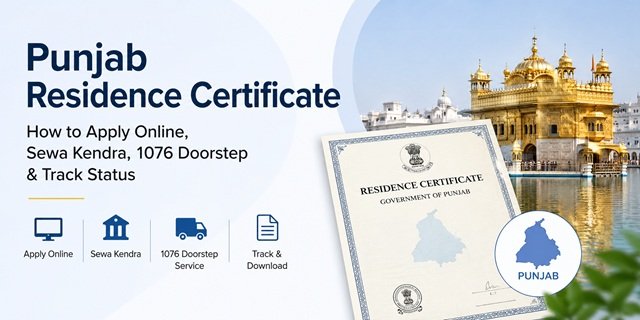
In Punjab, the domicile certificate is officially issued as a Residence Certificate (Residence Certificate Punjab). The service is provided by the Department of Personnel, Government of Punjab, through the state’s digital governance platforms. Eligible applicants can apply online through the Connect Punjab Portal or the Digital Punjab Portal. Applications are also accepted through Sewa Kendras across Punjab and through the state’s 1076 Doorstep Delivery Service.
The certificate serves as official proof of residence in Punjab and is commonly required for Punjab government recruitment, educational admissions under the state quota, scholarships, welfare schemes, property-related matters, and other services where Punjab residency must be established. According to the official service guidelines, the government fee is Rs 10, while applications submitted through Sewa Kendras may attract additional facilitation charges as prescribed by the state government.
Punjab provides multiple application categories for issuing a Residence Certificate. Applicants may qualify based on long-term residence in Punjab, birth within Punjab, or ownership of immovable property in the state. The service is generally delivered within 15 days for online applications submitted through the Connect Punjab Portal.
Who Is Eligible for a Punjab Residence Certificate?
You may apply for a Punjab Residence Certificate under any of the officially recognised categories below:
- You are residing in Punjab for 5 years or more and can provide valid proof of residence.
- You were born in Punjab and can provide supporting documents such as a Birth Certificate, Passport, or other approved proof showing Punjab as the place of birth.
- You or your parents/guardians own a house, land, or other immovable property in Punjab and can provide supporting property documents such as a Farad or Sale Deed.
- A married woman residing with her spouse in Punjab may apply using eligible residence-related documents as applicable under the prescribed category.
Before starting the application, select the correct eligibility category on the portal because the required supporting documents vary depending on whether you are applying based on residence, birth in Punjab, or ownership of immovable property within the state.
Documents Required
The documents required depend on the eligibility category selected while applying. Keep clear scanned copies of all supporting documents ready before starting your application.
- Identity Proof (any one): Aadhaar Card / e-Aadhaar, Voter ID Card, Passport, Driving Licence, PAN Card
- Address Proof (any one): Aadhaar Card, Passport, Voter ID Card, Address Certificate issued by a Central Government, State Government or PSU authority, or any other address proof accepted by the service guidelines.
- Proof of Residence in Punjab (for applicants applying under the residence category) – documents showing continuous residence in Punjab, such as a Ration Card, Voter ID Card, utility bills, or other supporting residence records.
- Proof of Immovable Property in Punjab (mandatory only for applicants applying under the property category) – Copy of Farad, Sale Deed, or other ownership documents. The property should be in the name of the applicant or the applicant’s parents/guardians.
- Proof of Birth in Punjab (mandatory only for applicants applying under the birth category) – Birth Certificate, Passport, or verification from a Sarpanch, Nambardar, Municipal Councillor (MC), Gazetted Officer (Class-I), or Head of Department (HOD), as permitted under the official service guidelines.
- Passport-size Photograph (if required during application submission or verification).
- Any Other Supporting Document that helps establish your eligibility under the selected category.
Make sure the name, parent’s name, and address details are consistent across all documents. Any mismatch may result in additional verification or delays in certificate issuance.
How to Apply Online Through Connect Punjab Portal
Step 1: Visit the official Connect Punjab Portal. Click “Register” if you are a new user. Enter your mobile number, email address, name, and other required details to create your account.
Step 2: After registration, log in to the portal using your registered credentials.
Step 3: Complete your citizen profile by providing the required personal information. Make sure your name, date of birth, and contact details match your supporting documents.
Step 4: From the services dashboard, click “Apply for Services” and search for “Residence Certificate”.
Step 5: Select the appropriate eligibility category under which you are applying, such as residence in Punjab, birth in Punjab, or ownership of immovable property in Punjab.
Step 6: Fill in the application form carefully. Enter your personal details, father’s or husband’s name, complete Punjab address, district, tehsil, and other information requested by the portal.
Step 7: Upload the required supporting documents according to your selected eligibility category. Ensure that all uploaded documents are clear and readable.
Step 8: Pay the applicable fee online, if required by the selected application mode, and review all details before final submission.
Step 9: Submit the application. After successful submission, an Application Reference Number is generated. Save this number carefully because it is required for status tracking and certificate download.
Step 10: Once approved by the competent authority, download the Residence Certificate from the portal using your application details.
How to Apply Through Digi Punjab Portal
Punjab Government also provides citizen services through the Digi Punjab Portal. If the Residence Certificate service is available on the portal, you can complete the application digitally without visiting a government office.
Step 1: Open digi.punjab.gov.in and sign in with your registered account.
Step 2: Search for “Residence Certificate” in the available services section.
Step 3: Complete the application form and upload the required supporting documents.
Step 4: Submit the application and note the generated reference number for future tracking.
Step 5: Monitor the application status through the portal and download the certificate after approval.
How to Apply Through a Sewa Kendra
Sewa Kendras are Punjab Government’s authorised citizen service centres that provide access to hundreds of government services, including the Punjab Residence Certificate. If you do not want to apply online, you can submit your application through any nearby Sewa Kendra.
Step 1: Visit your nearest Sewa Kendra with all required documents. Carry both original documents and photocopies wherever possible to avoid delays.
Step 2: Take a token at the service counter and inform the operator that you want to apply for a Punjab Residence Certificate.
Step 3: Provide the required identity proof, address proof, and category-specific documents. For example, applicants applying on the basis of birth in Punjab or ownership of property in Punjab should carry the relevant supporting documents.
Step 4: The Sewa Kendra operator will enter your details into the government system and upload the required documents on your behalf.
Step 5: Pay the applicable fee and collect the acknowledgement receipt. The receipt contains your Application Reference Number, which is required for status tracking.
Step 6: After submission, the application is forwarded to the competent authority for verification and approval. If additional information or documents are required, the concerned office may contact you during processing.
Step 7: Once approved, you can download the certificate online or obtain it through the mode specified during application submission.
How to Apply Through Punjab Doorstep Delivery Service (1076)
Punjab Government offers a Doorstep Delivery Service that allows citizens to access many government services without visiting a government office or Sewa Kendra. The Residence Certificate service can also be requested through this facility.
Step 1: Call the Punjab Doorstep Delivery Helpline on 1076.
Step 2: Inform the executive that you want to apply for a Punjab Residence Certificate.
Step 3: Provide your basic details, including your name, address, mobile number, and preferred appointment time.
Step 4: A designated representative will visit your residence and assist with document collection and application submission as per the applicable service process.
Step 5: The application is processed through the official government system and forwarded to the competent authority for verification.
Step 6: Keep the application reference number safely for future tracking and certificate download.
This facility is particularly useful for senior citizens, persons with disabilities, working professionals, and applicants who cannot easily visit a Sewa Kendra.
How to Track Your Punjab Residence Certificate Application
You can track the status of your application online through the official Punjab Citizen Services portals.
Method 1: Connect Punjab Portal
- Visit connect.punjab.gov.in.
- Log in using your registered mobile number and credentials.
- Open My Applications.
- Select your Residence Certificate application.
- The portal will display the latest application status and processing stage.
Method 2: Digi Punjab Portal
- Visit digi.punjab.gov.in.
- Sign in to your account.
- Navigate to the application tracking section.
- Enter the required application details if prompted.
- View the current status of your Residence Certificate application.
Applicants also receive status updates through SMS on their registered mobile number.
How to Download Punjab Residence Certificate
Once the certificate is approved and issued, you can download the digitally signed certificate online.
- Visit connect.punjab.gov.in or digi.punjab.gov.in.
- Log in to your account.
- Open Issued Certificates or My Applications.
- Select Residence Certificate.
- Download the digitally signed PDF certificate.
If you applied through a Sewa Kendra and selected physical delivery, you may also collect the certificate from the concerned centre as per the instructions provided during application submission.
Processing Time and Fee
- Government Fee: Rs 10
- Facilitation Fee: Rs 75
- Total Fee: Rs 85
- Online Portal Timeline: Up to 15 days
- Sewa Kendra Timeline: Up to 17 days
- 1076 Doorstep Service Timeline: Up to 17 days
Common Problems and Solutions
Application kept pending for document verification: Ensure that your identity proof, address proof, and category-specific supporting documents are uploaded clearly and completely. Incomplete documents are one of the most common reasons for delays.
Property document requirement confusion: Proof of immovable property in Punjab is required only for applicants applying under the category based on ownership of immovable property in Punjab. Applicants applying through other eligibility categories may not need this document.
Birth-based eligibility proof not accepted: If you are applying under the category of being born in Punjab, upload a Birth Certificate, Passport, or other officially accepted proof showing Punjab as the place of birth.
Unable to upload documents online: Visit the nearest Sewa Kendra, where operators can scan and upload the documents on your behalf.
Application not disposed of within the notified timeline: Contact the Punjab Government helpline at 1076 or visit the concerned Sewa Kendra for status clarification and escalation.
Need assistance through WhatsApp? Punjab Digital Services also provides citizen assistance through WhatsApp at 79869 99490.
Punjab Residence Certificate for Special Cases
Students seeking Punjab State Quota benefits: Many state-level admission processes require proof of Punjab residence. Applicants should obtain the certificate well before counselling or admission deadlines.
Applicants born in Punjab: Use a birth certificate, Passport, or other approved birth-related documents showing Punjab as the place of birth.
Applicants owning property in Punjab: Submit Farad, Jamabandi, Sale Deed, or other accepted property ownership records, where applicable.
Applicants residing outside Punjab temporarily: If eligible under one of the approved categories, temporary residence outside Punjab does not automatically prevent you from applying. Supporting documents must establish eligibility under the relevant category.
Correction in issued certificate: Contact the issuing authority or submit a fresh request through the official portal or Sewa Kendra, depending on the nature of the correction required.
Quick Reference
|
Punjab Residence Certificate Quick Reference
|
|
|---|---|
| Official Apply Portal | connect.punjab.gov.in |
| Digi Punjab Portal | digi.punjab.gov.in |
| Government Fee | Rs 10 |
| Facilitation Fee | Rs 75 |
| Total Fee | Rs 85 |
| Online Timeline | 15 Days |
| Sewa Kendra Timeline | 17 Days |
| 1076 Doorstep Timeline | 17 Days |
| Apply Modes | Connect Punjab, Digi Punjab, Sewa Kendra, 1076 Doorstep Service |
| Helpline | 1076 |
| WhatsApp Support | 79869 99490 |
| Issuing Authority | Competent Revenue Authority (SDM/ Tehsildar) |
Frequently Asked Questions
Q. What is the minimum residence requirement for obtaining a Punjab Residence Certificate?
Ans. The Punjab Government’s official Residence Certificate service is based on specific eligibility categories notified by the state. Applicants may qualify through residence, birth in Punjab, ownership of eligible immovable property in Punjab, or other approved categories. Since eligibility is assessed according to the category selected during application, applicants should carefully review the latest service guidelines available on the official portals before applying.
Q. Can I apply for a Punjab Residence Certificate completely online?
Ans. Yes. Punjab residents can apply online through the official Connect Punjab Portal and Digi Punjab Portal. Applicants need to create an account, complete their profile, upload the required documents, pay the applicable fee, and submit the application electronically.
Q. What is the 1076 Doorstep Delivery Service?
Ans. The Punjab Government provides a Doorstep Delivery Service through helpline 1076. Citizens can request various notified services, including the Residence Certificate, without visiting a government office. After booking the service, a designated representative visits the applicant’s address, collects the required documents, completes the application process, and facilitates service delivery as per the applicable rules.
Q. Which documents are required for a Punjab Residence Certificate?
Ans. Applicants must submit valid identity proof and address proof. Depending on the eligibility category selected, additional documents may be required, such as proof of birth in Punjab, proof of immovable property in Punjab, or other supporting documents specified by the competent authority. The exact document requirement may vary according to the category under which the application is submitted.
Q. How much is the fee for a Punjab Residence Certificate?
Ans. As per the official Punjab Digital Services information, the service carries a Government Fee of Rs 10 and a Facilitation Fee of Rs 75, making the total payable amount Rs 85 when availing the service through notified channels.
Q. How long does it take to receive a Punjab Residence Certificate?
Ans. The official service timeline is generally 15 days for online applications submitted through the digital portals. Applications submitted through Sewa Kendras or the 1076 Doorstep Service may take up to 17 days, subject to successful document verification and completion of all requirements.
Q. How can I track the status of my Punjab Residence Certificate application?
Ans. You can track your application through the official Connect Punjab Portal or Digi Punjab Portal using your Application ID and registered mobile number. Applicants also receive important updates through SMS on their registered mobile number.
Q. How do I download my Punjab Residence Certificate after approval?
Ans. Once the application is approved, log in to the official portal through which you applied. Open the application details or issued certificates section and download the digitally signed Residence Certificate PDF. Applicants who applied through a Sewa Kendra and selected physical delivery options should follow the instructions provided during application submission.
Q. Can I apply through WhatsApp in Punjab?
Ans. Punjab Digital Services provides citizen assistance through the official WhatsApp support number 79869 99490. Citizens can use this channel to obtain information about services, application procedures, document requirements, and other service-related guidance.
Q. Who issues the Punjab Residence Certificate?
Ans. The Punjab Residence Certificate is issued by the competent Revenue Authority designated by the Government of Punjab. Depending on the administrative jurisdiction and verification process, the certificate is generally approved and issued through the office of the concerned SDM (Sub-Divisional Magistrate) or other authorized revenue authority.

Tabassum is a government document researcher and writer with over 5 years of experience exclusively dedicated to tracking and simplifying Central and State Government document processes across India. She has researched and published detailed guides on 100+ government documents and certificates – including Aadhaar Card, PAN Card, Ration Card, Domicile Certificate, and Birth Certificate – covering all states and the Central Government, helping lakhs of Indian citizens successfully complete their paperwork in simple, easy-to-understand language.