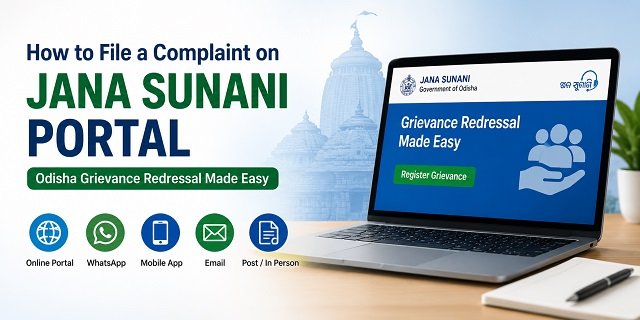
If your work is pending with any Odisha Government department, you can file an online complaint through the official Jana Sunani Portal. The platform helps citizens report issues related to ration cards, pensions, land records, electricity, water supply, police, municipal services, welfare schemes, and other state government services.
Managed by the Department of General Administration and Public Grievance, Government of Odisha, Jana Sunani accepts complaints through the official portal at janasunani.odisha.gov.in, WhatsApp chatbot, Android and iOS mobile apps, email, post, and offline submission at designated government offices.
Jana Sunani has two features that make it different from many other state grievance portals. First, once a complaint is closed, it cannot be reopened. If you are not satisfied with the resolution, you must submit a fresh complaint and mention the previous Complaint Ticket ID for reference.
Second, Odisha conducts District Level Joint Hearings (Yugma Shunani), where the District Collector and the Superintendent of Police hear public grievances together on scheduled dates. This unique system helps resolve both administrative and police-related issues during the same hearing.
After you submit a complaint, it is forwarded to the concerned department or authority based on the grievance category selected. Depending on the nature of the complaint, it may also be monitored or escalated through the Chief Minister’s Grievance Cell, Chief Secretary’s Office, Governor’s Office, Director General of Police, District Collector, Police authorities, or the concerned state department.
Every department and district has a designated Nodal Officer who is responsible for examining complaints, coordinating with the concerned office, updating the status on the portal, and ensuring timely action.
Looking for grievance portals in other states? Read our CM Helpline Guide. If your issue is related to ration cards or the Public Distribution System, you can also read our Odisha Ration Card guide.
What You Can Complain About
The Jana Sunani Portal accepts complaints against almost every Odisha Government department, local body, public office, and state government scheme. Some of the most common grievance categories are:
- Food & Civil Supplies: Ration Card application delays, name missing from the beneficiary list, ration card correction, or fair price shop (FPS) not distributing food grains.
- Revenue & Land Records: Mutation delays, Record of Rights (RoR), land records, encroachment disputes, and other revenue-related matters.
- Pension & Welfare Schemes: Old age pension, widow pension, disability pension, scholarships, housing schemes, and other state welfare benefits not received.
- Electricity & Water Supply: Complaints related to TPCODL, TPNODL, TPWODL, TPSODL, power supply interruptions, billing issues, and drinking water services.
- Health Services: Government hospitals, medicines, doctors, ambulance services, and other public health facilities.
- Police & Law Enforcement: Odisha Police complaints, delay in police action, or misconduct by police personnel.
- Urban & Rural Local Bodies: Municipal Corporations, Municipalities, Nagar Panchayats, Gram Panchayats, roads, drainage, sanitation, street lights, and other civic services.
- Employment & Rural Development: MGNREGS job card issues, unpaid wages, and rural development works.
- Education: Government schools, scholarships, admissions, certificates, and other education-related services.
- Government Offices: Delay in service delivery, non-responsive officials, unnecessary harassment, or complaints related to corruption and demand for bribes.
What Jana Sunani Does Not Accept
Before submitting your grievance, make sure it falls within the scope of the Jana Sunani Portal. The following matters are generally not accepted:
- RTI (Right to Information) requests: Information requests should be filed separately with the Public Information Officer (PIO) of the concerned department under the RTI Act.
- Matters affecting national security or integrity: Such issues are outside the scope of the public grievance portal.
- Sub judice cases: Complaints related to matters that are already pending before a court or are covered by a court order cannot be entertained through Jana Sunani.
What to Keep Ready Before Filing
Keeping the required details ready beforehand makes the complaint process faster and helps avoid errors while submitting your grievance.
- Your mobile number for OTP verification and future SMS or WhatsApp updates.
- Your full name, complete address, district, and PIN code.
- Name of the government department, office, or authority against which you want to file the complaint.
- A brief timeline of the issue, including when the problem started and any previous communication with the department.
- Previous Complaint Ticket ID, if you are filing a fresh grievance related to an earlier closed complaint.
- Supporting documents, photographs, or other evidence, if available.
- A clear and concise description explaining the issue, the action already taken, and the relief or solution you expect from the concerned department.
How to File an Online Complaint on the Jana Sunani Portal
You can register your grievance online from your mobile phone or computer without visiting any government office. The entire process takes only a few minutes if you keep your documents and complaint details ready.
Step 1: Open the Official Jana Sunani Portal
Visit janasunani.odisha.gov.in. On the homepage, click “Register Grievance” (ଅଭିଯୋଗ ପଞ୍ଜିକରଣ କରନ୍ତୁ). You can also open the grievance registration page directly at janasunani.odisha.gov.in/grievance-details.
Step 2: Confirm You Are a Citizen
The portal first displays an important notice. Jana Sunani has separate portals for citizens and government employees. Tick the declaration confirming that you are registering the grievance as a citizen, then click “Yes” to continue.
Step 3: Enter Your Personal Details
Fill in your basic information such as your name, mobile number, complete address, district, and other details requested in the application form. Make sure the mobile number is correct because all future updates will be sent to this number.
Step 4: Select the Correct Department
Choose the government department or office responsible for your grievance from the dropdown list. If your complaint involves multiple departments, select the one that is primarily responsible for resolving the issue. Choosing the correct department helps your complaint reach the right authority quickly.
Step 5: Describe Your Grievance Clearly
Write your complaint in simple Odia or English. Explain what happened, when the problem started, which office or official is involved, and what action you expect from the government. Avoid writing unnecessary details and keep your grievance clear and factual.
Step 6: Upload Supporting Documents
If you have supporting documents such as acknowledgement receipts, letters, photographs, bills, notices, or any other evidence, upload them with your complaint. Clear documents help the concerned officer understand your case more quickly.
Step 7: Submit the Complaint
After verifying all the information, click “Submit”. The portal immediately generates a unique Complaint Ticket ID. You will also receive this Ticket ID on your registered mobile number through SMS and WhatsApp.
Step 8: Save Your Complaint Ticket ID
Keep the Complaint Ticket ID safe. You will need it to track your complaint status, communicate with the department, and file a fresh grievance if you are not satisfied with the final resolution, as closed complaints cannot be reopened on the Jana Sunani Portal.
How to File a Complaint Through the Jana Sunani WhatsApp Chatbot
If you do not want to use the web portal, you can register your grievance directly through the official Jana Sunani WhatsApp chatbot. The chatbot also lets you check your complaint status without visiting the website.
Step 1: Save the Official WhatsApp Number
Save 6370951930 in your phone contacts. You can also open the chat directly by clicking this WhatsApp link.
Step 2: Start the Chat
Open WhatsApp and send “Hi” to the official Jana Sunani number. The chatbot will reply instantly with the available services and instructions.
Step 3: Choose the Required Service
Select the option to Register a New Grievance or Check Complaint Status. Follow the on-screen instructions provided by the chatbot.
Step 4: Enter Your Complaint Details
The chatbot will ask for details such as your name, district, department, mobile number, and grievance description. Enter the information carefully and provide accurate details so that your complaint reaches the correct department.
Step 5: Submit the Complaint
Once all the required information is entered, submit your grievance. The chatbot immediately generates a unique Complaint Ticket ID, which is sent in the same WhatsApp conversation. Keep this Ticket ID safe for future reference.
Step 6: Check Complaint Status Anytime
You can return to the same WhatsApp chat whenever you want and use the available status option or follow the chatbot instructions to check the latest progress of your complaint using the Ticket ID.
Important: If the Jana Sunani website is temporarily unavailable due to maintenance or technical issues, the Government of Odisha recommends using the official WhatsApp chatbot to register your grievance or check its status.
How to File a Complaint Using the Jana Sunani Mobile App
If you prefer using your mobile phone, you can submit and track grievances through the official Jana Sunani app. The app offers the same services as the web portal and is available for both Android and iPhone users.
- Android: Download Jana Sunani from Google Play
- iPhone (iOS): Download Jana Sunani from the App Store
Step 1: Install and Open the App
Download the official Jana Sunani app from the Google Play Store or the Apple App Store and open it on your mobile phone.
Step 2: Register or Log In
Register using your mobile number if you are a new user. Existing users can simply log in with their registered mobile number. The app is available in both Odia and English.
Step 3: Register Your Grievance
Select the option to register a new grievance, fill in your personal details, choose the concerned department, describe your complaint clearly, and upload supporting documents if required.
Step 4: Submit the Complaint
Review the information carefully and submit your grievance. After successful submission, the system generates a unique Complaint Ticket ID. You will also receive the Ticket ID on your registered mobile number through SMS and WhatsApp.
Step 5: Track Your Complaint
You can use the same app anytime to check the latest status of your grievance by entering or selecting your Complaint Ticket ID. The app also displays updates received from the concerned department.
How to File a Complaint by Email
If you cannot use the Jana Sunani Portal or mobile app, you can also send your grievance by email. The official Jana Sunani FAQ confirms that departments accept complaints through their official email IDs.
Step 1: Find the Correct Department Email
Visit the official website of the concerned Odisha Government department and note its official email address. Always send your complaint to the department responsible for your issue.
Step 2: Write Your Email
Mention your full name, complete address, district, mobile number, and clearly explain your grievance. Also mention the action or relief you expect from the department.
Step 3: Attach Supporting Documents
Attach relevant documents such as acknowledgement receipts, photographs, letters, or other supporting evidence in PDF, JPG, or PNG format.
Step 4: Send the Email
After sending the email, request an acknowledgement or reply from the department. Keep a copy of the email safely for future reference.
How to File a Complaint by Post
If you prefer the offline method, you can send your grievance through Speed Post or Registered Post to the concerned government authority.
Step 1: Prepare Your Complaint
Write your grievance on plain paper. Mention your name, address, mobile number, details of the problem, and the action you expect from the concerned department.
Step 2: Attach Supporting Documents
Attach photocopies of all relevant documents. Do not send original documents unless specifically requested.
Step 3: Send to the Appropriate Authority
- District Collector: For district-level public grievances.
- Concerned Department’s Nodal Officer: For complaints related to a specific state government department.
- Chief Minister’s Grievance Cell: For matters that require attention from the Chief Minister’s Office.
- Governor’s Office: For grievances intended to be submitted to Raj Bhavan.
General Administration & Public Grievance Department Address:
Lokseva Bhawan, Bhubaneswar – 751001, Odisha.
Keep the Speed Post or Registered Post receipt safely until your grievance is resolved.
How to File a Complaint in Person
If you are unable to submit your grievance online, you can visit the concerned government office and file your complaint personally.
Step 1: Carry the Required Documents
Take a written application along with photocopies of all supporting documents and a valid mobile number for future communication.
Step 2: Visit the Appropriate Office
- District Collector’s Office for district-level grievances.
- Concerned Government Department or Nodal Officer for department-specific complaints.
- Chief Minister’s Grievance Cell for matters requiring attention from the Chief Minister’s Office.
- Governor’s Office (Raj Bhavan), Bhubaneswar, for grievances addressed to the Governor.
Step 3: Submit Your Application
Submit your complaint along with the supporting documents and collect an acknowledgement or receipt, if provided.
Alternative Option: You can also visit your nearest Mo Seva Kendra, where the operator can register your grievance online through the Jana Sunani system on your behalf.
District Level Joint Hearing (Yugma Shunani)
One of the biggest advantages of the Odisha Jana Sunani system is the District Level Joint Hearing (Yugma Shunani). During these hearings, the District Collector and the Superintendent of Police (SP) sit together to hear public grievances. This allows both administrative and police related complaints to be reviewed in a single hearing.
The hearing schedule is published every month for all districts. Before visiting, check the date, venue, and timing for your district.
Step 1: Check the Hearing Schedule
Visit janasunani.odisha.gov.in/public_hearing. The page displays the district-wise schedule, venue, and timings for upcoming Yugma Shunani hearings.
Step 2: Book an Appointment
If you wish to attend the hearing, click “Register Here for Appointment” on the Jana Sunani homepage and complete the appointment process. If you have already registered, you can download your acknowledgement slip from the same portal.
Step 3: Attend the Hearing
Carry your Complaint Ticket ID, acknowledgement slip, written application, and all supporting documents. Explain your grievance clearly before the District Collector and Superintendent of Police during the hearing.
How to Track Your Jana Sunani Complaint
After submitting your grievance, you can check its latest status through any of the following methods.
Option 1: Track Through the Portal
Visit janasunani.odisha.gov.in/complaint-status, enter your Complaint Ticket ID, and click Search. The portal displays the current status, the concerned officer, and the action taken on your complaint.
Option 2: Track Through WhatsApp
Send your Complaint Ticket ID to the official Jana Sunani WhatsApp number 6370951930. The chatbot will provide the latest status of your grievance.
Option 3: Track After Logging In
Log in to the Jana Sunani Portal using your registered mobile number and OTP. Your dashboard shows all complaints filed under your account, along with their Ticket IDs and current status.
If Your Complaint Is Not Resolved
According to the official Jana Sunani guidelines, a complaint cannot be reopened once it has been closed. If you are not satisfied with the resolution, you need to submit a fresh grievance.
- File a new complaint through the Jana Sunani Portal, mobile app, WhatsApp chatbot, or any other available channel.
- While submitting the new grievance, mention your previous Complaint Ticket ID and clearly explain why you are dissatisfied with the earlier resolution.
- Attach any additional documents or fresh evidence that supports your case.
- If required, attend the District Level Joint Hearing (Yugma Shunani) and present your grievance before the District Collector and Superintendent of Police.
Use the Jana Sunani Portal Chatbot
The Jana Sunani Portal also provides an online chatbot to help citizens use the portal more easily.
Simply visit janasunani.odisha.gov.in and click the chatbot icon available in the bottom right corner of the homepage.
The chatbot can help you understand the complaint filing process, check available services, locate the appropriate department, find Nodal Officer details, and answer common questions related to the Jana Sunani Portal.
Quick Reference
| Service | Details |
|---|---|
| Official Jana Sunani Portal | janasunani.odisha.gov.in |
| Register a New Grievance | Register Complaint Online |
| Track Complaint Status | Check Complaint Status |
| District Joint Hearing (Yugma Shunani) | View District Hearing Schedule |
| Jana Sunani FAQ | Official FAQ |
| User Manual | Download User Manual |
| Android App | Download from Google Play |
| iPhone App | Download from App Store |
| WhatsApp Chatbot | Send “Hi” to 6370951930 |
| Official Contact Number | +91-674-2395760 |
| janasunani@odisha.gov.in | |
| Office Address | Department of General Administration & Public Grievance, Lokseva Bhawan, Bhubaneswar, Odisha 751001 |
| Related Guide | CM Helpline India Guide |
| Related Service | Odisha Ration Card Guide |
Frequently Asked Questions
Q. What is Jana Sunani?
Ans. Jana Sunani, which means “Public Hearing” in Odia, is the official public grievance portal of the Government of Odisha. It is managed by the Department of General Administration and Public Grievance and powered by OCAC. Citizens can submit complaints through the web portal, WhatsApp chatbot, mobile app, email, post, or by visiting the concerned office.
Q. What is a Complaint Ticket ID and why is it important?
Ans. Every complaint submitted through Jana Sunani receives a unique Complaint Ticket ID. This number is sent to your registered mobile number through SMS and WhatsApp. You need this Ticket ID to track your complaint, attend a Yugma Shunani hearing, or refer to an earlier complaint while filing a fresh grievance.
Q. Can I reopen a closed complaint on the Jana Sunani Portal?
Ans. No. Once a grievance is marked as resolved and closed, it cannot be reopened. If you are not satisfied with the action taken, you must file a fresh complaint and mention your previous Complaint Ticket ID along with the reason why the earlier resolution was unsatisfactory.
Q. What is the District Level Joint Hearing (Yugma Shunani)?
Ans. Yugma Shunani is a public hearing conducted jointly by the District Collector and the Superintendent of Police. During this hearing, citizens can present their grievances directly before senior district officials. The hearing schedule is published every month on the Jana Sunani Portal, and appointments can be booked online.
Q. Which authorities handle complaints submitted through Jana Sunani?
Ans. Depending on the nature of your grievance, it may be forwarded to the Chief Minister’s Grievance Cell, Chief Secretary’s Office, Governor’s Office, Director General of Police, District Collector, the concerned state government department, or another designated Nodal Officer responsible for resolving the issue.
Q. How can I file a complaint through the Jana Sunani WhatsApp chatbot?
Ans. Save 6370951930 on your mobile phone and send “Hi” on WhatsApp. Follow the chatbot instructions to register a new complaint or check the status of an existing one. After successful submission, your Complaint Ticket ID is shared in the same WhatsApp conversation.
Q. What should I do if the Jana Sunani Portal is not working?
Ans. If the portal is temporarily unavailable, you can use the official WhatsApp chatbot to register your grievance or check its status. You can also visit your nearest Mo Seva Kendra, where the operator can submit the complaint on your behalf, or file your grievance offline at the concerned government office.
Q. Is the Jana Sunani mobile app available for Android and iPhone?
Ans. Yes. The official Jana Sunani app is available on both the Google Play Store for Android devices and the Apple App Store for iPhone users. The app supports both Odia and English and allows you to register complaints, track complaint status, and access other Jana Sunani services.
Q. Can I file a complaint against Odisha Police through Jana Sunani?
Ans. Yes. Police related grievances can be submitted through the Jana Sunani Portal. Depending on the complaint, it is forwarded to the appropriate police authority. You may also raise police related issues during the District Level Joint Hearing (Yugma Shunani), where the Superintendent of Police is present.
Q. What is the difference between Jana Sunani and CPGRAMS?
Ans. Jana Sunani is meant for complaints related to Odisha Government departments, district administration, local bodies, and state government services. CPGRAMS is the Central Government’s grievance portal and should be used for complaints against central government ministries, departments, and organisations such as Railways, Income Tax, Passport Office, EPFO, or other central agencies.

Tabassum is a government document researcher and writer with over 5 years of experience exclusively dedicated to tracking and simplifying Central and State Government document processes across India. She has researched and published detailed guides on 100+ government documents and certificates – including Aadhaar Card, PAN Card, Ration Card, Domicile Certificate, and Birth Certificate – covering all states and the Central Government, helping lakhs of Indian citizens successfully complete their paperwork in simple, easy-to-understand language.