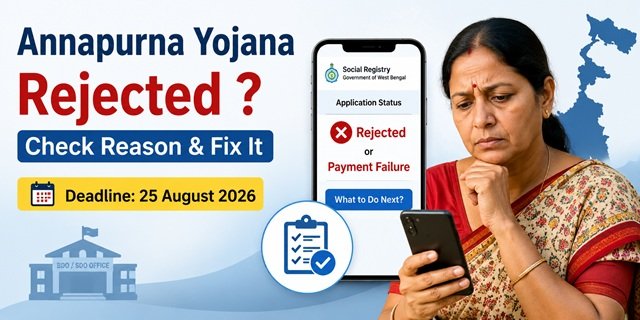
You applied for the West Bengal Annapurna Yojana, waited for the first instalment, but the portal now shows Rejected or Payment Failure instead of the expected Rs. 3,000. If this has happened, don’t worry. According to the West Bengal Government, around 26 lakh applications were rejected during the verification process, while many approved beneficiaries also faced payment failures due to bank account or Aadhaar-related issues.
The good news is that many of these problems can still be resolved. If you complete the required correction or reapply before 25 August 2026, your application may become eligible for future payment. This guide explains the exact reason for each status and the steps you need to take.
How to Check Your Annapurna Yojana Application Status
Before taking any action, check your application status on the official portal. The status shown there will help you understand whether your application has been approved or rejected, or if your payment could not be processed.
- Visit the West Bengal Social Registry Portal.
- Click Access Citizen Portal.
- Select your district.
- Enter the mobile number used while submitting your Annapurna Yojana application.
- Click Send OTP and enter the OTP received on your mobile phone.
- After logging in, open your dashboard to view the current status of your application.
The portal generally displays one of the following three statuses.
Approved
Your application has successfully cleared the verification process and you have been approved as an Annapurna Yojana beneficiary. The financial assistance will be credited to your Aadhaar-linked single-holder bank account as per the payment schedule announced by the West Bengal Government.
If your status is Approved but you have not received the money, first check whether your Aadhaar is linked with your active bank account. An inactive account or incorrect bank details can also delay the payment.
Rejected
This status means your application did not meet one or more eligibility or verification requirements. In many cases, the portal does not display the exact reason for rejection. You will need to contact the concerned government office to know the specific reason and the available correction or reapplication process.
Payment Failure
This status means your application was approved, but the payment could not be credited to your bank account. The most common reasons include Aadhaar not being linked with the bank account, an inactive or dormant account, incorrect bank details, or submission of a joint bank account instead of a single-holder account.
First resolve the bank account issue. Then visit your nearest BDO or SDO office with your Application ID and updated bank passbook so that the necessary corrections can be made.
If your application shows either Rejected or Payment Failure, complete the required action before 25 August 2026 to avoid missing the current application window.
How to Find the Exact Reason for Rejection
If your Annapurna Yojana application status shows Rejected, the Social Registry Portal usually displays only the status and not the detailed reason. To know why your application was rejected, you need to contact the concerned government office.
Visit the office based on your place of residence and carry your Temporary Application ID, Aadhaar card, and the mobile number used while submitting the application.
- Rural areas: Visit your nearest Block Development Office (BDO).
- Urban areas (except Kolkata): Visit the concerned Sub-Divisional Office (SDO).
- Within Kolkata Municipal Corporation (KMC): Visit your nearest KMC office, where authorised officers handle Annapurna Yojana verification and related services.
Inform the concerned officer that your application status is showing as rejected. After verifying your Application ID, the officer can check the official records, explain the exact reason for rejection, and advise you whether your application can be corrected or if you need to submit a fresh application.
Top Reasons Why Annapurna Yojana Applications Were Rejected
The West Bengal Government rejected around 26 lakh applications after document verification and eligibility checks. If your application status shows Rejected, the reason is likely to be one of the following.
1. Citizenship or West Bengal Residency Could Not Be Verified
One of the most common reasons for rejection was that the applicant’s Indian citizenship or permanent residence in West Bengal could not be verified from the available records. If your documents were incomplete or there was a mismatch in your details, your application may have been rejected during verification.
If you believe the decision is incorrect, visit your nearest BDO, SDO, or KMC office with supporting documents to get your case reviewed.
2. Name Removed During SIR 2026 Voter List Revision
Applicants whose names were removed from the electoral roll during the Special Intensive Revision (SIR) 2026, including cases marked as Absent, Shifted, Dead, or Duplicate (ASDD), were not automatically migrated from Lakshmir Bhandar to Annapurna Yojana.
However, applicants who have applied under the Citizenship Amendment Act (CAA) and whose case is pending before the competent authority or tribunal may still be eligible, subject to government verification. Carry your acknowledgement receipt and other supporting documents while visiting the concerned office.
3. Government Employee or Government Pension in the Household
If any member of the household is employed in a Central or State Government department or receives a regular government pension, the family is generally not eligible under the scheme. During verification, such applications are rejected.
4. Income Tax Return Filed by a Family Member
If the applicant or any eligible family member is an income taxpayer or has filed an Income Tax Return, the application may be rejected because the scheme is meant for economically eligible households only.
5. Incorrect Information in the Application
Even eligible applicants can face rejection because of mistakes in the application form. Common errors include an incorrect Aadhaar number, wrong bank account number or IFSC code, mismatch in the applicant’s name across documents, using a joint bank account instead of a single-holder account, or an address that does not match official records.
If your application was rejected due to incorrect details, get the exact reason from the concerned government office and complete the required corrections before the prescribed deadline.
Your Next Move Depends on Your Rejection Reason
Rejected for Citizenship or Residency
- Go to your BDO office (rural) or SDO office (urban) with your Temporary Application ID.
- Carry everything that proves you are an Indian citizen and a long-term West Bengal resident: Aadhaar card, Voter ID, ration card, birth certificate, or any government-issued document showing years of residence in West Bengal.
- Ask the officer which specific document triggered the rejection.
- If the officer confirms you qualify, file a fresh application with the right documents before 25 August 2026.
Rejected Because of SIR 2026 Voter List Removal
- Check whether you hold a CAA application receipt or a tribunal case acknowledgement right now.
- If you do, take these documents to the BDO or SDO office today. The government’s exemption applies to you and the officer can update your status.
- If you have no CAA case, ask the officer whether restoring your name on the electoral roll opens a path to reapply, and what documents that restoration requires.
Rejected for a Form Error or Document Mismatch
- You cannot edit your own application on the portal. The self-correction feature does not exist on socialregistry.wb.gov.in yet.
- Go to your BDO or SDO office with your Temporary Application ID, the corrected documents, and a brief written note explaining what is wrong and what the correct information is.
- An authorised officer may be able to fix the details through the administrative system if it falls within permissible correction rules.
- The West Bengal government has signalled that an online correction window is coming. Keep checking the portal. But do not wait for it. Go to the office now.
- Everything must be sorted before 25 August 2026.
Rejected for Government Job or Income Tax
These are hard eligibility lines. A household with a government employee, a government pensioner, or an income tax filer does not qualify under the current scheme rules. No correction path or appeal mechanism exists for this category at present.
When Can You Submit a Fresh Application?
If your application was rejected due to a correctable issue, such as incorrect documents, a document mismatch, or a verification problem that can be resolved, you may be able to submit a fresh application after consulting the concerned authority. The current application window is open until 25 August 2026.
Before submitting a new application, visit your nearest BDO, SDO, or KMC office and ask whether your existing application can be corrected. This helps you avoid unnecessary duplicate applications and ensures you follow the procedure advised by the government.
Where Can You Submit a Fresh Application?
Eligible applicants can submit a fresh application through any of the following channels, depending on the instructions given by the concerned authority:
- Online through the official West Bengal Social Registry Portal.
- At the nearest Block Development Office (BDO), if you live in a rural area.
- At the concerned Sub-Divisional Office (SDO), if you live in an urban area.
- At Janakalyan Shibir camps organised across West Bengal, Annapurna Yojana application and correction services are also provided.
Documents to Carry for Correction or Reapplication
Keep the following documents ready before visiting any government office:
- Temporary Application ID or acknowledgement receipt.
- Aadhaar Card (original and photocopy).
- Voter ID Card.
- Ration Card, if available.
- Bank passbook of your Aadhaar-linked single-holder bank account.
- Supporting documents related to your rejection reason, such as updated residence proof, corrected bank details, CAA acknowledgement, or tribunal documents, wherever applicable.
Do Not Miss the 25 August 2026 Deadline
The current Annapurna Yojana application and correction window is scheduled to remain open until 25 August 2026. If you need to correct your documents or submit a fresh application, complete the process before this deadline.
As of now, the West Bengal Government has not announced any extension or a new application window. If your application has been rejected but you are otherwise eligible, it is advisable to complete the required formalities as early as possible.
Frequently Asked Questions
Q. My Annapurna Yojana application was rejected. Can I apply again?
Ans. Yes, if your application was rejected because of a correctable issue such as incorrect documents, a document mismatch, or a verification problem. Before submitting a fresh application, visit your nearest BDO, SDO, or KMC office to confirm whether your existing application can be corrected or whether you need to apply again.
Q. Can I edit my Annapurna Yojana application online after submission?
Ans. No. At present, the Social Registry Portal does not provide an online self-correction facility after final submission. If any information needs to be corrected, contact the concerned government office with your Application ID and supporting documents.
Q. My name was removed during SIR 2026. Am I still eligible for Annapurna Yojana?
Ans. It depends on your case. If you have applied under the Citizenship Amendment Act (CAA) and your matter is pending before the competent authority or tribunal, carry the acknowledgement receipt and other supporting documents to the concerned office for verification.
Q. Where can I find my Temporary Application ID?
Ans. If you applied online, the Temporary Application ID was generated after successful submission of the application. If you applied offline, it is printed on the acknowledgement receipt issued by the concerned office. Keep this number safe, as it is required for status checking, corrections, and future communication.
Q. What is the last date to correct or reapply for Annapurna Yojana?
Ans. According to the current government schedule, the application and correction window is open until 25 August 2026. Complete all required formalities before the deadline.
Q. My bank account details are incorrect. What should I do?
Ans. Visit your nearest BDO, SDO, or KMC office with your Temporary Application ID, Aadhaar Card, and the correct bank passbook. The concerned officer will advise you on the correction process. Also ensure that your Aadhaar is linked to your active single-holder bank account.
Q. My application is approved, but the status shows Payment Failure. What does it mean?
Ans. This means your application has been approved, but the payment could not be credited to your bank account. The most common reasons are an Aadhaar seeding issue, an inactive bank account, incorrect bank details, or the use of a joint bank account. Resolve the bank issue first and then contact the concerned government office for further assistance.
Q. Where can I find the exact reason for rejection?
Ans. The Social Registry Portal generally shows only the application status. To know the detailed rejection reason, visit your nearest BDO, SDO, or KMC office with your Temporary Application ID. The concerned officer can check the official records and explain the reason for rejection.
Q. Can I check my Annapurna Yojana application status online?
Ans. Yes. Visit socialregistry.wb.gov.in, log in using your registered mobile number and OTP, and open your dashboard to view the latest status of your application.

Tabassum is a government document researcher and writer with over 5 years of experience exclusively dedicated to tracking and simplifying Central and State Government document processes across India. She has researched and published detailed guides on 100+ government documents and certificates – including Aadhaar Card, PAN Card, Ration Card, Domicile Certificate, and Birth Certificate – covering all states and the Central Government, helping lakhs of Indian citizens successfully complete their paperwork in simple, easy-to-understand language.