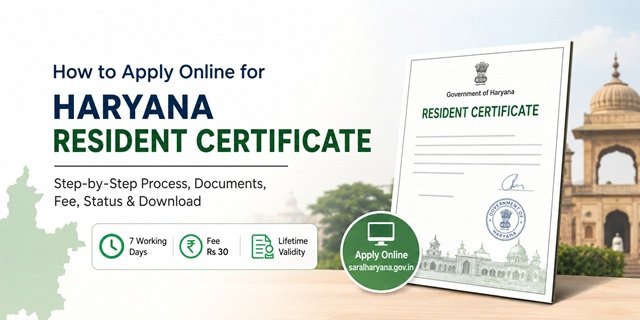
In Haryana, the domicile certificate is officially issued as a Resident Certificate, which serves as proof that an individual belongs to and ordinarily resides in the state. The certificate is issued by the Revenue and Disaster Management Department through the competent revenue authority, such as the Sub-Divisional Magistrate (SDM) or other designated officers.
Residents can apply online through the Antyodaya SARAL Portal, the state’s integrated citizen service platform. The service is covered under the Haryana Right to Service framework, allowing applicants to submit requests, track application status, and download approved certificates through a single portal.
The Haryana Resident Certificate is commonly required for state quota admissions, recruitment processes conducted by Haryana government departments and boards, scholarship schemes, welfare programmes, and other situations where proof of Haryana residency is mandatory. Applicants should always verify the latest eligibility conditions mentioned in the specific recruitment notification, admission brochure, or scheme guidelines for which the certificate is being used.
Who Can Apply for a Haryana Resident Certificate?
An applicant may be considered eligible if they satisfy the residency conditions prescribed by the Haryana Government and can support their claim with valid documentary evidence.
- Individuals who have been residing in Haryana and can establish their residential status through prescribed records and verification.
- Persons born in Haryana who can produce supporting documents and meet the applicable residency requirements.
- Married women seeking a certificate based on their spouse’s Haryana residency, subject to verification and submission of supporting documents.
- Children whose parents are recognised Haryana residents and can establish the required residential connection through official records.
- Other categories recognised under Haryana Government instructions, notifications, or specific recruitment and admission rules.
Important: If an applicant has resided at multiple addresses within Haryana during the qualifying period, the verification authorities may seek supporting records relating to each place of residence. Keeping address-related documents organised in advance can help avoid delays during verification.
Parivar Pehchan Patra (PPP): Why It Matters Before Applying
Before starting the Haryana Resident Certificate application, make sure your Parivar Pehchan Patra (PPP) details are active and up to date. The Haryana Government uses PPP as the primary family database for delivering government services and verifying applicant information.
When you apply through the SARAL Haryana portal, the system may fetch family details linked to your PPP record. Because of this integration, incorrect information in the PPP database can lead to delays during certificate verification.
- Permanent Haryana families are assigned a Family ID linked to household records.
- Temporary residents may receive a temporary family identification number as per government provisions.
- Family member details, address information, Aadhaar linkage, and other records are maintained through the PPP system.
- Keeping your PPP information updated helps avoid verification-related objections during application processing.
If you have not yet enrolled in PPP or need to update family details, visit the official PPP portal at ppp-office.haryana.gov.in or contact the nearest CSC, Antyodaya SARAL Kendra, or authorised service centre for assistance.
Pre-Verification Report: An Important Supporting Document
Haryana Resident Certificate applications may require a pre-verification report from local authorities to establish the applicant’s residential status. This document helps the revenue authorities verify that the applicant genuinely resides at the declared address.
For applicants residing in rural areas: The verification is generally supported by local revenue and village-level authorities such as the Sarpanch, Nambardar, Patwari, or other competent officials as prescribed by the department.
For applicants residing in urban areas: Verification may be obtained through the concerned municipal authority or other authorised officials responsible for the locality where the applicant resides.
Before beginning the online application, it is advisable to keep all verification-related documents ready along with your identity proof, address proof, and family records. This can significantly reduce the chances of objections during scrutiny.
Documents Required for Haryana Resident Certificate
The exact document requirements may vary depending on the applicant’s category and the basis of eligibility. However, the following documents are commonly requested during the application process:
- Parivar Pehchan Patra (PPP) or Family ID details.
- Pre-Verification Report or residence verification document, wherever applicable.
- Identity Proof such as Aadhaar Card, Driving Licence, Passport, or PAN Card.
- Address Proof such as Voter ID Card, Passport, Electricity Bill, Water Bill, or other accepted residence documents.
- Ration Card, wherever available.
- Recent passport-size photograph.
- Marriage-related documents, if eligibility is being claimed through a spouse.
- Additional supporting records were requested by the competent authority during verification.
How to Apply Online Through the SARAL Haryana Portal
If you have a Family ID (PPP) and the required documents ready, you can submit the Haryana Resident Certificate application from home through the SARAL Haryana portal. Follow the process carefully and keep your mobile number active throughout the application journey.
Step 1: Open the SARAL Haryana Portal
Visit saralharyana.gov.in using a computer or mobile browser. On the homepage, click “New User Registration” if you have never used the portal before. Existing users can simply sign in with their registered credentials.
Step 2: Create Your Citizen Account
Enter your name, mobile number, email address, and other basic details. The portal sends an OTP to verify your mobile number and email address. Complete the verification process, create a password, and finish registration. Once registration is successful, log in to your account.
Step 3: Search for the Resident Certificate Service
After login, you will reach the citizen dashboard. Click “Apply for Services” and open the service catalogue. In the search box, type “Resident Certificate” and select the Haryana Resident Certificate service from the results.
Step 4: Enter Your Family ID (PPP)
The application form will ask for your Parivar Pehchan Patra (PPP) number. Enter the Family ID carefully and use the option provided to fetch family information. The portal may automatically retrieve details such as family members, address information, and other records linked to the PPP database.
Before moving ahead, check every auto-filled detail carefully. If any information in your PPP record is incorrect, update it first because mismatched information can delay verification.
Step 5: Fill the Remaining Application Details
Complete all fields that are not automatically populated. Enter your current residential details, residency information, applicant category, and any other details requested in the form. Ensure that the address entered matches the address shown in your supporting documents.
Step 6: Upload Supporting Documents
Upload clear scanned copies of the required documents, including identity proof, address proof, PPP-related documents, verification documents, photographs, and any other records applicable to your category.
If the portal provides DigiLocker integration, you may also fetch eligible documents directly from your DigiLocker account instead of uploading separate scanned copies.
Step 7: Upload the Residence Verification Documents
If a pre-verification or residence verification document is required for your category, upload the completed document in the prescribed format. Make sure all signatures, seals, and details are clearly visible before uploading.
Step 8: Review the Entire Application
Before submission, review every section carefully. Check the spelling of your name, address details, Family ID, mobile number, and uploaded documents. Even a small mistake can result in objections or delays during scrutiny.
Step 9: Pay the Prescribed Fee
Proceed to the payment page and pay the applicable fee through the available online payment options. After successful payment, wait until the portal displays the confirmation message.
Step 10: Submit and Save Your Reference Number
Once payment is completed, click “Submit”. The portal generates a unique SARAL ID / Application Reference Number. Download or print the acknowledgement receipt immediately and keep it safely. You will need this reference number later to track the application status and download the approved certificate.
How to Apply Through a SARAL Kendra
If you are not comfortable using the online portal or do not have access to scanning facilities, you can complete the application through a nearby Antyodaya SARAL Kendra.
Step 1: Locate the Nearest SARAL Kendra
Find the SARAL Kendra serving your district or subdivision. Before visiting, confirm whether a prior appointment booking is required for your chosen centre.
Step 2: Carry Original Documents
Take your PPP details, Aadhaar Card, address proof, residence-related documents, photographs, and any other supporting records required for the Resident Certificate application.
Step 3: Inform the Operator About the Service
At the counter, tell the operator that you want to apply for a Haryana Resident Certificate. The operator will open the service on the SARAL system and begin the application process.
Step 4: Verify Your Family ID Details
The operator will enter your Family ID and retrieve information linked to your PPP record. Carefully verify all details shown on the screen before proceeding.
Step 5: Submit Documents for Scanning
Provide the required documents. The operator will scan and upload them to the portal. Confirm that every uploaded document is clear and readable.
Step 6: Pay the Applicable Charges
Pay the prescribed government fee and any authorised service charge, if applicable. Always collect a receipt for the payment made.
Step 7: Collect the Acknowledgement Receipt
After submission, the centre will generate an acknowledgement containing your SARAL ID or application reference number. Keep this receipt carefully because it will be required for future status checks and certificate downloads.
How to Apply Through a Common Service Centre (CSC)
Applicants can also use an authorised Common Service Centre (CSC) for assistance.
Step 1: Visit the nearest CSC with all required documents and your Family ID details.
Step 2: Request the operator to open the Haryana Resident Certificate service on the SARAL platform.
Step 3: Provide your documents for scanning and verify the information entered in the application form.
Step 4: Complete the payment process and collect the transaction receipt.
Step 5: Obtain the acknowledgement containing your application reference number and keep it safe until the certificate is issued.
What Happens After You Apply: Understanding the Verification Process
Once you submit your Haryana Resident Certificate application through the SARAL Haryana Portal, the request moves through multiple verification stages before the certificate is approved and issued.
Step 1: Application Scrutiny
The concerned department first checks whether the application form has been filled correctly and whether all mandatory documents, including the PPP details and Pre-Verification Report, have been uploaded successfully.
Step 2: Verification of Family ID (PPP)
The information provided in the application is matched with the records available in the Parivar Pehchan Patra (PPP) database. Any mismatch in name, address, family details, or other information may lead to objections or delays.
Step 3: Examination of Pre-Verification Report
The signed Pre-Verification Report submitted with the application is reviewed by the concerned authority. Officials verify whether the report has been issued by the appropriate local authorities based on your rural or urban residence.
Step 4: Field Verification (If Required)
In certain cases, revenue officials may conduct additional verification of the declared residential address. This step is generally carried out when further confirmation is required regarding the applicant’s residence status.
Step 5: Approval by Competent Authority
After successful verification, the application is forwarded to the SDM or Tehsildar for final approval. Once approved, the Resident Certificate is generated digitally through the system.
Under the Haryana Right to Service (RTS) framework, the prescribed service delivery timeline for the Resident Certificate is generally 7 working days, provided the application and supporting documents are complete.
How to Track Haryana Domicile Certificate Application Status
You can check the status of your application online at any time without visiting a government office.
- Visit the SARAL Haryana Application Status Portal.
- Select the concerned department and service, if required.
- Enter your SARAL ID or Application Reference Number.
- Complete the CAPTCHA verification.
- Click on Track Application.
The portal may display different stages such as:
- Application Submitted
- Under Scrutiny
- Under Verification
- Pending Approval
- Approved
- Rejected
You can also log in to your account on the SARAL Haryana Portal and open the My Applications section to view the latest updates.
How to Download Haryana Resident Certificate Online
After the application is approved, the certificate can be downloaded online in PDF format.
- Open the SARAL Haryana Certificate Download Portal.
- Enter your SARAL ID exactly as mentioned on the acknowledgement receipt.
- Provide the Application Submission Date.
- Complete the captcha verification.
- Click on Download Certificate.
The digitally signed Haryana Resident Certificate will appear on the screen. Download and save the PDF for future use.
Alternatively, you can sign in to the SARAL Haryana Portal, open your application history, and use the download option available against the approved application.
Before downloading, ensure that the application status shows Approved. If the status remains pending beyond the prescribed timeline, applicants may raise a grievance through the relevant citizen grievance mechanism or contact the concerned department for assistance.
Processing Time, Application Fee, and Certificate Validity
Before applying, it is helpful to understand the service timeline, prescribed fee, and validity period of the Haryana Resident Certificate.
|
Haryana Resident Certificate: Fee, Timeline & Validity
|
|
|---|---|
| Application Fee | Rs 30 |
| Processing Time | 7 Working Days (under Haryana Right to Service Act) |
| Certificate Validity | Lifetime |
| Application Portal | saralharyana.gov.in |
| SARAL Helpline | 0172-3968400 |
| Helpline Timings | Monday to Saturday, 7:00 AM to 8:00 PM |
Common Problems and Their Solutions
Many applications are delayed because of missing documents or incomplete verification. Understanding these common issues beforehand can save significant time.
PPP (Parivar Pehchan Patra) Not Available
The SARAL portal requires a valid Family ID for Resident Certificate applications. If you do not have a PPP, first register through the Parivar Pehchan Patra Portal or visit a nearby CSC/ Atal Seva Kendra. Once the Family ID is generated and activated, proceed with the domicile certificate application.
Pre-Verification Report Not Ready
Many applicants begin filling the online form before collecting the mandatory Pre-Verification Report. Since this document must be uploaded during the application process, obtain all required signatures beforehand and keep a scanned copy ready before starting the online application.
Residence in Multiple Locations Within Haryana
If you have lived in different villages, towns, or districts during the qualifying residence period, supporting verification may be required from multiple locations. Ensure that all relevant residence records and supporting verification documents are available before submission.
Unable to Visit a SARAL Kendra Without an Appointment
Most SARAL Kendras require advance booking. Before visiting, use the appointment facility available on the SARAL Haryana Portal and carry your token along with original documents.
Application Pending Beyond the Prescribed Timeline
If your application remains pending beyond the notified service delivery period, check the latest status through the SARAL Status Portal. You may also raise an appeal or grievance through the SARAL system or contact the helpline for assistance.
Haryana Domicile Certificate for Special Cases
Students Applying for NEET Haryana State Quota
Many state quota admissions require proof of Haryana residence. Students should apply well before counselling schedules begin so that there is sufficient time for verification and certificate issuance.
Applicants Appearing for HSSC or HCS Recruitment
Various state recruitment notifications may require proof of Haryana residence. Since document verification generally takes place after application submission, candidates should obtain the certificate in advance rather than waiting for the recruitment process to begin.
Married Women Applying Through Husband’s Residence Status
Women married to eligible Haryana residents may apply based on their husbands’ residential status. Supporting documents such as the marriage certificate and required verification records should be kept ready during the application.
Applicants Born in Haryana but Currently Living Elsewhere
Individuals born in Haryana may still qualify for the Resident Certificate subject to the applicable rules and supporting documentation. Relevant birth and residence records should be produced during verification.
Quick Reference
|
Haryana Resident Certificate Quick Reference
|
|
|---|---|
| Official Application Portal | saralharyana.gov.in |
| Application Status Portal | status.saralharyana.nic.in |
| Certificate Download Portal | Download Certificate |
| PPP Registration Portal | ppp-office.haryana.gov.in |
| Issuing Authority | SDM / Tehsildar |
| Department | Revenue and Disaster Management Department, Haryana |
| Family ID (PPP) | Mandatory |
| Pre-Verification Report | Mandatory |
| Application Fee | Rs 30 |
| Processing Time | 7 Working Days |
| Certificate Validity | Lifetime |
| SARAL Helpline | 0172-3968400 |
| Helpline Hours | Monday to Saturday, 7:00 AM to 8:00 PM |
Frequently Asked Questions
Q. What is PPP (Parivar Pehchan Patra) and is it mandatory for a Haryana Domicile Certificate?
Ans. Yes. The Parivar Pehchan Patra (PPP) is a mandatory Family ID system used by the Haryana Government for delivering public services. When you apply through the SARAL Haryana Portal, your family details are fetched directly from the PPP database. If you do not have a PPP, you must first register through the Parivar Pehchan Patra Portal or visit a CSC/Atal Seva Kendra before applying for the Resident Certificate.
Q. What is the Pre-Verification Report and why is it required?
Ans. The Pre-Verification Report is a supporting document used to confirm your residential status before the application reaches the Revenue Department. Rural applicants generally require verification from local revenue and village authorities, while urban applicants require verification from the appropriate municipal authorities. Since this document forms an important part of the verification process, it should be prepared before submitting the application online.
Q. I have lived in different places within Haryana. Can I still apply for a Resident Certificate?
Ans. Yes. Applicants who have changed their residence within Haryana can still apply. However, they should keep supporting documents and verification records relating to their previous places of residence ready, as the authorities may seek additional clarification during verification.
Q. Can I apply for a Haryana Domicile Certificate without visiting a government office?
Ans. Yes. Most applicants can complete the process online through the SARAL Haryana Portal. Alternatively, assistance is available through authorised CSCs and SARAL Kendras for applicants who need help with form submission or document uploading.
Q. How much time does it take to get a Haryana Resident Certificate?
Ans. Under the Haryana Right to Service framework, the prescribed service delivery timeline is generally 7 working days, provided all documents are complete and no additional verification is required.
Q. What is the application fee for a Haryana Domicile Certificate?
Ans. The prescribed application fee is Rs 30. If you apply through a CSC or another assisted service centre, additional service charges may be applicable as per the centre’s rules.
Q. How can I check the status of my application?
Ans. Visit the SARAL Haryana Status Portal and enter your SARAL ID or Application Reference Number. You can also log in to your SARAL account and view the latest status under the My Applications section.
Q. How do I download my Haryana Resident Certificate after approval?
Ans. Once approved, visit the Certificate Download Portal, enter your SARAL ID and application details, and download the digitally signed certificate in PDF format. The certificate can also be downloaded directly from your SARAL dashboard.
Q. Is the Haryana Resident Certificate valid for a limited period?
Ans. No. The Haryana Resident Certificate is generally treated as a lifetime document unless any specific department, recruitment authority, or educational institution prescribes otherwise in its notification or admission guidelines.
Q. What should I do if my application is not processed within the prescribed timeline?
Ans. First, check the latest status through the SARAL Status Portal. If the application remains pending beyond the notified timeline, you may raise a grievance through the SARAL system or contact the SARAL Helpline at 0172-3968400 for assistance.

Tabassum is a government document researcher and writer with over 5 years of experience exclusively dedicated to tracking and simplifying Central and State Government document processes across India. She has researched and published detailed guides on 100+ government documents and certificates – including Aadhaar Card, PAN Card, Ration Card, Domicile Certificate, and Birth Certificate – covering all states and the Central Government, helping lakhs of Indian citizens successfully complete their paperwork in simple, easy-to-understand language.