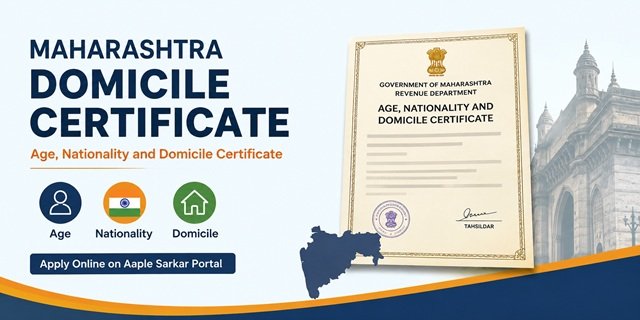
If you need official proof that you are a permanent resident of Maharashtra, you may be required to obtain an Age, Nationality and Domicile Certificate. Commonly known as the Maharashtra Domicile Certificate, this document serves as official proof of your age, Indian nationality, and domicile status in the state. The certificate is issued by the Revenue Department through the concerned Tehsildar and can be applied for online through the Aaple Sarkar Portal.
The certificate is widely used for educational admissions, state quota benefits, scholarships, government recruitment, and various Maharashtra Government schemes. Students applying under Maharashtra State Candidature for professional courses such as engineering, pharmacy, agriculture, and other state-level admissions are often required to submit this certificate as proof of domicile.
What Makes a Maharashtra Domicile Certificate Different?
Unlike many states that issue a separate Residence Certificate or Domicile Certificate, Maharashtra issues a combined Age, Nationality, and Domicile Certificate. Through a single certificate, the competent authority verifies and certifies the applicant’s age, Indian nationality, and domicile status in Maharashtra.
As a result, applicants generally do not need to obtain separate certificates for these purposes. Once issued, the certificate can be used wherever proof of age, nationality, and Maharashtra domicile is required, subject to the specific requirements of the concerned department, educational institution, recruitment authority, or scheme.
Who Is Eligible
You can apply for the Maharashtra Age, Nationality and Domicile Certificate if you satisfy any of the eligibility conditions prescribed by the Revenue Department.
- You have been residing in Maharashtra for 15 years or more and can provide supporting residence documents.
- You were born in Maharashtra and possess a valid Birth Certificate issued by the competent authority.
- Your father, mother, or legal guardian is a permanent resident of Maharashtra and can provide the necessary domicile-related documents.
- You are the child of a Maharashtra Government employee or a Maharashtra Government undertaking employee who was posted outside the state due to official duties.
- You are a married woman whose husband is a permanent resident of Maharashtra and can provide valid residence or domicile proof.
The final decision regarding eligibility is taken by the concerned Tahsildar after verification of the documents submitted with the application.
Documents Required
Applicants should keep scanned copies of the required documents ready before applying through the Aaple Sarkar portal.
Identity Proof (Any One)
- Aadhaar Card
- Voter ID Card (EPIC)
- PAN Card
- Driving Licence
- MNREGA Job Card
- Identity Card issued by a Government or Semi-Government Organisation
Address Proof (Any One)
- Water Bill
- Electricity Bill
- Ration Card
- Aadhaar Card
- Voter ID Card
- Driving Licence
- Property Tax Receipt
Documents to Prove 15 Years’ Residence in Maharashtra (Any One)
- Voter ID Card
- Ration Card
- Rent Receipt
- Electricity Bill
- Property Tax Receipt
- Marriage Certificate (if applicable)
- 7/12 Extract, 8A Extract, or Agricultural Land Records
- Father’s or Husband’s Domicile Certificate
Age Proof (Any One)
- Birth Certificate
- School Leaving Certificate
- Extract from Primary School Admission Register
Additional Documents (If Applicable)
- Marriage Certificate (for married women applying through husband’s domicile status)
- Father’s or Husband’s Domicile Certificate
- Service Certificate and Posting Orders of Maharashtra Government Employee Parent
- Self-Declaration / Affidavit, if required by the portal during application
Ensure that all uploaded documents are clear and readable. The Tahsildar may ask for additional documents if further verification is required during the scrutiny process.
How to Apply Online at aaplesarkar.mahaonline.gov.in
Step 1: Visit the official Aaple Sarkar Portal. If you are using the portal for the first time, click on “New User? Register Here” and complete the registration process using your mobile number and OTP.
Step 2: After registration, log in using your User ID, password, and captcha code. Once logged in, select your district and open your citizen dashboard.
Step 3: From the available departments, click on Revenue Department and then select Age, Nationality and Domicile Certificate from the list of services.
Step 4: Fill in the application form carefully. Enter your name, date of birth, father’s or husband’s name, current address, permanent address, and other details exactly as they appear on your supporting documents.
Step 5: Upload the required documents, including identity proof, address proof, age proof, and documents supporting your domicile claim. Make sure the uploaded files are clear and readable.
Step 6: Pay the prescribed application fee through the online payment gateway available on the portal. After successful payment, proceed to submit the application.
Step 7: Once the application is submitted, an Acknowledgement Number will be generated. Save this number carefully, as it will be required later to track the application status and download the certificate after approval.
After submission, the application is forwarded to the concerned Tahsildar for verification. You can monitor the progress of your application anytime through the Aaple Sarkar Portal using your acknowledgement details.
How to Apply Offline Through Maha e-Seva Kendra or Setu Centre
If you are not comfortable applying online, you can visit your nearest Maha e-Seva Kendra or Setu Centre. These centres help citizens apply for government services, including the Age, Nationality, and Domicile Certificates.
Step 1: Visit the nearest Maha e-Seva Kendra, Setu Centre, or Revenue Office with all the required documents and their photocopies.
Step 2: Inform the operator that you want to apply for an Age, Nationality, and Domicile Certificate. The operator will guide you regarding the required documents and application process.
Step 3: Submit your identity proof, address proof, age proof, and domicile-related documents. The operator will enter your details into the system and upload the necessary documents on your behalf.
Step 4: Before final submission, carefully check your name, date of birth, address, and other details to ensure there are no mistakes in the application.
Step 5: Pay the applicable application fee and collect the payment receipt from the centre.
Step 6: After successful submission, you will receive an Acknowledgement Number or application receipt. Keep it safe, as it will be required to track the application status and download the certificate after approval.
Applicants may also submit the application directly at the concerned Tehsildar Office or Sub-Divisional Officer (SDO) Office, where available. The application is processed through the Revenue Department and forwarded for verification before the certificate is issued.
What Happens After You Apply: The Verification Process
After you submit the application, it is forwarded to the concerned Revenue Department for verification. During this stage, officials check the information and documents provided by you to confirm your eligibility for the certificate.
Step 1: The application is scrutinized to ensure that all required details and supporting documents have been submitted correctly.
Step 2: The concerned revenue authorities may verify your residence records, address proof, and other documents submitted with the application. In some cases, additional verification may also be conducted if required.
Step 3: If any document is missing or clarification is needed, you may receive a notification through the portal. Make sure to respond quickly to avoid unnecessary delays.
Step 4: Once the verification process is completed successfully, the application is placed before the concerned Tahsildar for approval.
Step 5: After approval, the Age, Nationality and Domicile Certificate is generated digitally and made available through the application portal.
You can track the progress of your application online using the acknowledgement details received at the time of submission. Keeping your application number handy will help you check updates and download the certificate once it is approved.
How to Track Your Application Status
After submitting your application, you can easily check its status online through the Aaple Sarkar Portal.
Step 1: Visit the Aaple Sarkar Portal and log in using your registered credentials.
Step 2: Open your dashboard and click on “My Applications” to view all services you have applied for.
Step 3: Locate your Age, Nationality and Domicile Certificate application using the acknowledgement number or application details.
Step 4: Check the current status displayed on the screen. The application may show statuses such as Submitted, Under Verification, Under Process, Approved, or Certificate Issued.
Step 5: Continue monitoring the application until the certificate is approved and available for download. You may also receive status updates through SMS or email on your registered contact details.
How to Download Your Maharashtra Domicile Certificate
Once your application is approved, you can download the certificate online without visiting any government office.
Step 1: Log in to the Aaple Sarkar Portal using your registered account.
Step 2: Go to the “My Applications” section and find your approved Age, Nationality and Domicile Certificate application.
Step 3: Click on the “Download Certificate” option available against the application.
Step 4: Save the certificate PDF on your device and verify that all details mentioned on the certificate are correct.
Step 5: Keep both digital and printed copies for future use in admissions, government recruitment, scholarships, and other official purposes.
The certificate issued through the portal is digitally generated and can be verified online. Always preserve your acknowledgement number and downloaded certificate for future reference.
Processing Time and Fee
- Application Fee: The fee is charged as per the rates prescribed on the Aaple Sarkar Portal at the time of application submission.
- Processing Time: As per the notified service timeline, the Age, Nationality and Domicile Certificate is generally issued within 15 working days, subject to successful document verification.
- Additional Time: If documents are incomplete or additional verification is required, the processing time may increase.
Validity of the Certificate
The Maharashtra Age, Nationality and Domicile Certificate is generally treated as a long-term document and does not normally require periodic renewal. However, educational institutions, recruitment authorities, and government departments may prescribe their own document requirements. Therefore, applicants should always check the latest notification or eligibility guidelines issued by the concerned authority before submitting the certificate.
Common Problems and How to Fix Them
Unable to Provide 15 Years Residence Proof:
Submit any officially accepted residence document such as a voter ID, ration card, rent receipt, electricity bill, property tax receipt, land records, or your father’s/husband’s domicile certificate, as applicable.
Document Upload Error:
Ensure that all documents are clear, readable, and uploaded in the format and file size prescribed on the portal. Re-scan blurry documents before uploading.
Application Under Verification for a Long Time:
Track your application through the Aaple Sarkar Portal. If the application remains pending for an unusually long period, contact the concerned Tahsildar Office or Revenue Department.
Name or Address Mismatch:
The details entered in the application should match the information available in your supporting documents. If there is any discrepancy, submit supporting proof or updated records as requested by the authority.
Application Rejected:
Review the reason for rejection carefully, arrange the required documents or corrections, and submit a fresh application if necessary.
Maharashtra Domicile Certificate for Specific Situations
Students Applying for Admissions:
The certificate is commonly required for Maharashtra State Quota admissions, scholarships, fee concessions, and other educational benefits where domicile proof is mandatory.
Government Recruitment:
Many state government recruitment notifications require candidates to submit domicile-related documents. Always refer to the official recruitment notification for the latest eligibility conditions.
Married Women Applicants:
Married women may submit their marriage certificate along with their husband’s domicile or residence-related documents, wherever applicable.
Children of Government Employees:
Applicants whose parents are Maharashtra Government employees posted outside the state may be required to submit service-related documents and posting records along with the application.
Correction in Issued Certificate:
If any information is incorrect in the issued certificate, contact the concerned Tahsildar Office and apply for correction with supporting documents.
Quick Reference
| Particular | Details |
|---|---|
| Certificate Name | Age, Nationality and Domicile Certificate |
| State | Maharashtra |
| Application Mode | Online and Offline |
| Official Portal | aaplesarkar.mahaonline.gov.in |
| Issuing Authority | Tahsildar |
| Department | Revenue Department |
| Processing Time | 15 Working Days |
| Residence Requirement | 15 years’ residence in Maharashtra or other eligible category as prescribed |
| Status Tracking | Available through the Aaple Sarkar Portal |
| Certificate Download | Available Online After Approval |
| Offline Application | Maha e-Seva Kendra, Setu Centre, or Tahsildar Office |
Frequently Asked Questions
Q. What is the Age, Nationality and Domicile Certificate in Maharashtra?
Ans. The Age, Nationality and Domicile Certificate is an official document issued by the Revenue Department of Maharashtra. It serves as proof of a person’s age, Indian nationality, and domicile status in Maharashtra. The certificate is commonly required for educational admissions, government recruitment, scholarships, and other services where domicile proof is necessary.
Q. Who issues the Maharashtra Domicile Certificate?
Ans. The certificate is issued by the concerned Tahsildar after verification of the application and supporting documents submitted through the Aaple Sarkar Portal or other approved channels.
Q. What is the residence requirement for obtaining a Maharashtra Domicile Certificate?
Ans. Applicants are generally required to provide documents supporting their domicile claim in Maharashtra. One of the commonly accepted eligibility routes is proving residence in Maharashtra for 15 years. The competent authority examines the submitted records before taking a final decision on the application.
Q. Can I apply for a Maharashtra Domicile Certificate online?
Ans. Yes. You can apply online through the official Aaple Sarkar Portal. Applicants who are unable to apply online can also visit a Maha e-Seva Kendra, Setu Centre, or the concerned Revenue Office for assistance.
Q. What documents are required for the application?
Ans. Applicants generally need identity proof, address proof, age proof, and domicile-related supporting documents. The exact documents may vary depending on the eligibility category under which the application is submitted.
Q. How can I check the status of my application?
Ans. You can track the application through the Aaple Sarkar Portal using your acknowledgement number or application details after logging into your account.
Q. How can I download the Maharashtra Domicile Certificate?
Ans. Once the application is approved, the certificate can be downloaded online from the Aaple Sarkar Portal through the “My Applications” section.
Q. How much time does it take to get the certificate?
Ans. As per the notified service timeline, the Age, Nationality and Domicile Certificate is generally issued within 15 working days, subject to successful verification of documents.
Q. Can married women apply using their husband’s domicile documents?
Ans. Yes. Married women may be required to submit their marriage certificate along with their husband’s domicile or residence-related documents, wherever applicable and accepted by the competent authority.
Q. What should I do if my application is rejected?
Ans. Review the reason for rejection mentioned by the authority, arrange the required documents or corrections, and submit a fresh application if necessary. Applicants can reapply after rectifying the deficiencies pointed out during verification.

Tabassum is a government document researcher and writer with over 5 years of experience exclusively dedicated to tracking and simplifying Central and State Government document processes across India. She has researched and published detailed guides on 100+ government documents and certificates – including Aadhaar Card, PAN Card, Ration Card, Domicile Certificate, and Birth Certificate – covering all states and the Central Government, helping lakhs of Indian citizens successfully complete their paperwork in simple, easy-to-understand language.