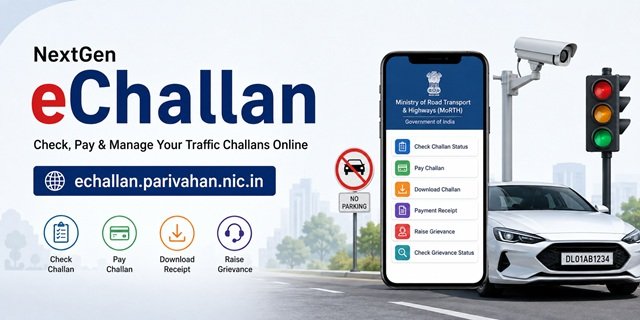
If you have received a traffic challan for overspeeding, signal jumping, parking violations, driving without a helmet, seat belt violations, or any other traffic offence, you can check and pay it online through the official NextGen eChallan Portal. Available at echallan.parivahan.nic.in, this is the Government of India’s centralized platform for managing traffic challans issued by Traffic Police and Transport Enforcement Authorities across participating States and Union Territories.
The portal has been developed by the National Informatics Centre (NIC) under the Ministry of Road Transport and Highways (MoRTH) as part of the nationwide “One Nation, One Challan” initiative. It is integrated with the VAHAN and SARATHI databases, allowing citizens to instantly check pending challans linked to their vehicle registration number or driving licence and make online payments from anywhere in India.
In addition to challan payment, the NextGen eChallan Portal offers several other services, including checking challan status, downloading challan copies, obtaining payment receipts, tracking failed transactions, raising grievances against incorrect challans, and monitoring grievance status. Most citizen services are available without creating an account, making it one of the fastest ways to manage traffic challans online.
What is the NextGen eChallan Portal?
The NextGen eChallan Portal is a digital traffic enforcement system that enables Traffic Police and Transport Departments to issue, manage, and monitor challans electronically. The system is integrated with multiple enforcement technologies such as CCTV cameras, Automatic Number Plate Recognition (ANPR) systems, Red Light Violation Detection (RLVD) systems, Speed Detection Systems, and handheld enforcement devices used by traffic officials.
Whenever a traffic violation is detected, the challan is generated digitally and linked to the vehicle owner’s details through the national transport databases. Citizens can then visit the official eChallan portal to view violation details, pay penalties online, and access related services without visiting a traffic police office.
NextGen eChallan Portal at a Glance
| Particular | Details |
|---|---|
| Portal Name | NextGen eChallan Portal |
| Official Website | echallan.parivahan.nic.in |
| Service Name | eChallan – Digital Traffic/Transport Enforcement Solution |
| Ministry | Ministry of Road Transport and Highways (MoRTH) |
| Developed By | National Informatics Centre (NIC) |
| Initiative | One Nation, One Challan |
| Main Services | Check Challan, Pay Challan, Download Challan, Payment Receipt, Grievance Services |
| Login Required | No, for most citizen services |
| Helpline Number | 0120-4925505 |
| Email Support | helpdesk-echallan@gov.in |
| Support Timings | 06:00 AM to 12:00 Midnight |
Important Security Warning Before Using the eChallan Portal
Before checking or paying any traffic challan online, it is important to understand the security advisory displayed on the official NextGen eChallan Portal. The Government of India regularly warns citizens about fake websites, fraudulent mobile applications, and scam messages that imitate genuine traffic challan notices.
The official portal advises users to access eChallan services only through echallan.parivahan.nic.in and avoid sharing sensitive information such as OTPs, banking credentials, card details, UPI PINs, or passwords with anyone claiming to represent the eChallan system.
Fraudsters often send SMS messages, WhatsApp texts, emails, or social media messages that appear to be genuine challan notices. These messages typically contain a payment link and create a sense of urgency by claiming that your driving licence may be suspended or your vehicle may be blacklisted if the challan is not paid immediately.
Always verify the challan directly on the official eChallan portal before making any payment. Never rely solely on links received through messages. If a challan exists, it will be visible on the official portal when you search using your vehicle number, driving licence number, or challan number.
If you receive a suspicious challan-related message, avoid clicking any links and report the matter to the appropriate authorities. Using the official portal is the safest way to verify challan details and make secure online payments.
Ways to Search for a Challan on the NextGen eChallan Portal
Most services available on the NextGen eChallan Portal require you to locate your challan record first. To make this easier, the portal allows citizens to search using any of the following identifiers.
1. Challan Number
If you have already received a challan notification from the Traffic Police or Transport Department, you can enter the challan number directly. This is usually the quickest and most accurate search method because it retrieves the exact challan associated with that unique reference number.
2. Vehicle Registration Number (RC Number)
You can search using your vehicle registration number exactly as it appears on your Registration Certificate (RC). This option is useful when you want to view all pending or previously issued challans linked to a particular vehicle, even if you have not received any SMS notification.
3. Driving Licence (DL) Number
You may also search using your Driving Licence number. This method is particularly useful when a traffic violation has been recorded against the licence holder or when you own multiple vehicles and want to check challans associated with your driving licence.
Regardless of the search method selected, the portal retrieves the same official challan records from the eChallan system. You can use whichever identifier is readily available and convenient for you.
Service 1: Check Pending Challan Status
This is the most commonly used service on the NextGen eChallan Portal. It helps you check whether any unpaid traffic challans are pending against your vehicle or driving licence.
Many traffic violations are now detected through CCTV cameras, speed cameras, and ANPR (Automatic Number Plate Recognition) systems. In some cases, you may not receive an SMS alert, especially if the mobile number linked to your vehicle record in the VAHAN database is outdated. Therefore, it is a good practice to check your challan status periodically.
Go to: echallan.parivahan.nic.in/challan/challan-services and select Check Pending Challan Status.
Step 1: Select one of the available search methods – Challan Number, Vehicle Number, or Driving Licence (DL) Number.
Step 2: Enter the selected number in the appropriate field.
Step 3: Enter the captcha code displayed on the screen.
Step 4: Click on GET DETAILS.
Step 5: The portal will display all pending challans linked to the details entered. Each record normally includes the violation type, challan amount, date and time of offence, location, and issuing authority.
If no records are displayed, it means there are currently no pending challans available against the searched vehicle or licence on the national eChallan system.
If you find an unexpected challan, you can either pay it online through Service 2 or raise a dispute through Service 6 if you believe it was issued incorrectly.
Important: Challans should generally be paid or disputed within the prescribed time period. If no action is taken, the matter may be transferred to the Virtual Court system, after which online payment or grievance facilities may no longer be available through the eChallan portal.
Service 2: Pay Challan Online
If a challan is pending against your vehicle or driving licence, you can clear it online through the NextGen eChallan Portal without visiting a traffic police office.
The portal supports multiple payment methods, including UPI, debit cards, credit cards, and internet banking.
Go to: echallan.parivahan.nic.in/challan/challan-services and select Pay Challan.
Step 1: Search using your Challan Number, Vehicle Number, or DL Number.
Step 2: Enter the required details and complete the captcha verification.
Step 3: Click GET DETAILS to view all pending challans.
Step 4: Select the challan you wish to pay.
Step 5: Click Pay Now.
Step 6: Choose your preferred payment method and complete the transaction.
Step 7: Save the payment confirmation screen and later download the official payment receipt through Service 4.
After successful payment, the challan may continue to appear as pending for some time while the payment information synchronises with the central system. Status updates can take several days depending on the issuing authority.
Important: Do not make a second payment simply because the status has not updated immediately. First verify the transaction through Service 5.
If your vehicle registration transfer, ownership transfer, fitness renewal, permit service, or any other transport-related transaction is blocked due to pending challans, clear the outstanding challans before proceeding.
When purchasing a used vehicle, always check its challan history on the official eChallan portal before completing the transaction. This helps avoid complications caused by unpaid challans associated with the vehicle.
Service 3: Download Challan Print
This service allows you to download the official challan document issued by the traffic enforcement authority.
You may need the challan copy for personal records, legal proceedings, insurance-related matters, employer reimbursement claims, or future reference.
Go to: echallan.parivahan.nic.in/challan/challan-services and select Download Challan Print.
Step 1: Search using Challan Number, Vehicle Number, or DL Number.
Step 2: Enter the required information and captcha.
Step 3: Click GET DETAILS.
Step 4: Select the challan record you wish to download.
Step 5: Download the challan and save it as a PDF or print a physical copy.
The downloaded challan generally contains information such as the violation committed, applicable legal provisions, challan amount, issuing officer or device details, date, time, and location of the offence.
Service 4: Download Payment Receipt
Once a challan has been paid successfully, this service allows you to download the official payment receipt issued by the eChallan system.
The receipt serves as proof that the challan amount has been paid and settled.
Go to: echallan.parivahan.nic.in/challan/challan-services and select Download Payment Receipt.
Step 1: Search using Challan Number, Vehicle Number, or DL Number.
Step 2: Complete the captcha verification.
Step 3: Click GET DETAILS.
Step 4: Select the paid challan and download the receipt.
Remember that the challan document and the payment receipt are two different records. The challan shows the violation details, while the payment receipt confirms that the fine has been paid.
For future reference, keep both documents safely stored in digital as well as printed form.
Service 5: Check Pending Transaction
This service is useful when money has been deducted from your bank account but the challan still appears as unpaid on the portal.
Such situations can occur when the payment gateway processes the transaction successfully but the status update has not yet reached the eChallan system.
Go to: echallan.parivahan.nic.in/challan/payment-verification or choose Check Pending Transaction from the portal homepage.
Step 1: Enter your Challan Number or Vehicle Number.
Step 2: Enter the captcha code.
Step 3: Click GET DETAILS.
Step 4: Review the transaction status displayed by the system.
If the payment has been successfully received, the portal will normally show the updated transaction information and eventually mark the challan as paid.
Important: If your bank account has already been debited, avoid making another payment until you verify the transaction status through this service.
Service 6: Raise Grievance
If you believe that a challan has been issued incorrectly, you can submit an online grievance through the eChallan portal.
This service is commonly used when a vehicle number is captured incorrectly by an ANPR camera, a challan is issued to the wrong vehicle, the location details are inaccurate, or the violation did not actually occur.
Go to: echallan.parivahan.nic.in/grievance or select Raise Grievance from the homepage.
Step 1: Search using Challan Number, Vehicle Number, or DL Number.
Step 2: Complete the captcha verification.
Step 3: Fill in the grievance form carefully and explain the issue clearly.
Step 4: Upload supporting documents or evidence relevant to your complaint.
Step 5: Submit the grievance form.
After successful submission, the system generates an E-Ticket Number. Save this number carefully because it is required for future tracking.
Providing accurate information and supporting evidence improves the chances of a faster and more effective resolution.
Service 7: Check Grievance Status
After submitting a grievance, you can monitor its progress online through this service.
Go to: echallan.parivahan.nic.in/grievance/search or select Check Grievance Status from the homepage.
Step 1: Choose your preferred search option – E-Ticket Number, Challan Number, Vehicle Number, or DL Number.
Step 2: Enter the required details.
Step 3: Complete the captcha verification and click Submit.
Step 4: Review the latest status displayed by the system.
The portal may show statuses such as under review, pending clarification, resolved, or closed.
If the grievance is accepted, the challan may be withdrawn or corrected by the concerned authority. If the authority upholds the challan, the portal will display the outcome and any further action that may be required from your side.
States and Union Territories Using the eChallan System
The NextGen eChallan Portal is integrated with Traffic Police and Transport Enforcement Departments across many States and Union Territories. However, the exact level of integration may vary from one State to another.
States such as Delhi, Uttar Pradesh, Haryana, Punjab, Rajasthan, Maharashtra, Karnataka, Telangana, Andhra Pradesh, Gujarat, Madhya Pradesh, Odisha, Uttarakhand and several others are connected with the national eChallan platform.
If your State has not fully integrated all traffic enforcement systems with the national portal, certain challans may continue to be managed through the State Traffic Police website. Therefore, if a challan does not appear on the national portal, you should also check the official Traffic Police website of your State.
Frequently Asked Questions
Q. How can I check whether my vehicle has any pending traffic challans?
Ans. Visit Check Pending Challan Status. Enter your Vehicle Number, Driving Licence Number, or Challan Number, complete the captcha, and click GET DETAILS. The portal will display all pending challans linked to the entered details, along with the violation type, fine amount, date, location, and issuing authority.
Q. What is the difference between Download Challan Print and Download Payment Receipt?
Ans. These are two different documents. Download Challan Print provides the original challan issued by the traffic authority, including violation details and applicable legal provisions. Download Payment Receipt serves as proof that the challan amount has been successfully paid. It is advisable to keep copies of both documents for future reference.
Q. I paid my challan, but it still shows as pending. What should I do?
Ans. Wait at least 48 to 72 hours after payment because transaction updates may take some time to reflect on the portal. If the challan still appears as pending, visit Check Pending Transaction and verify the payment status using your Challan Number or Vehicle Number. Do not make a second payment unless the previous transaction has clearly failed.
Q. What happens if I do not pay a challan within the prescribed period?
Ans. If a challan remains unpaid and no grievance is submitted within the applicable time limit, the matter may be transferred to a Virtual Court. Once transferred, payment or dispute resolution may no longer be available through the eChallan portal and must be handled through the court process.
Q. A challan was wrongly issued against my vehicle. How can I dispute it?
Ans. Visit the Raise Grievance section. Enter the required details, explain the reason for the dispute, upload supporting documents, and submit the grievance. After submission, an E-Ticket Number is generated, which can be used to track the complaint status.
Q. Which search option should I use: Challan Number, Vehicle Number, or DL Number?
Ans. Use the Challan Number if you have received the challan SMS and know the challan reference number. Use the Vehicle Number to view all challans linked to a particular vehicle. Use the Driving Licence Number when the challan was issued against your licence or when you are unsure which vehicle is associated with the violation.
Q. How can I track the status of a grievance submitted through the portal?
Ans. Open Check Grievance Status and enter your E-Ticket Number, Challan Number, Vehicle Number, or DL Number. After completing the captcha and submitting the form, the portal will display the latest status of your grievance.
Q. Is echallan.parivahan.nic.in safe for online challan payment?
Ans. Yes. It is the official NextGen eChallan portal operated under the Ministry of Road Transport and Highways (MoRTH) and developed by NIC. Always access the portal by typing the website address directly into your browser. Avoid making payments through links received via SMS, WhatsApp, email, or social media messages.
Q. I purchased a used vehicle and old challans are showing against it. What should I do?
Ans. Challans issued before the RC transfer date generally belong to the previous owner. If old challans continue to appear after ownership transfer, raise a grievance through the portal and upload documents showing the RC transfer date. It is also recommended to check challan status before purchasing any used vehicle.
Q. Where can I find the chassis number required during vehicle-related searches?
Ans. The chassis number is printed on your Registration Certificate (RC). For most challan-related searches, only the last few digits of the chassis or engine number may be required for verification. The same information can also be viewed through the mParivahan application under vehicle details.
Q. Do I need to create an account to check or pay a challan?
Ans. No. Most services on the NextGen eChallan portal, including challan status checking, challan payment, receipt download, and grievance submission, can be accessed without creating a separate user account.
Q. How can I contact the eChallan support team?
Ans. For payment-related issues, technical errors, unresolved transactions, or portal-related problems, you can contact the eChallan Helpdesk at 0120-4925505 or email helpdesk-echallan@gov.in. Keep your Challan Number, Vehicle Number, and Transaction ID ready before contacting support.

Tabassum is a government document researcher and writer with over 5 years of experience exclusively dedicated to tracking and simplifying Central and State Government document processes across India. She has researched and published detailed guides on 100+ government documents and certificates – including Aadhaar Card, PAN Card, Ration Card, Domicile Certificate, and Birth Certificate – covering all states and the Central Government, helping lakhs of Indian citizens successfully complete their paperwork in simple, easy-to-understand language.