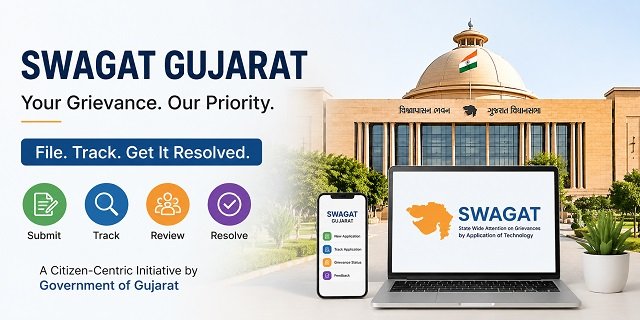
SWAGAT (State Wide Attention on Grievances by Application of Technology) is the official public grievance redressal system of the Government of Gujarat. It was launched on 24 April 2003 under the leadership of then Chief Minister Narendra Modi and is widely recognised as India’s first Chief Minister-level online grievance redressal platform. Today, Chief Minister Bhupendra Patel personally chairs the monthly State SWAGAT session to review unresolved public grievances.
You can submit complaints online through the official SWAGAT Portal or write directly to the Chief Minister’s Office (CMO). The system works through four levels: Gram SWAGAT, Sub-District SWAGAT, District SWAGAT, and State SWAGAT. Cases that remain unresolved at lower levels can be escalated to the State SWAGAT session, where the Chief Minister reviews them through video conferencing with district officials across Gujarat.
Citizens can also get SWAGAT-related information through the official WhatsApp chatbot. Simply send “Hi” to 70309 30344 to receive guidance about grievance services. In addition, the Government of Gujarat offers the official SWAGAT Online mobile app, allowing citizens to file complaints and access services from their smartphones.
According to official government data, SWAGAT has received more than 15.84 lakh grievances since its launch and resolved around 15.79 lakh of them, reflecting a resolution rate of about 99.97%. In the last four years alone, more than 2.39 lakh grievances have been resolved under the current administration.
If you are looking for grievance portals in other states, you can also read our CM Helpline India Guide. For food security and PDS services in the state, visit our Gujarat Ration Card Guide.
Why Gujarat SWAGAT is Different from Other CM Helplines
Most Chief Minister’s grievance portals receive complaints online and forward them to the concerned department for action. Gujarat’s SWAGAT follows the same process but also includes a unique multi-level review system. Grievances are first examined at the Gram, Sub-District, and District levels. If they remain unresolved, they can be taken up during the monthly State SWAGAT session chaired by the Chief Minister.
During the State SWAGAT session, the Chief Minister reviews selected unresolved grievances through video conferencing with district and sub-district officials across Gujarat. Applicants attend from their respective local offices while the concerned officers present the status of the case. Based on the discussion, the Chief Minister issues directions for further action wherever required.
This structured review mechanism encourages departments to resolve grievances at the earliest possible stage. As a result, many complaints are settled at the Gram, Sub-District, or District level itself, while only eligible unresolved cases are escalated to the State SWAGAT session.
The Four Levels of SWAGAT and Their Schedule
SWAGAT follows a four-level grievance redressal system. Most complaints are resolved at the local level, while unresolved cases move to higher authorities. The schedule for each level is fixed every month.
1. Gram SWAGAT
When: From the 1st to the 10th of every month
Gram SWAGAT is held at Gram Panchayat offices across Gujarat and is the first level of grievance redressal for rural residents. Local authorities examine complaints and try to resolve them before they are forwarded to higher levels.
2. Sub-District SWAGAT
When: 4th Wednesday of every month
If a grievance is not resolved at the Gram level, or if it is submitted directly at the sub-district level, it is taken up during Sub-District SWAGAT. The concerned officers review the complaint and take appropriate action.
3. District SWAGAT
When: 4th Thursday of every month
District SWAGAT is conducted at the District Collector’s Office. The District Collector or another senior officer reviews grievances that remain unresolved at the sub-district level and coordinates with the concerned departments for their resolution.
4. State SWAGAT
When: 4th Thursday of every month
State SWAGAT is organised at the Jansampark Department, Chief Minister’s Office, Gandhinagar. Chief Minister Bhupendra Patel personally chairs the session. Through video conferencing, district and sub-district officials present unresolved cases, while applicants participate from their respective local offices. Based on the discussion, the Chief Minister issues directions to the concerned departments for further action.
Note: The schedule may be revised on account of public holidays or special government notifications. Applicants should check the official SWAGAT Portal for the latest schedule and announcements.
State SWAGAT Session Schedule
On every State SWAGAT day, grievance review takes place in three stages before the Chief Minister hears selected cases.
- 9:00 AM to 12:00 PM: New grievances are registered online at the SWAGAT office in Gandhinagar and forwarded to the concerned departments.
- 12:00 PM to 3:00 PM: District and Sub-District officers examine the complaints and upload their reports, replies, and supporting information on the SWAGAT system.
- From 3:00 PM onwards, the Chief Minister, along with senior government officials, reviews selected unresolved grievances through video conferencing. Applicants participate from their local district or sub-district office, while the concerned officers present the status of the case.
What Complaints Can You File Through SWAGAT?
You can use the SWAGAT Portal to submit complaints related to Gujarat Government departments, public services, welfare schemes, and local authorities. Some common grievance categories include:
- Ration Card, Fair Price Shop (FPS), and Public Distribution System (PDS) issues.
- Land and revenue matters such as mutation, 7/12 extracts, Record of Rights (RoR), encroachment, and other revenue records.
- Water supply, irrigation, and drinking water-related complaints.
- Electricity supply, billing, or other issues related to Gujarat state power utilities.
- Roads, drainage, street lights, sanitation, and other Municipal Corporation or Gram Panchayat services.
- Government hospitals, public health services, and medicine availability.
- State government welfare schemes, pensions, housing schemes, and financial assistance.
- Police-related grievances handled by the Gujarat Police.
- Complaints regarding delays or inaction by government officials.
- Any other grievance related to a Gujarat Government department or public authority.
Important: SWAGAT is meant for grievances related to the Government of Gujarat. For complaints against Central Government departments such as Railways, Income Tax, EPFO, Passport Office, or Central PSUs, use the CPGRAMS Portal instead.
One Grievance, One Application
The SWAGAT Portal accepts only one grievance in a single application. If you have complaints related to different departments or unrelated issues, submit a separate application for each one.
For example, if you want to complain about a delayed ration card and a pending land mutation, file two separate applications. This helps the concerned department process your grievance more quickly and avoids unnecessary delays.
Documents and Information to Keep Ready
Before you start filling out the SWAGAT application form, keep the following details ready:
- Your full name, complete address, and mobile number.
- The name of the Gujarat Government department or office against which you want to file the complaint.
- A brief description of your grievance, including when the issue started and what action has already been taken, if any.
- Any previous complaint number, application number, acknowledgement, or reference ID, if this is a follow-up grievance.
- Supporting documents such as letters, notices, receipts, photographs, or other evidence in the prescribed format (PDF or JPG for online applications).
- If you are submitting the complaint offline, carry two copies of your application along with photocopies of the supporting documents.
Tip: Write your complaint in simple and clear language. Mention the facts, the department involved, and the relief you are seeking. Avoid combining multiple issues in the same application.
How to File a Complaint Online on the Gujarat SWAGAT Portal
You can submit your grievance online from your mobile phone or computer through the official SWAGAT Portal. The entire process takes only a few minutes if you keep your documents and details ready.
Step 1: Open the official SWAGAT Portal
Visit swagat.gujarat.gov.in. On the homepage, click “Register Complaint” (ફરિયાદ નોંધાવો). This option is available for citizens who want to submit a new grievance.
Step 2: Verify your mobile number
Enter your mobile number and complete the OTP verification, if prompted. This mobile number will be linked to your complaint and will also be used to send important updates and your application details.
Step 3: Fill in your personal details
Enter your basic information carefully, including your full name, complete address, district, taluka, village or city, and other required details. Make sure the information matches your official records so the concerned department can contact you if required.
Step 4: Select the concerned department
Choose the Gujarat Government department or office related to your grievance from the available list. Selecting the correct department helps your complaint reach the appropriate authority without unnecessary delay.
Step 5: Describe your grievance
Write your complaint in simple and clear language. Explain what happened, when the issue started, and what action you expect from the department. Submit only one grievance in each application. If you have another unrelated issue, file a separate complaint.
Step 6: Upload supporting documents
If you have documents such as acknowledgement receipts, notices, photographs, letters, or any other evidence, upload them in the prescribed PDF or JPG format. These documents help the department verify your grievance more quickly.
Step 7: Review and submit your application
Before submitting, check that all the details entered are correct. Once you submit the form, the complaint is registered in the SWAGAT system.
Step 8: Save your Application Number
After successful submission, the portal generates a unique Application Number. An SMS is also sent to your registered mobile number. Keep this number safe because you will need it to check your complaint status, provide feedback, or communicate with the concerned department in the future.
Tip: If your grievance is not resolved at the local level, it may be reviewed through the SWAGAT grievance redressal system at the Sub-District, District, or State level, depending on the nature and status of the complaint.
How to Send Your Complaint Directly to the Gujarat Chief Minister’s Office
If you want to bring your grievance directly to the notice of the Chief Minister’s Office (CMO), you can use the official Write to CMO service. This online facility allows citizens to submit complaints, suggestions, or requests without visiting any government office.
Step 1: Open the official CMO website
Visit cmogujarat.gov.in/en/write-to-cmo and open the Write to CMO page.
Step 2: Fill in your personal details
Enter your name, mobile number, email ID (if available), district, address, and other required information. Make sure the contact details are correct because the government may use them for future communication.
Step 3: Explain your grievance clearly
Describe your issue in simple language. Mention the department involved, what problem you are facing, when it started, and what action you expect from the government. If you have already contacted any department, include the complaint or reference number.
Step 4: Upload supporting documents
If the portal allows document uploads, attach relevant evidence such as acknowledgement slips, notices, letters, photographs, or any other documents that support your grievance.
Step 5: Submit the application
Review all the information carefully and submit the form. Keep the acknowledgement or reference number safe. You may need it later while following up with the concerned department or the Chief Minister’s Office.
Note: The Write to CMO facility is best suited for matters that require the attention of the Chief Minister’s Office. For routine complaints related to Gujarat Government departments and public services, the SWAGAT Portal remains the primary grievance redressal platform.
How to File a Complaint Using the SWAGAT Online Mobile App
If you prefer using your smartphone instead of a web browser, you can file your grievance through the official SWAGAT Online Android application developed by the Government of Gujarat.
Step 1: Install the official app
Download the SWAGAT Online app from the Google Play Store using the official link below:
Step 2: Register or log in
Open the app and complete the registration process if you are a new user. Existing users can log in using their registered mobile number or the available login option.
Step 3: Register your grievance
Select the option to register a new complaint. Fill in your personal details, choose the concerned department, describe your grievance, and upload supporting documents wherever required.
Step 4: Submit and save your Application Number
After reviewing the details, submit the complaint. The application is registered electronically, and you should save the generated Application Number for future reference.
Step 5: Track your complaint
You can use the app to check your complaint status and access other SWAGAT services without visiting the website repeatedly.
Need help? For technical issues related to the SWAGAT Online app, you can contact the support team at dctojs@gujarat.gov.in or call +91-79-23250072 during working hours.
Tip: If you only need basic guidance about SWAGAT services, you can also send “Hi” to the official WhatsApp chatbot on 70309 30344 before filing your complaint.
How to Submit a SWAGAT Complaint Offline
If you do not want to file your grievance online, you can submit it offline through the appropriate government office. The application can be filed on plain paper or in the prescribed format, if available. Carry two copies of your application along with photocopies of any supporting documents.
Option 1: Submit at the District Collector’s Office
Visit the Collector’s Office of your district and submit your complaint at the SWAGAT or inward/registry counter. Clearly mention your name, address, mobile number, the concerned department, and a brief description of your grievance.
Attach copies of any relevant documents, such as previous representations, acknowledgement receipts, notices, photographs, or other supporting evidence. After submission, collect the acknowledgement receipt or diary number carefully. This will help you follow up on your complaint later.
Option 2: Submit at the Gram Panchayat Office
If you live in a rural area, you can submit your grievance at your nearest Gram Panchayat Office during the Gram SWAGAT period, which is held from the 1st to the 10th of every month. Local officials review complaints first, and many issues are resolved at this stage without needing to move to higher authorities.
Option 3: Submit at the Mamlatdar or Sub-District Office
You can also submit your complaint at the Mamlatdar (Sub-District) Office. Sub-District SWAGAT is generally conducted on the 4th Wednesday of every month. Officers review grievances that could not be resolved at the Gram Panchayat level or complaints submitted directly to their office.
Tip: Carry your Aadhaar card or another government-issued photo ID, along with copies of all supporting documents. Always keep the acknowledgement receipt safely, as you may need it to track your grievance or if the matter is escalated to the District or State SWAGAT level.
Attending a District or State SWAGAT Session
If your grievance is selected for review at the District SWAGAT or State SWAGAT level, the concerned office will inform you in advance. Attend the session on the scheduled date with all relevant documents and your complaint details.
District SWAGAT
District SWAGAT is generally held on the 4th Thursday of every month at the District Collector’s Office. Carry your acknowledgement, supporting documents, and any previous correspondence related to your grievance. The District Collector or another senior officer will review your case and hear both your side and the department’s response.
State SWAGAT
If your grievance is taken up at the State SWAGAT level, you normally do not need to travel to Gandhinagar. Applicants participate from their respective District or Sub-District office through video conferencing, while the Chief Minister chairs the meeting from Gandhinagar. During the session, the concerned department presents the status of the case, and the Chief Minister may issue directions for further action.
Important: The date for submitting grievances before a District or State SWAGAT session may vary from district to district. Contact your District Collector’s Office or check the official SWAGAT Portal for the latest schedule and submission deadlines.
How to Check Your SWAGAT Complaint Status
After submitting your complaint, you can track its progress online at any time.
Step 1: Visit the official SWAGAT Portal and click on “Complaint Status” (ફરિયાદની સ્થિતિ).
Step 2: Enter your registered mobile number and complete the OTP verification, or provide the required application details as prompted on the portal.
Step 3: After logging in, you can view the latest status of your complaint, including the department handling it and the action taken so far.
The portal also allows citizens to submit feedback after their grievance has been resolved. In addition, important updates are sent to the registered mobile number through SMS.
How Grievances Move Through the SWAGAT System
SWAGAT follows a structured four-level grievance redressal system. Complaints are first examined at the lowest appropriate level. If the issue cannot be resolved there, it may be placed before the next higher level for further review.
- Gram SWAGAT
- Sub-District SWAGAT
- District SWAGAT
- State SWAGAT, chaired by the Chief Minister
Only grievances that remain unresolved after review at the lower levels, and which meet the prescribed criteria, are considered for higher-level SWAGAT sessions. This multi-level review process helps ensure that complaints are examined by the appropriate authority before being escalated.
Quick Reference
| Service | Details |
|---|---|
| SWAGAT Portal | swagat.gujarat.gov.in |
| Write to the Chief Minister | cmogujarat.gov.in/en/write-to-cmo |
| SWAGAT Online App | Download from Google Play |
| WhatsApp Chatbot | Send “Hi” to 70309 30344 |
| App Support | dctojs@gujarat.gov.in | +91-79-23250072 |
| Jansampark Unit | Ground Floor, Swarnim Shankul-2, New Sachivalay, Sector 10, Gandhinagar, Gujarat |
| State SWAGAT | 4th Thursday of every month, Jansampark Department, CMO, Gandhinagar |
| District SWAGAT | 4th Thursday of every month, District Collector’s Office |
| Sub-District SWAGAT | 4th Wednesday of every month, Mamlatdar Office |
| Gram SWAGAT | 1st to 10th of every month, Gram Panchayat Office |
| Central Government Complaints | CPGRAMS Portal |
| Nearest CSC Centre | CSC Locator |
| Related Guide | CM Helpline India Guide |
Frequently Asked Questions
Q. What is SWAGAT, and what does it stand for?
Ans. SWAGAT stands for State-Wide Attention on Grievances by Application of Technology. It is Gujarat Government’s official public grievance redressal system, launched on 24 April 2003. Citizens can submit complaints online through the SWAGAT Portal, mobile app, or designated government offices.
Q. Who can file a complaint through SWAGAT?
Ans. Any citizen who has a grievance related to a Gujarat Government department, local authority, public service, or state welfare scheme can submit a complaint through the SWAGAT Portal or at the designated offline offices.
Q. What are the four levels of SWAGAT?
Ans. SWAGAT functions at four levels: Gram SWAGAT, Sub-District SWAGAT, District SWAGAT, and State SWAGAT. Complaints are first reviewed at the appropriate local level and may be taken to higher levels if required.
Q. Does the Chief Minister personally hear every complaint?
Ans. No. The Chief Minister chairs only the State SWAGAT session. Most grievances are resolved at the Gram, Sub-District, or District level before reaching the State level.
Q. Can I include multiple complaints in one application?
Ans. No. SWAGAT follows a one-grievance, one-application policy. If you have complaints about different issues or departments, submit a separate application for each one.
Q. How can I check my SWAGAT complaint status?
Ans. Visit the official SWAGAT Portal, open the Complaint Status section, and log in using your registered mobile number or the required application details to view the latest status of your grievance.
Q. Can I submit my complaint using a mobile phone?
Ans. Yes. You can file complaints through the official SWAGAT Online Android app or by using the SWAGAT Portal on your mobile browser.
Q. Is there a WhatsApp number for SWAGAT?
Ans. Yes. The Government of Gujarat provides an official WhatsApp chatbot. Send “Hi” to 70309 30344 to receive information related to SWAGAT services.
Q. Can I attend the State SWAGAT session in Gandhinagar?
Ans. Generally, no. If your grievance is selected for the State SWAGAT session, you usually participate through video conferencing from your District or Sub-District office while the Chief Minister conducts the hearing from Gandhinagar.
Q. What is the difference between SWAGAT and CPGRAMS?
Ans. SWAGAT is meant for complaints related to the Gujarat Government departments. For complaints against Central Government departments such as Railways, EPFO, Passport Office, Income Tax, or other central organisations, use the CPGRAMS Portal.
Q. Where can I get help if I face problems using the SWAGAT app?
Ans. For technical issues related to the SWAGAT Online app, contact the support team at dctojs@gujarat.gov.in or call +91-79-23250072 during working hours.

Tabassum is a government document researcher and writer with over 5 years of experience exclusively dedicated to tracking and simplifying Central and State Government document processes across India. She has researched and published detailed guides on 100+ government documents and certificates – including Aadhaar Card, PAN Card, Ration Card, Domicile Certificate, and Birth Certificate – covering all states and the Central Government, helping lakhs of Indian citizens successfully complete their paperwork in simple, easy-to-understand language.