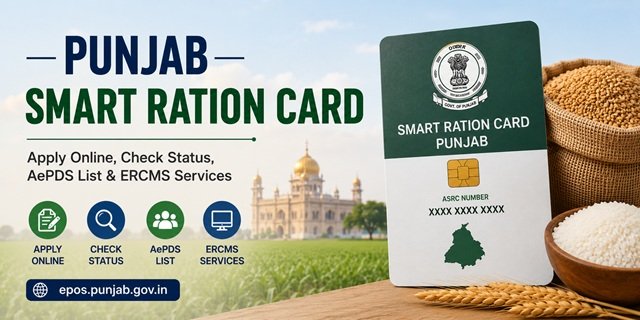
The Food, Civil Supplies and Consumer Affairs Department, Government of Punjab, manages all Smart Ration Card services through two dedicated platforms. Live ration card data, beneficiary lists, FPS transaction records, RC drawl status, and Aadhaar seeding verification are available at the AePDS Punjab portal (epos.punjab.gov.in). Online application submission, modification requests, and application status tracking go through the ERCMS portal (ercms.punjab.gov.in) and the eServices Punjab portal (eservices.punjab.gov.in). Department notices and policy information are at foodsuppb.gov.in.
Punjab sets itself apart from all states covered in this series through three standout characteristics. First, it is one of the very few states in India where food grains are distributed completely free of cost to both AAY and PHH ration card holders. As confirmed by the price chart on epos.punjab.gov.in for 2025 and 2026, wheat and other commodities are distributed at Rs 0 for all NFSA beneficiaries. Second, Punjab enforces a strict HoFN rule: only the eldest adult female member of the family, designated as Head of Family (Female) or HoFN, can log in and access online ration card services. No other family member, including male members, can initiate modifications online. Third, Punjab issues 12-digit ASRC numbers (Aadhaar Smart Ration Card numbers) to identify each beneficiary, and this number is required to check beneficiary details and transaction history on the AePDS portal.
For a national overview of the NFSA framework and the One Nation One Ration Card scheme, read our Ration Card India Guide.
What the Smart Ration Card System Means for You
Punjab has replaced traditional paper ration cards with Aadhaar-linked Smart Ration Cards that are integrated with electronic Point of Sale (ePoS) devices installed at Fair Price Shops (FPS) across the state. Whenever an eligible beneficiary collects food grains, Aadhaar-based authentication is carried out at the FPS and the transaction is recorded digitally through the AePDS Punjab system.
This digital system enables beneficiaries to verify their monthly ration transactions, check whether their entitlement has already been collected, view beneficiary details, monitor Aadhaar seeding status, and access other ration card information online through the AePDS Punjab portal. Smart Ration Card records are maintained through the state’s Ration Card Management System (RCMS), which supports online citizen services available on the ERCMS Punjab portal.
Card Categories in Punjab
Antyodaya Anna Yojana (AAY)
Antyodaya Anna Yojana (AAY) cards are issued to the poorest and most vulnerable households identified under the National Food Security Act (NFSA). Eligible AAY families receive their prescribed monthly food grain entitlement through the Public Distribution System (PDS) in accordance with the applicable Government of Punjab distribution policy.
Priority Household (PHH)
Priority Household (PHH) cards are issued to eligible families covered under the National Food Security Act, 2013. Each eligible beneficiary receives the prescribed monthly food grain entitlement through the Public Distribution System. Distribution is carried out in accordance with the prevailing Government of Punjab policy.
Head of Family (HoF) Requirement
Punjab’s Smart Ration Card system follows a Head of Family (HoF) model for online applications and household management. During a new Smart Ration Card application, the adult female member of the family (18 years or above) is ordinarily recorded as the Head of Family for ration card purposes. If the household does not have an adult female member, another eligible family member may be recorded as the Head of Family.
The Head of Family’s Aadhaar number and mobile number are verified during the online application process. Applicants are also required to provide Aadhaar consent for identity verification before submitting the application through the ERCMS Punjab portal.
The 12-Digit ASRC Number
Every beneficiary covered under Punjab’s Smart Ration Card system is assigned a unique 12-digit Aadhaar Smart Ration Card (ASRC) number. This number is different from the household ration card number and is linked to the individual beneficiary’s record.
The ASRC number can be used on the AePDS Punjab portal to access beneficiary details, Aadhaar seeding information, monthly ration allocation and transaction records. It is available on the Smart Ration Card and can also be viewed through the beneficiary details available on the AePDS portal.
Who Can Apply for a Ration Card in Punjab
- Must be a permanent resident of Punjab.
- The total annual income of the household from all sources should be less than ₹8,00,000.
- No family member should already hold an active ration card in Punjab or any other State or Union Territory.
- Regular employees of the Central Government, State Government, Boards, Corporations, Municipal Bodies, Trusts and similar Government institutions are not eligible to apply.
- Contractual, outsourced, work-charged and daily wage employees of Government organisations may apply, subject to fulfilling the prescribed eligibility conditions.
- Newly formed families, including newly married couples not covered under an existing ration card, may apply for a new Smart Ration Card.
- Applicants shifting from another State or Union Territory should surrender their previous ration card before applying in Punjab, wherever applicable.
- Aadhaar details of all family members are required for Smart Ration Card registration.
Documents Required
- Aadhaar Card of all family members.
- Passport-size photograph of the Head of Family (HoF).
- Latest electricity bill.
- Family group photograph.
- Address proof, if the current residential address is different from the Aadhaar address.
- LPG/Gas booklet copy, where applicable.
- Disability certificate issued by a competent authority, where applicable.
- Death certificate, where applicable.
- Land record (Fard), where applicable.
How to Apply for a Punjab Smart Ration Card Online
You can apply for a new Punjab Smart Ration Card through the official ERCMS Punjab portal. Before starting the application, keep the Aadhaar details of all family members and the required supporting documents ready.
Step 1: Visit the ERCMS Punjab Portal
Open the official ERCMS Punjab website and click the “Apply New Ration Card” option available on the homepage.
Step 2: Verify the Head of Family (HoF)
Enter the Aadhaar number of the Head of Family (HoF) and complete the OTP verification using the mobile number linked with Aadhaar. The applicant must also provide consent for Aadhaar authentication before proceeding.
Step 3: Enter Household Details
Fill in the required information, including the Head of Family’s details, residential address, income details, family member information and other household particulars requested in the application form.
Step 4: Add Family Members
Enter the Aadhaar details of every family member to be included in the Smart Ration Card. The system validates the information before allowing you to continue.
Step 5: Upload Required Documents
Upload clear scanned copies of the prescribed documents, such as the Head of Family’s photograph, family photograph, Aadhaar cards, latest electricity bill and other documents applicable to your case.
Step 6: Review and Submit the Application
Carefully verify all the information entered in the application form. After confirming that the details are correct, submit the application online. An Application Reference Number will be generated. Save or print this number, as it is required for future reference and status tracking.
Step 7: Track Your Application Status
Visit the ERCMS Punjab portal and use the “Track Application Status” service. Enter your Application Reference Number to view the latest status of your Smart Ration Card application.
Applying Offline Through Sewa Kendras
If you do not wish to apply online, you can submit your Punjab Smart Ration Card application through a nearby Sewa Kendra. These Government-authorised citizen service centres provide assistance with filling out the application, uploading documents and submitting the request through the official ERCMS Punjab portal.
Step 1: Visit Your Nearest Sewa Kendra
Go to your nearest Sewa Kendra with all the required original documents and photocopies. The operator will verify your documents before starting the application.
Step 2: Submit the Application
The Sewa Kendra operator will enter your details, upload the required documents and submit your Smart Ration Card application through the official ERCMS system.
Step 3: Collect the Acknowledgement Receipt
After successful submission, collect the acknowledgement receipt or reference number. Keep it safely, as it will be required to track your application status.
Step 4: Verification and Approval
The concerned Food and Civil Supplies authorities may verify the information and documents submitted with your application. Once approved, your Smart Ration Card is issued and linked to your eligible Fair Price Shop (FPS).
You may also submit your application, wherever permitted, through the office of the District Food and Civil Supplies authorities. As an additional assisted service option, you can locate your nearest Common Service Centre (CSC) at locator.csccloud.in.
Doorstep Smart Ration Card Service (Dial 1076)
Punjab residents can also avail selected ration card services from their home through the State Government’s Doorstep Delivery of Citizen Services initiative. Simply call the 1076 Helpline to book an appointment. After your request is registered, a designated field representative visits your home to collect the required documents and complete the application process for eligible services.
Availability of doorstep ration card services may vary depending on your location and the type of request. You can contact the 1076 Helpline to confirm whether new Smart Ration Card applications or related services are currently available in your area before booking an appointment.
Checking the Beneficiary List on AePDS Punjab
Step 1: Go to epos.punjab.gov.in and click on the Reports section in the navigation menu.
Step 2: Click on Beneficiary Details.
Step 3: Select your District from the list of all 23 Punjab districts.
Step 4: Select your Block or Town, then your Village or Ward.
Step 5: Select your Fair Price Shop (FPS) code or name.
Step 6: The complete list of Smart Ration Card holders under that FPS is displayed with card numbers, ASRC numbers, member counts, and card categories. Verify your family details are correctly listed.
Checking RC Drawl Status
RC Drawl Status tells you whether the ration has already been collected this month against your card. This is especially useful if you are unsure whether someone collected a ration on your behalf or if there is an unauthorised transaction.
Step 1: Go to epos.punjab.gov.in.
Step 2: Click on RC Drawl Status in the Reports section.
Step 3: Select your District, Block or Town, Village or Ward, and FPS.
Step 4: The drawl status for all cards under that FPS appears, showing whether each card has been used for collection in the current month and the date of collection.
Searching by Ration Card Number or Aadhaar
AePDS Punjab offers two direct search options to find your card without navigating through district and FPS selections:
By RC Number: Go to epos.punjab.gov.in, click Ration Card Search (RC Number) under the Reports section, enter the captcha and your ration card number, and click Submit.
By Aadhaar Number: Click Ration Card Search (Aadhaar) instead, enter the captcha and your Aadhaar number, and click Submit. Your full ration card details, including family members, ASRC numbers, and card category, will appear.
Checking Beneficiary Details Using ASRC Number
Step 1: Go to epos.punjab.gov.in and click Beneficiary Details in the Reports section.
Step 2: Enter your 12-digit ASRC number and select the month and year for which you want to view data.
Step 3: Click Submit. Your complete beneficiary information appears, including family details, monthly allocation, the quantity of ration received, and the date and FPS where it was collected.
Checking Date-wise Transaction Details
Step 1: Go to epos.punjab.gov.in and click Date Wise Trans Details under Reports.
Step 2: Select your District and the date for which you want to see FPS transactions.
Step 3: Click Submit. All FPS transactions recorded on that date in your district are displayed, allowing you to verify your transaction on a specific day.
Downloading the Smart Ration Card
Via ERCMS Portal:
Log in to ercms.punjab.gov.in using your HoFN credentials. Navigate to your Smart Ration Card section and download the digital copy as a PDF.
Via DigiLocker:
Log in to digilocker.gov.in, search for the Food, Civil Supplies and Consumer Affairs Department, Government of Punjab, select Smart Ration Card, and enter your ration card number to fetch and download the document.
Via Mera Ration App:
The Mera Ration App by the National Informatics Centre allows Punjab Smart Ration Card holders to view card details, check monthly entitlements, and find nearby FPS locations.
Modifications to the Smart Ration Card
All modifications, including member additions, deletions, name corrections, address updates, and FPS transfers, require HoFN login on ercms.punjab.gov.in or eservices.punjab.gov.in. Log in as HoFN, select the relevant modification service, fill in the required details, upload supporting documents, and submit. Track the modification status using the acknowledgement number. For modifications that cannot be processed online, visit your nearest Sewa Kendra or the DFSC office with your Smart Ration Card and supporting documents.
Raising a Complaint or Grievance
Online via Public Grievance Redressal Portal:
Visit the Punjab government’s public grievance portal through eservices.punjab.gov.in, submit your complaint with ration card number, district, FPS details, and description. Note the Grievance ID for tracking.
NFSA Grievance Portal:
Escalate unresolved issues at the NFSA national grievance portal.
Helpline Numbers:
Punjab Food Department Toll-Free: 1800-3006-1313
National PDS Helpline: 1967
At the Sewa Kendra or DFSC Office:
Visit your nearest Sewa Kendra or District Food and Supplies Controller office with your Smart Ration Card and complaint details.
Quick Reference Links
- AePDS Punjab (Beneficiary List, RC Search, Drawl Status): epos.punjab.gov.in
- ERCMS Portal (Ration Card Management): ercms.punjab.gov.in
- eServices Punjab (Apply, Status, Grievance): eservices.punjab.gov.in
- Food Department Punjab: foodsuppb.gov.in
- NFSA Grievance Portal: nfsa.gov.in grievance portal
- DigiLocker: digilocker.gov.in
- Mera Ration App: Download on Google Play
- CSC Locator: locator.csccloud.in
- NFSA State Portals: nfsa.gov.in state portals
Frequently Asked Questions
Is ration free for eligible NFSA beneficiaries in Punjab?
Yes. Eligible Antyodaya Anna Yojana (AAY) and Priority Household (PHH) beneficiaries receive their entitled food grains in accordance with the prevailing Government of Punjab distribution policy. You can check the latest commodity allocation and distribution details on the AePDS Punjab portal.
Who can be the Head of Family (HoF) for a Punjab Smart Ration Card?
Punjab follows a Head of Family (HoF) model. During a new Smart Ration Card application, the adult female member of the household is ordinarily recorded as the Head of Family. If the household does not have an adult female member, another eligible family member may be designated as the HoF. Aadhaar verification and OTP authentication of the HoF are required during the online application process.
What is an ASRC number and why is it important?
The Aadhaar Smart Ration Card (ASRC) number is a unique 12-digit number assigned to each beneficiary under Punjab’s Smart Ration Card system. It is different from the household ration card number and can be used on the AePDS Punjab portal to view beneficiary details, Aadhaar seeding status and ration transaction records.
How can I check whether my monthly ration has already been collected?
Visit the AePDS Punjab portal and use the RC Drawl Status service. After selecting the required location details, you can see whether ration has already been issued against your card for the selected month.
Can I apply for a Punjab Smart Ration Card online?
Yes. You can submit a new Smart Ration Card application through the official ERCMS Punjab portal. If you need assistance, you may also apply through your nearest Sewa Kendra, where the application is submitted online on your behalf.
My name is not appearing in the AePDS beneficiary list. What should I do?
First verify that you have selected the correct district, block or town, village or ward and Fair Price Shop (FPS). You may also search using your ration card number or ASRC details, where available. If your details still do not appear, contact your nearest Sewa Kendra or the concerned Food and Civil Supplies authorities for assistance.
What is the difference between RC Drawl Status and Beneficiary Details?
RC Drawl Status shows whether ration has been issued against a ration card for a particular month. Beneficiary Details provide individual beneficiary information, Aadhaar seeding status and ration transaction history associated with the beneficiary.
Can I use my Punjab Smart Ration Card outside Punjab?
Yes. Eligible Punjab ration card holders covered under the One Nation One Ration Card (ONORC) system can avail portability benefits at eligible Fair Price Shops across India, subject to the applicable NFSA guidelines and Aadhaar-based authentication.
How do I update my address or family details on the Smart Ration Card?
Eligible modification requests, such as address correction, member addition, member deletion or name correction, can be submitted through the ERCMS Punjab portal. If the required online service is not available, you can visit your nearest Sewa Kendra with the necessary supporting documents.
What helpline can I contact for Punjab Smart Ration Card services?
For assistance, you can contact the Punjab Food Department toll-free helpline at 1800-3006-1313. For national Public Distribution System (PDS) support, call 1967. You may also visit your nearest Sewa Kendra or the concerned district Food and Civil Supplies office for help.
Can I apply for a Smart Ration Card from home without visiting a Sewa Kendra?
Yes. Punjab also provides selected citizen services through its Doorstep Delivery Service. You can call the 1076 Helpline to check whether Smart Ration Card services are available in your area and book a doorstep service appointment, wherever applicable.

Tabassum is a government document researcher and writer with over 5 years of experience exclusively dedicated to tracking and simplifying Central and State Government document processes across India. She has researched and published detailed guides on 100+ government documents and certificates – including Aadhaar Card, PAN Card, Ration Card, Domicile Certificate, and Birth Certificate – covering all states and the Central Government, helping lakhs of Indian citizens successfully complete their paperwork in simple, easy-to-understand language.