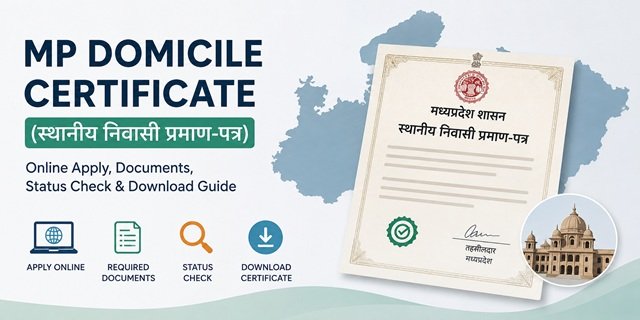
The MP Domicile Certificate, officially known as the स्थानीय निवासी प्रमाण-पत्र (Local Resident Certificate), is an important document that proves a person’s residence in Madhya Pradesh. It is issued by the Revenue Department through the concerned Tehsildar and can be obtained online through the MP e-District Portal at mpedistrict.gov.in.
Citizens often require the MP Domicile Certificate for state government jobs, MPPSC and MPESB examinations, admissions under the Madhya Pradesh state quota, scholarship schemes, and various government welfare programmes where proof of residence in the state is mandatory.
The service is provided under the Madhya Pradesh Lok Seva Guarantee Act, ensuring time-bound delivery. Once a complete application is submitted, the certificate is generally issued within 7 working days. Applicants can apply online themselves free of cost or submit their application through Lok Seva Kendras (LSK), MPOnline Kiosks, CSC Centres, and the MP eSeva mobile application.
Who Is Eligible for an MP Domicile Certificate?
You may apply for a Madhya Pradesh Domicile Certificate if you satisfy any one of the following conditions:
- You are a permanent resident of Madhya Pradesh.
- You have been residing in Madhya Pradesh continuously for the last 5 years.
- You are a woman married to a permanent resident of Madhya Pradesh. In such cases, eligibility may be considered on the basis of the husband’s domicile status even if the applicant does not independently fulfil the five-year residence requirement.
Documents Required for MP Domicile Certificate
Before applying for an MP Domicile Certificate (स्थानीय निवासी प्रमाण-पत्र), keep the required documents and details ready. The MP e-District Portal uses Aadhaar-based e-KYC for citizen registration and authentication, so applicants should ensure that their Aadhaar information is up to date before starting the application process.
- Aadhaar Card – Required for Aadhaar-based e-KYC and OTP verification. Your Aadhaar should be linked to an active mobile number.
- Samagra ID – Applicants should have a valid Samagra ID. If you do not already have one, it can be generated through the official Samagra Portal.
- Mobile Number – Required for OTP verification, application updates, and status tracking.
- Self-Declaration Form (स्वयं का घोषणा पत्र) – This is the primary document prescribed under the official MP e-District service. The declaration form can be downloaded and submitted along with the application.
- Recent Passport-Size Photograph – Keep a clear photograph ready for online submission, if required during the application process.
- Supporting Residence Proof (if requested by the competent authority)
- Ration Card showing an address in Madhya Pradesh
- Electricity Bill, Water Bill, or other utility bill
- Voter ID Card with a Madhya Pradesh address
- Property ownership, land records, or other residence-related documents
- For Married Women Applying on the Basis of Husband’s Domicile – Marriage certificate and supporting proof showing the husband’s residence status in Madhya Pradesh may be required, wherever applicable.
For online applications, upload clear and legible scanned copies of all required documents. If you apply through a Lok Seva Kendra (LSK), MPOnline Kiosk, or CSC Centre, carry the original documents for verification whenever requested by the concerned authority.
Method 1: Apply Online Through MP e-District Portal
If you want to apply for an MP Domicile Certificate (स्थानीय निवासी प्रमाण-पत्र) yourself without visiting any office, the easiest option is to use the official MP e-District Portal. The entire process can be completed from your home using a mobile phone or computer.
Step 1: Open the Official Portal
Visit mpedistrict.gov.in. On the homepage, look for the “Citizen Login” option under the Seva Prabandhan section and click on it.
Step 2: Create a New Citizen Account (First-Time Users Only)
If you are using the portal for the first time, click “Registration for New Citizens”. Enter the required details and click “Click here to verify your mobile no.”. An OTP will be sent to your registered mobile number. Enter the OTP and complete the registration process. Once verification is successful, your citizen account will be created.
If you already have an account, you can skip this step and proceed directly to login.
Step 3: Log in to Your Account
Click on “Login” and enter your User ID, registered mobile number, or email ID along with your password and captcha code. After entering the details, click the login button to access your dashboard.
Step 4: Complete Aadhaar e-KYC Verification
After logging in, the portal may ask you to complete Aadhaar-based e-KYC. Enter your Aadhaar Number and verify it using the OTP sent to your Aadhaar-linked mobile number. Once the OTP is verified, your e-KYC process is completed.
Step 5: Find the Domicile Certificate Service
From the dashboard, click “Apply for Online Service”. A list of available government services will open.
Search for “स्थानीय निवासी प्रमाण-पत्र” (MP Domicile Certificate) and click “View and Apply”. On the service page, select the “Apply” option available under the Application & Fee Details section.
Step 6: Fill the Application Form Carefully
Enter all the required information exactly as it appears in your official documents. The application form generally asks for:
- Applicant’s full name
- Date of birth
- Father’s name or husband’s name
- Permanent residential address in Madhya Pradesh
- Samagra ID
- Other personal and residence-related details requested in the form
Before moving to the next step, review all information carefully. Incorrect details may delay certificate approval.
Step 7: Upload Required Documents
Upload the required documents, including the prescribed Self Declaration Form (स्वयं का घोषणा पत्र) and any supporting documents requested by the system. Ensure that all uploaded files are clear, readable, and within the prescribed file size limits.
Step 8: Review Application and Submit
Check all details one final time. If everything is correct, click “Submit” to complete your application.
For self-applications submitted directly through the MP e-District Portal, the service is generally available without any government application fee. However, applicants should always verify the latest fee details displayed on the portal at the time of submission.
Step 9: Download the Acknowledgement Receipt
After successful submission, the system generates an Acknowledgement Receipt containing your Registration Number / Application Number. Download or print this receipt and keep it safe, as the application number will be required to check application status, download the certificate, or communicate with the department regarding your application.
Tip: Keep your Aadhaar-linked mobile number active throughout the application process because OTP verification and important updates are sent to the registered mobile number.
Method 2: Apply Through Lok Seva Kendra (LSK)
If you do not want to apply online yourself, you can visit your nearest Lok Seva Kendra (LSK). These centres are available across Madhya Pradesh and help citizens submit applications for various government services, including the MP Domicile Certificate.
Step 1: Visit the nearest Lok Seva Kendra with your Aadhaar Card, Samagra ID, Self-Declaration Form, photograph, and any supporting residence-related documents.
Step 2: Tell the operator that you want to apply for a MP Domicile Certificate (स्थानीय निवासी प्रमाण-पत्र).
Step 3: The operator will enter your details into the MP e-District Portal and upload the required documents on your behalf.
Step 4: Pay the prescribed service fee. As per the official service details, the application fee at Lok Seva Kendra is ₹20 (additional charges, if any, may be applicable as per current rules).
Step 5: After submission, collect the acknowledgement receipt containing your Application Number. Keep it safe for future status tracking and certificate download.
Method 3: Apply Through MPOnline Kiosk
MPOnline Kiosks are another convenient option for citizens who prefer assisted application services. The kiosk operator completes the online application process on your behalf.
Step 1: Visit any authorised MPOnline Kiosk near your location with the required documents.
Step 2: Provide your Aadhaar details, Samagra ID, photograph, and supporting documents to the operator.
Step 3: The operator will fill out the domicile certificate application form and upload the necessary documents through the official system.
Step 4: Pay the applicable service charge. According to the official service details, the fee at an MPOnline Kiosk is ₹20 (subject to applicable service charges).
Step 5: Once the application is submitted, you will receive an acknowledgement receipt with an Application Number for future reference.
Method 4: Apply Through CSC (Common Service Centre)
Citizens living in villages or remote areas can also apply through a nearby CSC (Common Service Centre). The process is simple and similar to other assisted service centres.
Step 1: Visit your nearest CSC with all required documents and identification details.
Step 2: Inform the CSC operator that you want to apply for a Madhya Pradesh Domicile Certificate.
Step 3: The operator will complete the online application and upload the necessary documents on your behalf.
Step 4: Pay the prescribed service fee. As per the official service details, the CSC application fee is ₹20 (plus any applicable service charges).
Step 5: Collect the acknowledgement receipt and note down the Application Number for tracking your application status later.
Method 5: Apply Through the MP eSeva Mobile App
Madhya Pradesh residents can also apply for various government services, including the MP Domicile Certificate, through the official MP eSeva Mobile App available for Android and iPhone users.
Step 1: Install the MP eSeva App from the Google Play Store or the Apple App Store.
Step 2: Register or log in using your mobile number and complete any required verification process.
Step 3: Search for स्थानीय निवासी प्रमाण-पत्र (MP Domicile Certificate) in the list of available services.
Step 4: Fill in the application details, upload the required documents, and review the information carefully.
Step 5: Submit the application and save the acknowledgement number generated by the app. You can use this number later to track the status of your application.
What Happens After You Apply?
Once you submit your MP Domicile Certificate application, it is forwarded electronically to the concerned revenue authorities for verification. The application is generally examined by the Revenue Department, and the verification process may involve the Tehsildar, Revenue Inspector, or other authorised officials of your area.
During verification, the information provided in your application is matched with the submitted documents and available government records. In certain cases, the concerned official may also conduct a local enquiry or field verification to confirm that you are residing at the address mentioned in the application.
If all details are found correct and no additional clarification is required, the application is approved, and the certificate is issued. Under the Madhya Pradesh Lok Seva Guarantee Act, the service is normally delivered within 7 working days from the date of application.
If any document is unclear, incomplete, or requires further verification, you may receive an update through the portal or on your registered mobile number. Responding quickly to such requests can help avoid unnecessary delays in certificate issuance.
How to Check MP Domicile Certificate Application Status
After submitting your application, you can track its progress online at any time using the Application Number mentioned on your acknowledgement receipt.
Step 1: Visit the official MP e-District Portal.
Step 2: Click on the “Application Status” option available on the homepage.
Step 3: Enter your Registration Number / Application Number in the search box.
Step 4: Click on “Search” to view the latest status of your application.
The portal may display statuses such as Under Process, Approved, Rejected, or Pending Verification. If your application remains pending beyond the prescribed service timeline, you may also raise a complaint through the MP CM Helpline or seek information from the department through the Madhya Pradesh RTI process.
How to Download MP Domicile Certificate Online
Once your application is approved, you can download the digitally signed domicile certificate directly from the MP e-District Portal without visiting any government office.
Step 1: Open mpedistrict.gov.in.
Step 2: Click on the “Digitally Signed Certificates” option.
Step 3: Enter your Registration Number / Application Number.
Step 4: Click “Search” to locate your approved certificate.
Step 5: Select the download option and save the certificate in PDF format for future use.
The downloaded certificate contains a digital signature issued through the official government system. It is a valid electronic document and can be used for government recruitment, educational admissions, scholarship applications, and other purposes where proof of Madhya Pradesh domicile is required.
Processing Time and Fee
The issuance of the MP Domicile Certificate (Sthai Niwas Praman Patra) is covered under the Madhya Pradesh Lok Seva Guarantee Act, which ensures time-bound delivery of citizen services.
- Online Application (MP e-District Portal or MP eSeva App): No government fee is charged for online applications.
- Lok Seva Kendra (LSK): Service charge of ₹20 as per the official service details.
- MP Online Kiosk: Service charge of ₹20.
- Common Service Centre (CSC): Service charge of ₹20.
- Processing Time: 7 working days for both urban and rural applicants.
- Samadhan Ek Din Service: In selected Lok Seva Kendras, the certificate may be issued within one working day under the Samadhan Ek Din initiative, subject to successful verification.
Validity of MP Domicile Certificate
The MP Domicile Certificate (Sthai Niwas Praman Patra) is generally treated as a permanent proof of domicile and does not have a fixed expiry date. Once issued, it can be used whenever proof of Madhya Pradesh domicile is required.
However, certain recruitment authorities, educational institutions, scholarship schemes, or admission processes may ask for a recently issued domicile certificate. Therefore, always read the specific notification or prospectus before applying.
Common Problems and Their Solutions
I do not have a Samagra ID.
A Samagra ID is required for most MP citizen services. If you do not already have one, create it through the Samagra Portal before starting your domicile certificate application.
I am not receiving the Aadhaar OTP.
The portal uses Aadhaar-based e-KYC. Make sure your Aadhaar is linked to an active mobile number capable of receiving OTPs. If needed, update your Aadhaar details first. You can also refer to our Aadhaar Card Guide.
My application was rejected.
Log in to your MP e-District account and check the rejection remarks. The concerned authority usually mentions the reason for rejection. Correct the issue and submit a fresh application if required.
The certificate has not been issued within 7 working days.
Since the service falls under the Lok Seva Guarantee framework, applicants can follow up with the concerned authority if the prescribed timeline has passed. If the issue remains unresolved, you may also raise a complaint through the MP CM Helpline.
I want to know the exact status of my application.
Use the Registration Number provided on your acknowledgement receipt to check the latest status online. If the application remains pending for an unusual period, contact the concerned Tehsil or Lok Seva Kendra.
MP Domicile Certificate for Different Situations
For MPPSC and MPESB Examinations:
Many Madhya Pradesh government recruitment examinations require candidates to prove their state domicile status. Keeping a valid domicile certificate ready before the application deadline can help avoid last-minute issues.
For Scholarships and Educational Admissions:
The certificate is often required for state scholarship schemes, fee reimbursement programmes, and admissions under state quota seats.
For State Government Welfare Schemes:
Several Madhya Pradesh government schemes may require proof of domicile during verification. Applicants may also find our MP Ration Card Guide useful for other state benefit programmes.
For Married Women:
A woman who was originally from another state but is married to a permanent resident of Madhya Pradesh may become eligible based on her husband’s domicile status, subject to submission of supporting documents.
If There Is an Error in the Certificate:
If your name, address, date of birth, or any other detail has been entered incorrectly, contact the issuing authority and request correction with supporting documents. In some cases, a fresh application may be required.
Quick Reference
| Particular | Details |
|---|---|
| Certificate Name | Sthai Niwas Praman Patra (Domicile Certificate) |
| Department | General Administration Department, Government of Madhya Pradesh |
| Official Portal | mpedistrict.gov.in |
| Mobile Application | MP eSeva App (Android & iOS) |
| Issuing Authority | Tehsildar / Revenue Department |
| Application Modes | MP e-District Portal, MP eSeva App, Lok Seva Kendra, MP Online Kiosk, CSC |
| Mandatory Document | Self Declaration Form |
| Samagra ID | Required for citizen registration and service access |
| Online Fee | Free |
| Offline Service Charge | ₹20 |
| Processing Time | 7 Working Days |
| Validity | Generally Permanent |
| Status Tracking | Available using Registration Number |
| Main Uses | Government Jobs, Scholarships, Admissions, State Welfare Schemes |
Frequently Asked Questions
Q. Who can apply for a Domicile Certificate in Madhya Pradesh?
Ans. A person who is a permanent resident of Madhya Pradesh can apply for a Domicile Certificate (Sthai Niwas Praman Patra). As per the information available on the MP e-District portal, a woman who is married to a permanent resident of Madhya Pradesh may also be eligible based on her husband’s domicile status. The application is processed by the competent revenue authority through the MP e-District system.
Q. Is Samagra ID required for the MP Domicile Certificate application?
Ans. Yes. Samagra ID is generally required for accessing citizen services on the MP e-District Portal. During the application process, applicants may be asked to provide their Samagra ID along with Aadhaar-based verification details. If you do not have a Samagra ID, you can create one through the Samagra Portal.
Q. How long does it take to get a Domicile Certificate in Madhya Pradesh?
Ans. According to the official service details available on the MP e-District Portal, the prescribed service delivery time is 7 working days for both urban and rural applicants. In certain cases, the service may also be provided under the Samadhan Ek Din initiative, subject to verification and eligibility.
Q. What is the fee for applying for an MP Domicile Certificate?
Ans. Online applications submitted directly through the MP e-District Portal or MP eSeva App are free of government charges. If you apply through a Lok Seva Kendra (LSK), MP Online Kiosk, or CSC, a service charge of ₹20 is applicable as per the official service details.
Q. How can I download my approved Domicile Certificate?
Ans. Visit mpedistrict.gov.in and open the Digitally Signed Certificates section. Enter your Registration Number, search for your application, and download the digitally signed PDF certificate. The downloaded certificate can be used as an official government document.
Q. Can I apply through my mobile phone?
Ans. Yes. Apart from the MP e-District website, applicants can also use the MP eSeva Mobile App available for Android and iPhone users. The app allows citizens to access various government services, submit applications, and track their status directly from their mobile devices.
Q. Can I apply for a Domicile Certificate without visiting any government office?
Ans. Yes. If you complete Aadhaar-based e-KYC and submit all required documents online through the MP e-District Portal or MP eSeva App, the entire application process can usually be completed from home. However, the concerned authority may request additional verification if required.
Q. What should I do if my application is rejected?
Ans. Log in to your MP e-District account and check the remarks provided by the concerned authority. The reason for rejection is generally mentioned in the application status. After correcting the issue or arranging the required documents, you may submit a fresh application.
Q. How can I check the status of my Domicile Certificate application?
Ans. Visit mpedistrict.gov.in and open the Application Status section. Enter your Registration Number and search. The portal will display the latest status of your application, such as Under Process, Approved, or Rejected.
Q. Is the MP Domicile Certificate valid for government jobs and scholarships?
Ans. Yes. The Domicile Certificate is commonly used as proof of Madhya Pradesh residency for state government recruitments, educational admissions, scholarships, and various state welfare schemes, subject to the specific eligibility conditions prescribed by the concerned department or institution.

Tabassum is a government document researcher and writer with over 5 years of experience exclusively dedicated to tracking and simplifying Central and State Government document processes across India. She has researched and published detailed guides on 100+ government documents and certificates – including Aadhaar Card, PAN Card, Ration Card, Domicile Certificate, and Birth Certificate – covering all states and the Central Government, helping lakhs of Indian citizens successfully complete their paperwork in simple, easy-to-understand language.