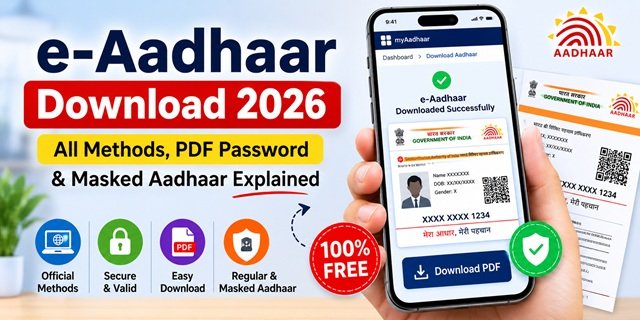
e-Aadhaar is the digitally signed electronic version of your Aadhaar Card issued by the Unique Identification Authority of India (UIDAI). Under Section 4A of the Aadhaar Act, 2016, it has the same legal validity as the physical Aadhaar card and can be used wherever Aadhaar is accepted, subject to the applicable rules of the concerned authority or service provider. You can download it free of cost anytime from myaadhaar.uidai.gov.in without visiting an Aadhaar Seva Kendra.
To download e-Aadhaar online, your Aadhaar Card should be linked with an active mobile number because OTP verification is required. If your mobile number is not registered or is no longer active, you can visit an Aadhaar Seva Kendra to update your mobile number or obtain an Aadhaar print by paying the applicable UIDAI service charge.
UIDAI also advises residents whose Aadhaar was issued more than 10 years ago and has not been updated since then to upload fresh Proof of Identity (POI) and Proof of Address (POA) documents through the Update Aadhaar service on the MyAadhaar portal to keep their Aadhaar records up to date.
Regular e-Aadhaar vs Masked Aadhaar
UIDAI allows you to download either a Regular e-Aadhaar or a Masked Aadhaar, depending on your requirement.
Regular e-Aadhaar displays your complete 12-digit Aadhaar number and is generally used wherever the full Aadhaar number is required for verification or official records.
Masked Aadhaar displays only the last four digits of your Aadhaar number while masking the remaining eight digits. Your name, photograph, address, date of birth and other details remain unchanged. It provides additional privacy when you need to share identity proof but do not wish to disclose your complete Aadhaar number.
Before submitting a Masked Aadhaar, check whether the concerned organisation accepts it. If the complete Aadhaar number is required for verification or processing, use the Regular e-Aadhaar instead.
e-Aadhaar PDF Password
Every e-Aadhaar downloaded from the UIDAI portal is protected with a password. To open the PDF, enter the password in the following format:
Password = First 4 letters of your name (in CAPITAL letters as printed on Aadhaar) + Year of Birth (YYYY)
Examples:
- Name: Rajesh Kumar Year of Birth: 1985 → RAJE1985
- Name: Ankit Sharma Year of Birth: 1992 → ANKI1992
- Name: Raj Year of Birth: 2001 → RAJ2001
Always use the name exactly as it appears in your Aadhaar records. If your name contains fewer than four letters, use the complete name followed by your birth year. You can open the password-protected PDF using Adobe Acrobat Reader, Microsoft Edge or any standard PDF reader that supports encrypted PDF files.
Method 1: Download e-Aadhaar from the MyAadhaar Portal (Official Method)
The MyAadhaar Portal is the official UIDAI website for downloading your e-Aadhaar. You can access it on a mobile phone, tablet or computer using your Aadhaar-registered mobile number.
Step 1: Visit myaadhaar.uidai.gov.in and click Login. Enter your 12-digit Aadhaar number and the security CAPTCHA, then click Send OTP. Enter the OTP received on your registered mobile number to sign in.
Step 2: After logging in, select the Download Aadhaar service from the available Aadhaar services.
Step 3: Choose one of the available identifiers—Aadhaar Number, Enrolment ID (EID) or Virtual ID (VID) and complete the verification process.
Step 4: If you prefer a Masked Aadhaar, select the corresponding option before proceeding. Leave it unchecked if you want the regular e-Aadhaar showing the complete Aadhaar number.
Step 5: Enter the OTP and click Verify & Download. The password-protected PDF will be downloaded to your device. Use the password format explained above to open it.
The e-Aadhaar download service is provided free of cost by UIDAI, and you can download your Aadhaar whenever required.
Method 2: Download e-Aadhaar Using the Official Aadhaar App
You can also download your e-Aadhaar through the official Aadhaar App developed by UIDAI. Sign in using your Aadhaar number and OTP, open the Services section, select Download Aadhaar, and follow the on-screen instructions to save the PDF on your device.
- Android: Google Play Store
- iPhone (iOS): Apple App Store
For detailed instructions, read our complete Aadhaar Card guide.
Method 3: Download e-Aadhaar Through DigiLocker
If you already use DigiLocker, you can access your Aadhaar from the Issued Documents section after completing the required verification. DigiLocker-issued documents are digitally verified and can be used wherever they are accepted.
Log in to DigiLocker, search for UIDAI, select the Aadhaar service, verify your identity and follow the instructions to access your e-Aadhaar.
Method 4: Download e-Aadhaar Using the UMANG App
You can also use the UMANG app to access Aadhaar Card services. Open the app, search for Aadhaar, select the Download Aadhaar service, complete OTP verification and follow the on-screen instructions to download your e-Aadhaar.
UMANG is a convenient option if you already use the application for other Government of India services.
No Registered Mobile Number? Here’s What You Can Do
If your mobile number is not linked with your Aadhaar, you cannot download your e-Aadhaar online because UIDAI requires OTP verification. In such cases, you have the following options:
- Visit an Aadhaar Seva Kendra (ASK): Carry your Aadhaar Card or other available Aadhaar details. After completing biometric verification, the Aadhaar Seva Kendra can provide a printed copy of your Aadhaar. UIDAI currently charges ₹30 for this service. Aadhaar services are also available at authorised centres operating through selected banks, post offices and other notified institutions.
- Update Your Mobile Number: If you want to download your e-Aadhaar online in the future, visit an Aadhaar Seva Kendra to register or update your mobile number. Once the updated mobile number is linked with your Aadhaar and becomes operational in UIDAI records, you can use the MyAadhaar portal or the official Aadhaar App to download your e-Aadhaar free of cost.
Forgot Your Aadhaar Number? Retrieve It Online
If you do not remember your Aadhaar Card number or Enrolment ID, UIDAI provides an online retrieval facility.
Visit myaadhaar.uidai.gov.in, select Retrieve Lost UID/EID, enter your name, registered mobile number or email address, complete OTP verification and follow the on-screen instructions. After successful verification, UIDAI will send your Aadhaar Number or Enrolment ID to your registered contact details.
Important Update for Aadhaar Holders with 10-Year-Old Records
UIDAI advises residents whose Aadhaar was issued more than 10 years ago and has not been updated since then to upload fresh Proof of Identity (POI) and Proof of Address (POA) documents through the MyAadhaar portal. Updating these documents helps keep your Aadhaar records accurate and up to date.
UIDAI has extended the free online document update facility until 14 June 2027. Eligible residents can use the Update Aadhaar Online service on the MyAadhaar portal to upload the required documents without paying the prescribed online document update fee during the notified period.
Quick Reference
| Particular | Details |
|---|---|
| Official Download Portal | myaadhaar.uidai.gov.in |
| Direct Download Page | Download e-Aadhaar |
| Download Fee | Free (Online) |
| Aadhaar Print Fee | ₹30 at Aadhaar Seva Kendra (as per UIDAI service charges) |
| Legal Validity | Section 4A of the Aadhaar Act, 2016 |
| PDF Password | First 4 letters of your name (CAPITAL) + Birth Year (YYYY) |
| Accepted Identifiers | Aadhaar Number, Enrolment ID (EID) or Virtual ID (VID) |
| Retrieve Lost UID/EID | Available on the MyAadhaar portal |
| Aadhaar App | Android | iPhone (iOS) |
| DigiLocker | digilocker.gov.in |
| UMANG | web.umang.gov.in |
| UIDAI Helpline | 1947 (Toll-Free) |
| UIDAI Email | help@uidai.gov.in |
| Free POI/POA Document Update | Available till 14 June 2027 (as notified by UIDAI) |
Frequently Asked Questions (FAQs)
Q. What is the password for an e-Aadhaar PDF?
Ans. The password is the first four letters of your name in CAPITAL letters (exactly as recorded in Aadhaar) followed by your four-digit birth year. If your name has fewer than four letters, use the complete name followed by the birth year.
Q. Is e-Aadhaar legally valid?
Ans. Yes. Under Section 4A of the Aadhaar Act, 2016, e-Aadhaar has the same legal validity as the physical Aadhaar card and can be used wherever Aadhaar is accepted, subject to the applicable rules of the concerned authority or service provider.
Q. What is the difference between Regular Aadhaar and Masked Aadhaar?
Ans. Regular e-Aadhaar displays your complete 12-digit Aadhaar number. Masked Aadhaar hides the first eight digits and shows only the last four digits, providing additional privacy. Before using a Masked Aadhaar, confirm that the concerned organisation accepts it.
Q. Can I download e-Aadhaar without a registered mobile number?
Ans. No. Online download requires OTP verification on the mobile number linked to your Aadhaar Card. If your mobile number is not registered, visit an Aadhaar Seva Kendra to update your mobile number or obtain an Aadhaar printout.
Q. How many times can I download my e-Aadhaar?
Ans. UIDAI provides the e-Aadhaar download service free of cost. You can download your e-Aadhaar whenever required through the official MyAadhaar portal.
Q. My Aadhaar is more than 10 years old. What should I do?
Ans. UIDAI advises residents whose Aadhaar has not been updated for more than 10 years to upload fresh Proof of Identity (POI) and Proof of Address (POA) documents through the MyAadhaar portal to keep their Aadhaar records updated.
Q. How can I retrieve my Aadhaar Number or Enrolment ID if I have forgotten it?
Ans. Use the Retrieve Lost UID/EID service available on the MyAadhaar portal. After successful OTP verification, UIDAI will send your Aadhaar Number or Enrolment ID to your registered contact details.
Q. Which apps can I use to download my e-Aadhaar?
Ans. You can download your e-Aadhaar through the official MyAadhaar portal, the UIDAI Aadhaar App, DigiLocker or the UMANG app.

Tabassum is a government document researcher and writer with over 5 years of experience exclusively dedicated to tracking and simplifying Central and State Government document processes across India. She has researched and published detailed guides on 100+ government documents and certificates – including Aadhaar Card, PAN Card, Ration Card, Domicile Certificate, and Birth Certificate – covering all states and the Central Government, helping lakhs of Indian citizens successfully complete their paperwork in simple, easy-to-understand language.