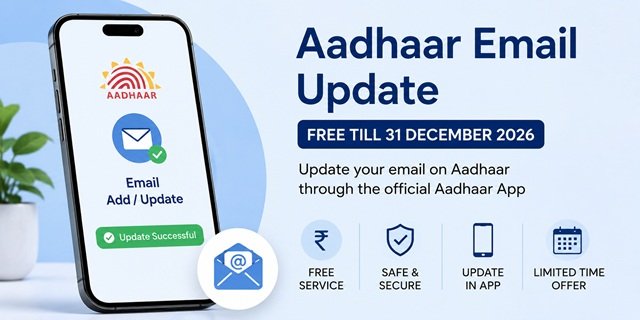
UIDAI allows residents to register or update their email address in the Aadhaar Card so they can receive important notifications related to Aadhaar services and authentication. If your Aadhaar does not have an active email address or the registered email is no longer accessible, updating it helps you stay informed whenever email-based notifications are issued by UIDAI.
To encourage residents to keep their Aadhaar details up to date, UIDAI has waived the fee for updating or adding an email address through the official Aadhaar App. According to the Press Information Bureau (PIB), Release ID 2280645 dated 3 July 2026, this service is available free of cost from 1 July 2026 to 31 December 2026. During this period, the standard ₹75 demographic update fee is not applicable for email updates made through the Aadhaar App.
If UIDAI does not announce an extension, the normal demographic update fee will apply after 31 December 2026. Therefore, eligible Aadhaar holders should complete the update within the notified free service period.
Why the Free Email Update Facility Matters
UIDAI normally charges the prescribed fee for updating demographic details in Aadhaar. However, under the special facility announced by the Government of India, residents can add or update their Aadhaar email address through the official Aadhaar App free of cost from 1 July 2026 to 31 December 2026. During this period, the usual ₹75 demographic update fee is waived for this specific service.
The facility allows eligible Aadhaar Card holders to complete the email update directly through the Aadhaar App without visiting an Aadhaar Seva Kendra. According to the Press Information Bureau (PIB), more than 2.5 lakh residents used the service within the first two days of its launch, indicating a strong response to the initiative.
Unless UIDAI announces an extension, the normal demographic update fee will apply after 31 December 2026. Residents who wish to take advantage of the free facility should complete the update within the notified period.
Things to Keep Ready Before Updating Your Aadhaar Email
Before starting the email update process through the Aadhaar App, keep the following ready to avoid interruptions.
- Registered Mobile Number: Keep the mobile number linked with your Aadhaar active and available, as OTP verification is required during the process. If your registered mobile number is no longer active, you must update it first through an Aadhaar Seva Kendra.
- Active Email Address: Use an email address that you can access immediately because an OTP may be sent for verification during the update process.
- Smartphone with a Working Front Camera: The Aadhaar App uses Face Authentication for identity verification. Ensure your phone’s front camera is functioning properly and complete the authentication in a well-lit environment for the best results.
- Stable Internet Connection: A reliable internet connection helps complete OTP verification, Face Authentication and submission without interruption.
Who Should Update Their Aadhaar Email Address?
You should consider updating your Aadhaar email address in the following situations:
- No email is currently linked to your Aadhaar: Registering an active email helps you receive UIDAI notifications whenever applicable.
- Your registered email address is no longer accessible. If you have changed your email provider or lost access to your old email account, update your Aadhaar with your current email address.
- You frequently use Aadhaar for banking, telecom or government services: Keeping your contact information updated helps ensure you receive Aadhaar-related communications whenever issued.
- You want your Aadhaar details to remain up to date: Maintaining current contact information makes it easier to receive official communications from UIDAI.
How to Update Aadhaar Email Address Using the Aadhaar App
Download or update the official Aadhaar App before starting. The official developer on both app stores is the Unique Identification Authority of India (UIDAI).
- Android: Google Play Store
- iPhone (iOS): Apple App Store
Step 1: Open the Aadhaar App and enter your 12-digit Aadhaar number. Verify your identity using the OTP sent to your Aadhaar-registered mobile number.
Step 2: Complete the Face Authentication process by following the on-screen instructions.
Step 3: Open the Services section and select the Email Add/Update service.
Step 4: Enter the email address you want to register and check it carefully before proceeding.
Step 5: Enter the OTP received on your email address to verify the new email.
Step 6: Complete any additional verification requested by the Aadhaar App and submit your request.
Step 7: After successful submission, the Aadhaar App will display a confirmation that your request has been received.
What Happens After You Submit the Request?
UIDAI processes the request after completing the necessary verification. The time required for processing may vary depending on the verification process.
You can check the latest status of your request through myaadhaar.uidai.gov.in. If you need assistance regarding your request, you can contact the UIDAI toll-free helpline 1947.
Benefits of Updating Your Aadhaar Email Address
Keeping your email address updated in Aadhaar Card helps you stay connected with UIDAI and ensures you receive important Aadhaar-related communications whenever applicable. Some key benefits include:
- Receive UIDAI Notifications: An active email address helps you receive official communications and email notifications issued by UIDAI for Aadhaar-related services, whenever applicable.
- Improved Account Security: Email notifications can help you stay informed about Aadhaar-related activities and identify any unexpected use of your Aadhaar details.
- Convenient Online Services: An updated email address supports a smoother experience while using Aadhaar-based online services and digital identity verification.
- Always Keep Contact Details Updated: Maintaining current contact information ensures that your Aadhaar records remain accurate and up to date.
- Free Update Until 31 December 2026: Eligible residents can add or update their Aadhaar email address through the official Aadhaar App without paying the usual ₹75 demographic update fee during the notified free period.
Quick Reference
| Particular | Details |
|---|---|
| Free Update Period | 1 July 2026 to 31 December 2026 |
| Normal Fee | ₹75 (Applicable after the free period unless UIDAI extends the facility) |
| Available Through | Official Aadhaar App |
| Centre Visit Required | No (for eligible users with a registered mobile number) |
| Identity Verification | Registered Mobile OTP, Email OTP and Face Authentication (as prompted by the Aadhaar App) |
| Status Check | myaadhaar.uidai.gov.in |
| UIDAI Helpline | 1947 |
| Official Announcement | PIB Release ID 2280645 (3 July 2026) |
| Service Uptake | More than 2.5 lakh email updates during the first two days (as per PIB) |
| Email Mandatory? | No. Aadhaar remains valid even if no email address is linked. |
| Android App | Google Play Store |
| iPhone App | Apple App Store |
Frequently Asked Questions (FAQs)
Q. Is Aadhaar email update free in 2026?
Yes. According to PIB Release ID 2280645, UIDAI is providing the facility to add or update an email address through the official Aadhaar App free of cost from 1 July 2026 to 31 December 2026. Unless UIDAI extends this facility, the prescribed demographic update fee will apply after the notified period.
Q. Can I update my Aadhaar email address without visiting an Aadhaar Seva Kendra?
Yes. Eligible residents can update or add their email address directly through the official Aadhaar App without visiting an Aadhaar Seva Kendra, provided they can complete the required verification.
Q. Can I update my Aadhaar email if my registered mobile number is not active?
No. The Aadhaar App requires verification through the mobile number already linked with your Aadhaar. If your registered mobile number is inactive or has changed, update your mobile number first at an Aadhaar Seva Kendra before using the app.
Q. Is the free Aadhaar email update available on the MyAadhaar portal?
No. As per the official PIB announcement, the free email update facility is available only through the official Aadhaar App. Always use the UIDAI-developed Aadhaar App to avail of the fee waiver.
Q. What documents are required to update my Aadhaar email address?
No physical documents are required for this facility. However, you should have your Aadhaar-linked mobile number, the email address you want to register, and a smartphone that supports the Aadhaar App and Face Authentication.
Q. How can I check the status of my Aadhaar email update request?
You can check the status through the official MyAadhaar portal. If you need further assistance, you can also contact the UIDAI toll-free helpline 1947.
Q. Will updating my email change my Aadhaar number or Aadhaar card?
No. Updating your email address only changes your contact information in UIDAI records. Your Aadhaar Card number and other details remain unchanged unless you separately request another demographic update.
Q. Is it mandatory to link an email address with Aadhaar?
No. Linking an email address with Aadhaar is not mandatory. However, keeping an active email address updated helps you receive UIDAI communications and other Aadhaar-related notifications whenever applicable.
Q. Which app should I use to update my Aadhaar email?
Use only the official Aadhaar App developed by the Unique Identification Authority of India (UIDAI). Avoid using unofficial applications for Aadhaar-related services.
Q. What should I do if my Aadhaar email update request is taking longer than expected?
First, check the latest status on the MyAadhaar portal. If you still need assistance, contact UIDAI on the toll-free helpline 1947 or visit your nearest Aadhaar Seva Kendra.

Tabassum is a government document researcher and writer with over 5 years of experience exclusively dedicated to tracking and simplifying Central and State Government document processes across India. She has researched and published detailed guides on 100+ government documents and certificates – including Aadhaar Card, PAN Card, Ration Card, Domicile Certificate, and Birth Certificate – covering all states and the Central Government, helping lakhs of Indian citizens successfully complete their paperwork in simple, easy-to-understand language.