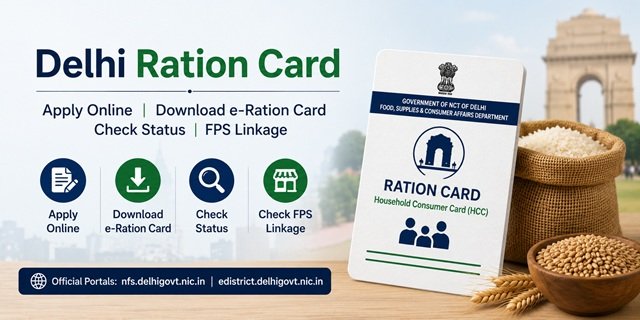
The Department of Food, Supplies and Consumer Affairs, Government of NCT of Delhi, manages all Ration Card services through two interconnected platforms. The NFS Delhi portal (nfs.delhigovt.nic.in) is where citizens check ration card status, download the e-ration card, view FPS-wise linkage lists, and track grievances. New applications are not submitted on the NFS portal directly. Instead, clicking “Apply Online for Food Security” on the NFS portal redirects to the e-District Delhi portal (edistrict.delhigovt.nic.in), which is Delhi’s unified government service delivery platform and handles all new registrations. The department’s main information website is at fsd.delhi.gov.in.
Delhi has one of the most diverse ration card taxonomies in India. While most states issue two to four card types, Delhi recognises six distinct card categories: AAY, PR, PR-S, JRC, RCRC, and APLS. Each appears as a separate column in the FPS Wise Linkage list on the NFS portal, and each has different eligibility conditions. Understanding which category applies to your household is the first step before applying. Delhi also officially calls the permanent ration card a Household Consumer Card (HCC), a term used in official communications from the food department that is unique to the capital.
A second structural difference: Delhi uses two separate identifiers for tracking. After applying online through e-District, you receive both an NFS Application ID and a Citizen ID. Either can be used to check your application status. No other state in this series issues two separate reference numbers at the time of application. A third feature is Delhi’s Circle Office system: the city is divided into districts, each containing multiple circles with their own offices, and offline applications are submitted at the Circle Office for your area rather than at a block or tehsil office.
The NFS Portal and e-District Portal: How They Work Together
Many Delhi residents get confused because two portals are involved. Here is exactly how they interact:
The NFS portal at nfs.delhigovt.nic.in is the citizen-facing information and download portal. Its Citizens’ Corner section contains links to check Ration Card details, track application status, download e-ration cards, view FPS-wise card linkage, update your mobile number, and register grievances.
The e-District portal at edistrict.delhigovt.nic.in is the application submission portal. New ration card registrations, member additions, member deletions, and modifications all go through e-District after logging in with your registered credentials.
When you click “Apply Online for Food Security” on the NFS portal, you are automatically redirected to e-District. Both portals are managed by the Government of NCT of Delhi and are linked at the backend through your Aadhaar number and registered mobile number.
Six Card Types and Who Gets Which
Priority Household (PR)
For families below the poverty line identified under NFSA 2013. Each PR member receives 5 kg of food grains per month at subsidised rates. This is the most commonly held NFSA card among Delhi’s low-income population.
State Priority Household (PR-S)
For households that qualify for food security support under Delhi’s state criteria but fall outside the central NFSA coverage ceiling. PR-S cardholders receive subsidised food grains funded by the Delhi government, making it equivalent to the state-funded BPL schemes run in Jharkhand (Green Card), Odisha (SFSS), and Uttarakhand (SFY). PR-S is Delhi’s state-funded complement to the central PR category.
Antyodaya Anna Yojana (AAY)
For households in the most severe economic distress with no fixed income. Widows heading families, disabled persons as the sole earner, elderly persons above 60 with no support, and households with no stable occupation fall under this category. Each AAY household receives 35 kg of food grains per month at subsidised rates regardless of family size.
JRC (Journalists’ Ration Card)
A category unique to Delhi: the JRC is issued to accredited journalists and media professionals registered with the Delhi Government Press Accreditation Committee. No other state in this series has a formal ration card category for journalists. The JRC appears as a separate column in the FPS Wise Linkage list, and holders access the same PDS system as other cardholders.
RCRC (Refugee Camp Ration Card)
Issued to residents of government-recognised refugee camps in Delhi. This category exists because of Delhi’s unique position as a national capital that hosts officially designated refugee settlements. RCRC holders access PDS entitlements through FPS shops assigned specifically to their camps.
APLS (Above Poverty Line Special)
For households above the poverty line that require a ration card as an identity and address document for government services, scholarships, LPG connections, and welfare scheme enrolments. No food grain subsidy is available under APLS at NFSA rates, but the card serves as a state-issued identity document.
The Household Consumer Card (HCC)
The Department of Food, Supplies and Consumer Affairs officially refers to Delhi’s permanent ration card as a Household Consumer Card (HCC). Per the department’s own FAQ on fsd.delhi.gov.in, any person permanently residing or intending to reside in the National Capital Territory of Delhi who desires to hold an HCC can be issued one, provided no member of their family already holds such a card or is listed on another HCC. This term appears in official department communications and is the formal name that distinguishes a permanent ration card from a temporary one in Delhi.
Who Can Apply for a Ration Card in the NCT of Delhi
- Must be a permanent resident of Delhi, National Capital Territory, or intending to permanently reside in Delhi.
- No family member should currently hold an HCC or be listed on any ration card in Delhi or any other state.
- Must meet the income criteria for the card category being applied for.
- Accredited journalists registered with the Delhi Government Press Accreditation Committee can apply for JRC.
- Residents of government-recognised refugee camps can apply for RCRC through their camp administration.
- Aadhaar Card is mandatory for all family members to be listed on the card.
- Newly married couples, individuals splitting from a joint household, and those who have surrendered their card from another state or district are eligible to apply for a fresh.
Documents Required at the Time of Application
- Aadhaar Card of all family members (mandatory for all services)
- Proof of permanent Delhi residence: voter ID, electricity bill, water bill, or registered rent agreement
- Identity proof of the head of the family (Aadhaar Card, voter ID, driving licence, or PAN card)
- Bank passbook showing a current active account
- Income certificate from a revenue officer or self-declaration
- Passport-sized photographs of the head of the family
- Mobile number linked to the Aadhaar Card for OTP authentication on both portals
- Old ration card or surrender certificate from the previous state or address
- Press accreditation certificate from the Delhi Government (for JRC applicants only)
Applying Online via NFS Portal and e-District
Step 1: Go to nfs.delhigovt.nic.in. In the Citizens’ Corner section on the homepage, click on “Apply Online for Food Security”. You will be automatically redirected to the e-District Delhi portal at edistrict.delhigovt.nic.in.
Step 2: On the e-District portal, click “Register” if you are a first-time user. Fill in the registration form with your document type, document number, and personal details. Submit to create your account. If you already have an e-District account, log in directly.
Step 3: After logging in, scroll down and click on “New Ration Card Registration Form” under the Department of Food and Supply Services section.
Step 4: Fill in the complete application form carefully with all household member details, Aadhaar numbers, address, income information, and the card category you are applying for (PR, PR-S, or AAY).
Step 5: Click “Upload Documents” and upload scanned copies of all required documents in the accepted file format and size.
Step 6: Review all entries and click Submit. Two reference numbers will be generated: your NFS Application ID and your Citizen ID. Note both carefully. Either can be used to check your application status on the NFS portal.
Step 7: After submission, the application goes to the area Food Inspector for review and field verification. On successful verification and approval, the ration card is issued and linked to your nearest Fair Price Shop within 15 to 30 working days.
Applying Offline at the Circle Office
Step 1: Find your nearest Circle Office by visiting fsd.delhi.gov.in/fs/circle-offices. Delhi has Circle Offices across all 11 districts. Select your district to find the circle covering your address.
Step 2: Visit the Circle Office with originals and photocopies of all required documents. Collect the new ration card application form from the counter, or download it from fsd.delhi.gov.in in advance.
Step 3: Fill the form with complete household details, Aadhaar numbers, income, and address. Attach self-attested copies of all documents.
Step 4: Submit the complete set at the counter and collect the acknowledgement receipt with your reference number.
Step 5: The Food Inspector conducts field verification. On approval, the ration card is issued and your name appears in the NFS portal beneficiary list. You can also apply through any Common Service Centre. Find the nearest one at locator.csccloud.in.
Tracking Your Application
Delhi allows status tracking using five different identifiers – more than any other state in this series:
Step 1: Go to nfs.delhigovt.nic.in and click on “Track Food Security Application” under the Citizens’ Corner menu.
Step 2: Enter any one of the following: Aadhaar number of any family member, NFS Application ID, Citizen ID (from e-District), new ration card number, or old ration card number.
Step 3: Enter the captcha code and click Search. Your current application status, showing whether it is under review, pending field verification, approved, or rejected, will appear on screen.
Viewing Your Ration Card Details
Step 1: Go to nfs.delhigovt.nic.in and click on “View Your Ration Card Details” in the Citizen’s Corner.
Step 2: Enter any one of: Aadhaar number of any family member, NFS Application ID, new ration card number, or old ration card number.
Step 3: Click Search. The complete ration card details page opens, showing the head of family name, all listed members, card category, FPS assignment, and Aadhaar seeding status for each member.
Downloading the e-Ration Card
Step 1: Visit nfs.delhigovt.nic.in and click on “Get e-Ration Card” under the Citizen’s Corner menu.
Step 2: Enter the following required details: ration card number, Aadhaar number of the head of family, year of birth of the head of family, and the registered mobile number linked to the ration card.
Step 3: Enter the captcha code and click Continue.
Step 4: Your e-ration card details will appear. Click “Delhi Ration Card” to download the e-ration card as a PDF. This digital card is as valid as the physical card and can be shown at any Fair Price Shop across Delhi.
The e-ration card is also available through DigiLocker by searching for the Department of Food, Supplies and Consumer Affairs, Government of NCT of Delhi, and entering your ration card number.
Finding Your Name in the FPS Wise Linkage List
The FPS Wise Linkage list on the NFS portal navigates by State, District, Circle, and Card Type – a four-level navigation structure unique to Delhi among the states in this series:
Step 1: Go to nfs.delhigovt.nic.in and click on “FPS Wise Linkage of Ration Cards” under the Citizen’s Corner menu.
Step 2: Click on the state name “Delhi”.
Step 3: Select your District from the 11 districts of Delhi (North, North West, North East, West, Central, New Delhi, East, South West, South, South East, Shahdara).
Step 4: Select your Circle name from the list of circles in your district.
Step 5: Select your card type (AAY, PR, PR-S, JRC, RCRC, or APLS). Click on the count number below your card type.
Step 6: The ration card list for your selected category in your circle will appear as a downloadable PDF. Use Ctrl+F on a computer or the search function on your phone to find your name or card number in the document.
Adding or Removing a Family Member
Adding a Member: Go to edistrict.delhigovt.nic.in and log in with your registered credentials. Under the Department of Food and Supply section, click on “New Member Addition in the AAY/Priority Household Card”. Enter your ration card number, fill in the new member’s Aadhaar and details, upload the supporting document (birth certificate for a newborn, marriage certificate for a new spouse), and submit. Save the acknowledgement number.
Removing a Member: Log in to edistrict.delhigovt.nic.in, go to the Department of Food and Supply Services, select the member deletion or ration card correction service, choose the member to be removed, upload the supporting document (death certificate or transfer proof), and submit. Offline requests can be submitted at your Circle Office with the relevant supporting documents.
How to Correct a Name in Delhi Ration Card
If the name of any family member is incorrect in the Delhi Ration Card, you can submit a correction request through the e-District Delhi Portal. The department may verify the updated information before approving the request.
Step 1: Visit edistrict.delhigovt.nic.in and log in with your registered credentials.
Step 2: Open the Food & Supplies Department services section and select the ration card modification or correction service.
Step 3: Enter your ration card details and select the family member whose name requires correction.
Step 4: Enter the correct name exactly as it appears in the supporting document.
Step 5: Upload the document supporting the correction request, wherever required by the portal.
Step 6: Review all details carefully and submit the application.
Step 7: Save the acknowledgement or reference number generated after submission for future status tracking.
How to Change Address in Delhi Ration Card
If you have shifted to a new address within Delhi, you should update the address linked to your Ration Card so that your household records remain accurate and your Fair Price Shop linkage reflects the correct location.
Step 1: Visit edistrict.delhigovt.nic.in and sign in to your account.
Step 2: Access the Food & Supplies Department services and open the ration card modification service.
Step 3: Select the address correction option and enter the new residential address.
Step 4: Upload the address-related supporting document, if required during the application process.
Step 5: Verify the updated address information before submitting the request.
Step 6: Submit the application and note the acknowledgement number.
Step 7: Track the request status through the Delhi government service portals until the modification is processed.
How to Update Mobile Number in Delhi Ration Card
An updated mobile number on your ration card is essential for receiving OTP during e-ration card download and for future service requests. To update it, go to nfs.delhigovt.nic.in and click on “Update Mobile Number” under the Citizen’s Corner. Search your card by Aadhaar number, enter your new mobile number, verify using OTP, and save. Keep this number current because the e-ration card download on the NFS portal requires the registered mobile number as one of its inputs.
Raising a Complaint or Grievance
Online via NFS Portal:
Go to nfs.delhigovt.nic.in and click on “Register Grievance” under the Citizen’s Corner. Fill in your village or locality, grievance category, address, email, Panchayat or ward name, and a brief description of the issue. Click Register Complaint. A complaint number is generated by the system immediately. Use “Check Grievance Status” on the same portal with your complaint number and contact details to track the resolution.
Delhi Public Grievance Monitoring System:
For escalated complaints, visit the Delhi government’s PGMS portal, click “Lodge Your Grievance”, fill in your name, mobile number, email, and pin code along with the complaint details, and submit for resolution.
NFSA Grievance Portal:
Escalate unresolved issues at the NFSA national grievance portal.
Helpline Numbers:
Food Department Delhi Toll-Free: 1800-11-0841
National PDS Helpline: 1967
Department Direct: 011-23370056 or 011-23379836
Email: cfood@nic.in
Office Address: Department of Food, Supplies and Consumer Affairs, K-Block, Vikas Bhawan, I.P. Estate, New Delhi 110002
At the Circle Office:
Visit your nearest Circle Office in person with your ration card and complaint in writing. Circle Office addresses for all 11 districts are listed at fsd.delhi.gov.in/fs/circle-offices.
Quick Reference Links
- NFS Delhi Portal (Status, Download, FPS List, Grievance): nfs.delhigovt.nic.in
- e-District Delhi (Apply, Modify, Member Addition): edistrict.delhigovt.nic.in
- Food Department Delhi (Circle Offices, FAQ, Contact): fsd.delhi.gov.in
- Circle Office Addresses: fsd.delhi.gov.in/fs/circle-offices
- NFSA Grievance Portal: nfsa.gov.in grievance portal
- DigiLocker: digilocker.gov.in
- Mera Ration App: Download on Google Play
- CSC Locator: locator.csccloud.in
- NFSA State Portals: nfsa.gov.in state portals
Frequently Asked Questions
Q. What is the difference between the NFS portal and the e-District portal in Delhi?
Ans. The NFS portal at nfs.delhigovt.nic.in handles information, status checks, e-ration card downloads, FPS linkage lists, mobile number updates, and grievance registration. The e-District portal at edistrict.delhigovt.nic.in handles new applications, member additions, and modifications. Clicking “Apply Online for Food Security” on the NFS portal automatically redirects to e-District. Both are official Delhi government portals linked by Aadhaar and mobile number.
Q. What is the NFS Application ID and Citizen ID?
Ans. When you apply online through e-District, two separate reference numbers are issued. The NFS Application ID is specific to your food security application. The Citizen ID is your registered user identifier on the e-District platform. Either can be entered on the NFS portal’s Track Food Security Application page to check your application status. No other state in this series generates two different tracking numbers at the time of application.
Q. What is the JRC ration card in Delhi?
Ans. JRC stands for Journalists Ration Card. It is a formal category issued to accredited journalists and media professionals registered with the Delhi Government Press Accreditation Committee. This category appears as a separate column in the NFS portal’s FPS Wise Linkage list. JRC holders access the PDS system through their designated Fair Price Shop. This category does not exist in any other state in this series.
Q. What is a PR-S card?
Ans. PR-S stands for State Priority Household. It is Delhi’s state-funded ration card category for households that are below the poverty line but outside the central NFSA coverage ceiling. PR-S cardholders receive subsidised food grains funded by the Delhi government. This is the same concept as West Bengal’s RKSY, Odisha’s SFSS, and Uttarakhand’s SFY – a state-funded parallel scheme for those excluded from central NFSA due to coverage caps.
Q. What is a Household Consumer Card (HCC)?
Ans. HCC or Household Consumer Card is the official formal name for a permanent ration card in Delhi as used by the Department of Food, Supplies and Consumer Affairs in its communications and FAQ. The term is specific to Delhi’s food department documentation. An HCC is issued to any person permanently residing in Delhi, provided no family member already holds one or is listed on another HCC.
Q. How do I check my name in the Delhi ration card list?
Ans. Go to nfs.delhigovt.nic.in, click FPS Wise Linkage of Ration Cards under Citizen’s Corner, select Delhi, choose your district, select your circle, then choose your card type (AAY, PR, PR-S, JRC, RCRC, or APLS). The list for your area and category appears as a PDF. Use Ctrl+F to find your name.
Q. The e-ration card download asks for multiple fields. What exactly do I need?
Ans. You need four pieces of information: your ration card number, the Aadhaar number of the head of the family, the year of birth of the head of the family, and the mobile number registered on the ration card. All four must match what the NFS portal has on record. If your mobile number has changed, update it first using the Update Mobile Number option before attempting the download.
Q. Can I use my Delhi ration card to collect ration in another state?
Ans. Yes, for PR and AAY cardholders. Delhi is part of the One Nation One Ration Card scheme. NFSA cardholders can collect their entitled food grains from any Fair Price Shop across India using Aadhaar biometric authentication on the ePoS machine. PR-S, JRC, RCRC, and APLS category holders should verify their ONORC eligibility on the NFS portal.
Q. How do I find my nearest Circle Office in Delhi?
Ans. All Circle Office addresses across 11 districts are listed at fsd.delhi.gov.in/fs/circle-offices. Select your district to find the circle covering your residential address and the office contact number. Offline applications, modifications, and in-person grievances are all processed at the Circle Office.
Q. How long does the ration card take to be issued?
Ans. After online or offline submission and successful field verification by the Food Inspector, a new ration card is typically issued and linked to the nearest Fair Price Shop within 15 to 30 working days.
Q. What helpline should I call for Delhi ration card complaints?
Ans. Call 1800-11-0841 (toll-free) for queries and complaints related to the Delhi Ration Card. For national PDS complaints call 1967. For written complaints, email cfood@nic.in. You can also file an online grievance on the NFS portal under the Register Grievance section or visit your nearest Circle Office.

Tabassum is a government document researcher and writer with over 5 years of experience exclusively dedicated to tracking and simplifying Central and State Government document processes across India. She has researched and published detailed guides on 100+ government documents and certificates – including Aadhaar Card, PAN Card, Ration Card, Domicile Certificate, and Birth Certificate – covering all states and the Central Government, helping lakhs of Indian citizens successfully complete their paperwork in simple, easy-to-understand language.