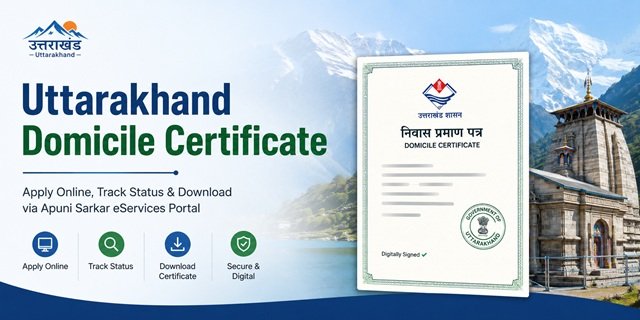
The Uttarakhand Domicile Certificate, also known as the Permanent Residence Certificate, is issued by the Revenue Department of the Government of Uttarakhand through the Apuni Sarkar eServices Portal available at eservices.uk.gov.in. The portal is managed by the Information Technology Development Agency (ITDA) under the Department of Information Technology, Good Governance and Science & Technology, Government of Uttarakhand. Citizens can submit applications online, track status, and download approved certificates through this portal.
The application is processed through the Revenue Department’s verification workflow. After submission, the application is examined by the concerned revenue authorities, field verification may be conducted wherever required, and the competent authority issues the certificate after successful verification of eligibility and supporting documents.
The Uttarakhand Domicile Certificate is commonly required for state government recruitment, UKPSC examinations, admission under state quota in educational institutions, scholarship schemes, welfare programmes, and various state government services where proof of permanent residence in Uttarakhand is mandatory. The state is currently headed by Chief Minister Pushkar Singh Dhami and comprises 13 districts.
Who Is Eligible for an Uttarakhand Domicile Certificate?
You may be eligible to obtain an Uttarakhand Domicile Certificate if you satisfy any of the conditions prescribed by the Revenue Department and can produce the necessary supporting documents:
- You were born in Uttarakhand and can provide valid proof of birth and residence.
- You have been ordinarily residing in Uttarakhand for the prescribed period and can furnish acceptable residence-related documents.
- Your parents, grandparents, or ancestors are permanent residents of Uttarakhand, supported by revenue records, family register entries, land records, or other recognised documents.
- You belong to a family that has a permanent residential connection with Uttarakhand but is temporarily residing outside the state due to employment, business, education, or other valid reasons.
- You are a woman married to a permanent resident of Uttarakhand and can submit the required supporting documents.
During the online application process, the Apuni Sarkar portal may require applicants to provide details relating to their parents, family background, ancestral residence, and permanent address in Uttarakhand. Applicants should ensure that all information matches the supporting documents uploaded with the application to avoid delays during verification.
Documents Required for Uttarakhand Domicile Certificate
The exact document requirements may vary depending on the applicant’s category and the basis on which domicile is being claimed. Commonly accepted documents include:
- Aadhaar Card – Identity and address proof.
- Voter ID Card – Identity and residence proof.
- Ration Card – Family and residence-related proof.
- Birth Certificate – Where domicile is claimed on the basis of birth in Uttarakhand.
- Pariwar Register Extract – If available and applicable.
- Khatauni / Land Record Extract – Where family land ownership is being relied upon.
- School or Educational Certificates – Particularly where education has been completed within Uttarakhand.
- Utility Bills – Electricity, water, or other residence-related documents, wherever applicable.
- Passport-size Photograph.
- Self-Declaration or Affidavit – If required by the competent authority during verification.
- Marriage Certificate – In cases where eligibility is being claimed through marriage.
- Any Additional Documents specifically requested by the Tehsildar, Revenue Inspector, Patwari, SDM Office, or other competent authority during scrutiny of the application.
Applicants should upload clear and legible copies of all supporting documents. If any document is incomplete, unclear, or inconsistent with the information entered in the application form, the Revenue Department may seek clarification or additional documents before issuing the certificate.
How to Apply Online Through Apuni Sarkar eServices Portal
The Government of Uttarakhand allows citizens to apply for a Domicile Certificate online through the Apuni Sarkar eServices Portal. Before starting the application, keep your Aadhaar Card, residence-related documents, family records, and other supporting documents ready in digital format.
Step 1: Visit the Official Portal
Open the official Apuni Sarkar eServices Portal at eservices.uk.gov.in. On the homepage, click the registration option if you are a new user.
Step 2: Create Your Citizen Account
Enter your mobile number, email address, name, and other required details. Complete OTP verification and create your account. If you already have an account, simply log in using your existing credentials.
Step 3: Access the Revenue Department Services
After logging in, open the service catalogue and navigate to the Revenue Department services. Search for the Domicile Certificate service and open the online application form.
Step 4: Fill Personal Details Carefully
Enter your name, date of birth, gender, mobile number, email address, Aadhaar details (if requested), and the details of your father, mother, or spouse exactly as they appear in your supporting documents.
Step 5: Provide Residence and Family Information
Enter your complete permanent address, village, Gram Panchayat, Tehsil, District, and other residence-related details. If your claim is based on family roots in Uttarakhand, provide the ancestral information requested in the application form.
Step 6: Upload Supporting Documents
Upload clear scanned copies of the required documents. Ensure that all uploaded files are readable and match the information entered in the application form.
Step 7: Review the Application
Before submission, carefully review every field. Even a small mismatch in names, addresses, or family details can delay verification or lead to objections from the Revenue Department.
Step 8: Submit the Application
After verifying all information, submit the application online. The system generates an acknowledgement or application reference number.
Step 9: Save the Application Number
Download or print the acknowledgement receipt and keep the application number safely. You will need it to track the status of your application and for future correspondence with the department.
How to Apply Through the Apuni Sarkar Mobile App
Applicants can also apply using the official Apuni Sarkar mobile application available for Android and iPhone users.
Android App: Download from Google Play Store
iOS App: Download from Apple App Store
Step 1: Install and open the Apuni Sarkar app on your mobile device.
Step 2: Register using your mobile number and complete OTP verification. Existing users can log in directly.
Step 3: Open the Revenue Department services section and select the Domicile Certificate service.
Step 4: Fill in the application form, upload supporting documents using your phone, and verify all details carefully.
Step 5: Submit the application and note the application reference number generated by the system.
Step 6: Use the same application number to track the progress of your application through the mobile app.
How to Apply Through a CSC Centre
Citizens who do not have internet access or are not comfortable using online services can apply through a nearby Common Service Centre (CSC).
Step 1: Visit the nearest CSC with all required original documents and photocopies.
Step 2: Inform the CSC operator that you want to apply for an Uttarakhand Domicile Certificate.
Step 3: The operator will enter your details on the Apuni Sarkar portal, scan the supporting documents, and upload them on your behalf.
Step 4: Verify all information before final submission.
Step 5: Collect the acknowledgement receipt containing your application reference number.
Step 6: Use the reference number to track the application status online or through the CSC operator.
How to Apply Through the Tehsil Office
Applicants may also contact the concerned Tehsil Office for assistance regarding domicile certificate applications and document verification.
Step 1: Visit the Tehsil Office having jurisdiction over your place of residence.
Step 2: Carry all supporting documents relating to identity, residence, family records, and eligibility.
Step 3: Obtain guidance regarding the prescribed application procedure applicable in your area.
Step 4: Submit the required documents and application details as instructed by the revenue authorities.
Step 5: Keep the acknowledgement or reference details provided by the office for future tracking and verification.
How the Verification Process Works
After you submit the application, the Revenue Department examines the information and documents provided. The application is forwarded to the concerned revenue authorities for verification before the certificate is issued.
Step 1: Initial Scrutiny
The application is checked to ensure that all mandatory details and supporting documents have been uploaded correctly. Incomplete applications may be returned for correction.
Step 2: Revenue Verification
The concerned revenue authorities verify the residence details, family information, and supporting records submitted with the application. Depending on the case, additional verification may be carried out through available government records.
Step 3: Review by Competent Authority
After verification is completed, the application is reviewed by the competent authority. If any clarification or additional document is required, the applicant may be asked to provide further information.
Step 4: Certificate Approval and Issuance
Once the authority is satisfied with the verification results, the Uttarakhand Domicile Certificate is approved and issued electronically through the Apuni Sarkar system.
If you receive any objection or deficiency notice, respond promptly and upload the requested documents to avoid delays in processing.
How to Track Uttarakhand Domicile Certificate Application Status
The Apuni Sarkar portal provides an online status tracking facility for applicants.
Step 1: Visit eservices.uk.gov.in/user/public/application/status/.
Step 2: Enter your Application Number or the details requested on the tracking page.
Step 3: Submit the information to view the current status of your application.
Step 4: Review the latest update available on the portal. If any clarification or document is requested, comply with the instructions provided by the department.
How to Download Uttarakhand Domicile Certificate Online
After approval, applicants can download the digitally issued certificate through the Apuni Sarkar portal.
Step 1: Visit eservices.uk.gov.in/user/public/application/download-certificates/.
Step 2: Select the concerned department and certificate service, wherever required.
Step 3: Enter the details requested by the portal, such as your registered mobile number, application number, or other identification details.
Step 4: Locate your approved certificate from the available records.
Step 5: Download and save the digitally signed PDF certificate for future use.
Applicants may also be able to access eligible services through the official Apuni Sarkar mobile application using their registered account credentials.
Processing Time, Fee and Validity
The processing time, service fee, and validity conditions are governed by the applicable rules and the Revenue Department’s current service framework.
- Application Fee: As prescribed by the Government of Uttarakhand and displayed on the official portal at the time of application.
- Processing Time: Subject to successful document verification and departmental scrutiny.
- Certificate Validity: As per the rules, orders, and guidelines applicable to domicile certificates issued by the Government of Uttarakhand.
Applicants should always refer to the latest information available on the official Apuni Sarkar portal at eservices.uk.gov.in before submitting an application.
Validity of Uttarakhand Government’s Domicile Certificate
The Uttarakhand Domicile Certificate is generally treated as permanent proof of domicile once issued, provided it was obtained on the basis of correct information and genuine supporting documents. The certificate does not require periodic renewal. However, if any information submitted during the application process is found to be false, concealed, or fraudulent, the competent authority can cancel the certificate after due verification.
Temporary relocation outside Uttarakhand for higher education, government service, private employment, business activities, or other legitimate reasons does not automatically affect domicile status. Applicants who are currently residing outside the state but maintain permanent family roots, residence records, or ancestral connections in Uttarakhand can still apply by providing appropriate supporting documents and declarations as required by the Revenue Department.
Hill Area Certificate: An Important Certificate for Residents of Notified Hill Regions
In addition to the Domicile Certificate, the Uttarakhand Revenue Department also issues the Hill Area Certificate (Parvatiya Praman Patra) through the Apuni Sarkar eServices Portal. This certificate is intended for residents of notified hill areas of the state and may be required for specific government recruitments, reservations, concessions, and welfare benefits where eligibility is linked to residence in designated hill regions.
If you belong to a notified hill area and require both certificates, you must submit separate applications for the Domicile Certificate and the Hill Area Certificate through the Revenue Department services available on the Apuni Sarkar Portal.
Common Problems and Their Solutions
Application kept pending for verification:
The most common reason for delay is incomplete verification by the revenue authorities. Regularly track your application status on the Apuni Sarkar Portal and ensure that your mobile number remains active. If the application remains pending for an unusually long period, contact the concerned Tehsil or SDM office with your application number.
Residence proof found insufficient:
If the authority finds your residence documents inadequate, arrange additional supporting records such as Pariwar Register extracts, Khatauni copies, voter records, school certificates, ration card details, electricity bills, or other government-issued documents establishing your connection with Uttarakhand.
Ancestral details are unavailable:
Applicants claiming domicile through family roots should obtain certified extracts from the Gram Panchayat, Pariwar Register records, or land records maintained by the Revenue Department. These documents help establish the family’s historical connection with the state.
Application rejected:
If your application is rejected, carefully review the reason mentioned by the department. After correcting the deficiency or arranging additional documents, you may submit a fresh application. Where clarification is required, you can approach the concerned Tehsil or SDM office.
Error in issued certificate:
If the issued certificate contains spelling mistakes or incorrect personal details, log in to the Apuni Sarkar Portal and use the certificate correction facility, if available for the service, or contact the issuing authority for rectification.
Need information regarding verification or rejection:
You may seek information from the concerned department under the Right to Information Act, 2005 through the Uttarakhand RTI Portal or by submitting an RTI application to the concerned Public Information Officer.
Quick Reference
| Particular | Details |
|---|---|
| Official Portal | https://eservices.uk.gov.in |
| Service Name | Domicile Certificate (Adhiwas / Niwas Praman Patra) |
| Department | Revenue Department, Government of Uttarakhand |
| Application Mode | Online through Apuni Sarkar Portal, Mobile App, CSC, or Tehsil Office |
| Android App | Apuni Sarkar Android App |
| iOS App | Apuni Sarkar iOS App |
| Application Status | Track Application |
| Certificate Download | Download Certificate |
| Land Records (Khatauni / Bhulekh) | https://bhulekh.uk.gov.in |
| RTI Portal | https://rti.uk.gov.in |
| CM Helpline | UK CM Helpline Guide |
| Issuing Authority | Sub-Divisional Magistrate (SDM) |
| Verification Authorities | Patwari and Tehsildar |
| Application Fee | ₹40 |
| Processing Time | Usually 7 to 15 working days |
| Validity | Permanent (unless cancelled due to fraud or misrepresentation) |
| Applicable Districts | All 13 districts of Uttarakhand |
| Additional Related Certificate | Hill Area Certificate (Parvatiya Praman Patra) |
Frequently Asked Questions
Q. What is the official portal for applying for an Uttarakhand Domicile Certificate?
Ans. The official portal is Apuni Sarkar eServices Portal at eservices.uk.gov.in. It is operated by the Information Technology Development Agency (ITDA), Government of Uttarakhand. Citizens can use this portal to apply for a Domicile Certificate, track application status, download approved certificates, and access various Revenue Department services. Applicants can also use the official Apuni Sarkar mobile application available on Android and iOS platforms.
Q. Who can apply for an Uttarakhand Domicile Certificate?
Ans. A person may be eligible if they are a permanent resident of Uttarakhand, were born in the state, have ancestral roots in Uttarakhand, or can establish long-term residence through supporting documents accepted by the Revenue Department. Eligibility is verified by the concerned revenue authorities based on the documents submitted with the application.
Q. What is the Pariwar Register and why is it important?
Ans. The Pariwar Register is a family record maintained at the Gram Panchayat level in rural areas. It contains details of family members residing in a village and is often used as supporting evidence to establish family roots and residence in Uttarakhand. Applicants claiming domicile through ancestral residence may be asked to provide a certified Pariwar Register extract issued by the concerned Gram Panchayat or revenue authorities.
Q. What is Khatauni and can it be used for domicile verification?
Ans. Yes. Khatauni, also known as the Record of Rights (ROR), is a land ownership record maintained by the Revenue Department. If the applicant or their family owns land in Uttarakhand, the Khatauni can serve as an important supporting document during domicile verification. Land records can be viewed through the official Bhulekh Uttarakhand portal at bhulekh.uk.gov.in.
Q. Does the Uttarakhand Domicile Certificate expire?
Ans. The certificate is generally treated as a permanent proof of domicile and does not require periodic renewal. However, if it is discovered that the certificate was obtained using false information, forged documents, or misrepresentation of facts, the competent authority may cancel it after verification.
Q. Will my domicile status be affected if I move outside Uttarakhand for studies or employment?
Ans. Temporary residence outside Uttarakhand for education, government service, private employment, business activities, or other legitimate reasons does not automatically cancel domicile status. During verification, authorities may ask for supporting documents that establish your continued connection with Uttarakhand.
Q. What is the Hill Area Certificate and how is it different from a Domicile Certificate?
Ans. The Domicile Certificate establishes that a person belongs to Uttarakhand, whereas the Hill Area Certificate (Parvatiya Praman Patra) certifies residence in a notified hill area of the state. Certain recruitments, reservations, concessions, and welfare schemes may specifically require a Hill Area Certificate. Both certificates are separate services and require separate applications through the Apuni Sarkar Portal.
Q. How can I track the status of my domicile certificate application?
Ans. Visit eservices.uk.gov.in/user/public/application/status/ and enter your application number. The portal displays the current stage of processing and verification. Applicants should keep their application number safely until the certificate is issued.
Q. How can I download my approved Uttarakhand Domicile Certificate?
Ans. After approval, visit eservices.uk.gov.in/user/public/application/download-certificates/. Select the appropriate department and service, enter the required details, and download the digitally signed certificate. The same facility is also available through the official Apuni Sarkar mobile application.
Q. Can I apply through a Common Service Centre (CSC)?
Ans. Yes. Applicants who are unable to apply online themselves can visit a nearby Common Service Centre (CSC). The CSC operator will submit the application through the Apuni Sarkar Portal, upload the required documents, collect the prescribed fee, and provide an acknowledgement receipt containing the application number.
Q. What should I do if my application is rejected?
Ans. Carefully review the rejection reason mentioned by the department. Obtain any additional documents required by the authorities, correct deficiencies in the application, and submit a fresh application if necessary. You may also contact the concerned Tehsil or SDM office for clarification regarding the rejection.
Q. Can I correct mistakes in an already issued certificate?
Ans. Yes. If the certificate contains errors such as incorrect spelling, wrong personal details, or data-entry mistakes, you should contact the issuing authority or use the certificate correction facility available through the Apuni Sarkar Portal, wherever applicable.
Q. Which authority issues the Uttarakhand Domicile Certificate?
Ans. The certificate is issued by the competent Revenue Department authority after completion of the prescribed verification process. Applications are generally processed through the revenue administration, including verification by local revenue officials and approval by the designated authority before issuance of the certificate.
Q. Can I use a public grievance portal instead of applying under the RTI Act?
Ans. No. A grievance portal and an RTI application serve different purposes. If you require copies of records, documents, or official information from a government department, you should submit a request under the Right to Information Act, 2005 through the prescribed RTI procedure. For Uttarakhand RTI-related information, you may refer to our Uttarakhand RTI Guide.

Tabassum is a government document researcher and writer with over 5 years of experience exclusively dedicated to tracking and simplifying Central and State Government document processes across India. She has researched and published detailed guides on 100+ government documents and certificates – including Aadhaar Card, PAN Card, Ration Card, Domicile Certificate, and Birth Certificate – covering all states and the Central Government, helping lakhs of Indian citizens successfully complete their paperwork in simple, easy-to-understand language.