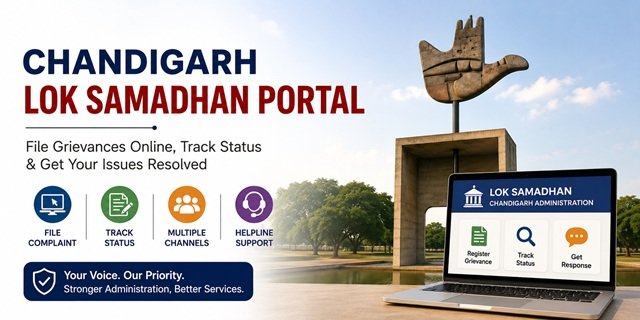
The Chandigarh Administration launched Lok Samadhan, its Unified Online Grievance Monitoring System, on 7 February 2026. The portal at loksamadhan.chd.gov.in was inaugurated by the Administrator of Chandigarh, Shri Gulab Chand Kataria, during the first Samaadhaan Shivir organised at Guru Dronacharya Stadium, Daddumajra. The platform provides a single online system for filing, monitoring, and resolving grievances related to Chandigarh Administration departments and public services.
Unlike most states, Chandigarh is a Union Territory and does not have a Chief Minister or a state-level CM Helpline portal. Public grievances are handled through Chandigarh Administration’s Lok Samadhan platform, departmental grievance mechanisms, e-Sampark services, public hearings, and other official channels. Citizens can file complaints online, monitor progress, and receive responses from the concerned department through a structured grievance redressal process.
Lok Samadhan also complements the Administration’s regular Samaadhaan Shivirs, where the Administrator and senior officers interact directly with residents to hear and resolve public grievances. Separate grievance channels are also available for municipal services, police matters, and complaints against central government departments.
For grievance portals across all states and Union Territories, read our CM Helpline India Guide. If you need official records or information from Chandigarh Administration departments, read our Chandigarh RTI Guide.
Which Grievance Channel Should You Use?
Chandigarh has multiple grievance mechanisms. Using the correct channel helps your complaint reach the appropriate authority faster.
| Type of Issue | Where to File the Complaint |
|---|---|
| Chandigarh Administration department services | Lok Samadhan Portal |
| Municipal services, sanitation, garbage, roads, streetlights, property tax | Municipal Corporation Chandigarh (MCC) |
| Police-related complaints | Chandigarh Police Complaint System |
| Complaints against Central Government departments | CPGRAMS (pgportal.gov.in) |
| Seeking official information or records | RTI Application |
What You Can Complain About on Lok Samadhan
Lok Samadhan accepts grievances related to departments and offices functioning under the Chandigarh Administration. Common complaint categories include:
- Food supply and Public Distribution System (PDS) issues
- Revenue and Estate Department complaints
- Pension, welfare scheme, and social assistance payment issues
- Electricity supply, billing, meter, and connection-related complaints
- Road repair, public infrastructure, and maintenance issues
- Water supply, sewerage, drainage, and sanitation complaints
- Government housing and Chandigarh Housing Board grievances
- Property tax, building permission, and municipal service issues
- Education department and scholarship-related complaints
- Government hospital and health service grievances
- Delay in issuance of certificates, licences, approvals, or other public services
- Government officer not responding, negligence in duty, or misconduct
- Corruption or demand for illegal payments by public officials
- Any Chandigarh Administration service not delivered within the expected timeframe
What Cannot Be Filed Through Lok Samadhan
Certain matters are generally outside the scope of public grievance portals and should be taken to the appropriate authority instead.
- Cases currently pending before any court, tribunal, or judicial authority
- Private disputes between individuals
- Commercial or contractual disputes between private parties
- Requests for information that should be filed under the RTI Act
- Service matters relating to government employees where separate procedures exist
- Matters already decided by a competent authority and repeatedly filed without new evidence
- Issues falling under the jurisdiction of another state government or central agency
How to Register and File a Complaint on Lok Samadhan Chandigarh
Lok Samadhan is the official online grievance portal of the Chandigarh Administration. The portal allows residents to submit complaints online, upload supporting documents, track progress, and receive updates from the concerned department. The entire process is digital and can be completed from a mobile phone, tablet, or computer.
Step 1: Register on the Lok Samadhan Portal
You need to create an account before filing your first grievance.
Step 1: Visit the official portal at loksamadhan.chd.gov.in.
Step 2: Click on “Register” if you are a new user. Existing users can proceed directly to login.
Step 3: Enter your mobile number. The system sends a One-Time Password (OTP) to verify your number.
Step 4: Enter the OTP received on your mobile phone and complete the verification process.
Step 5: Fill in your basic details such as your name, address, and any other information requested by the portal.
Step 6: Submit the registration form. Your account is created immediately and can be used for all future grievances.
Important: Keep your registered mobile number active. All future notifications, acknowledgements, grievance numbers, and status updates are sent to this number.
Step 2: Log In and Start a New Grievance
Step 1: Open loksamadhan.chd.gov.in and log in using your registered mobile number and OTP.
Step 2: After logging in, click “Submit Grievance” from the dashboard.
Step 3: Select the department that is responsible for your issue. Choosing the correct department helps route the complaint to the appropriate officer without delay.
Step 4: Select the relevant grievance category, if the portal provides category options.
Step 5: Enter the complete details of your complaint. Explain:
- What exactly happened
- When the problem started
- Where the issue occurred
- Which office, department, or official is involved
- What action or solution you expect from the Administration
Tip: Write facts clearly and avoid emotional or unrelated information. A precise complaint is usually processed faster.
Step 3: Upload Supporting Documents
Step 1: Upload supporting documents, photographs, screenshots, letters, receipts, notices, or any other evidence related to your grievance.
Step 2: Before uploading, ensure that documents are clear, readable, and directly connected to the issue being reported.
Step 3: If you have already approached the department earlier, upload copies of previous applications, acknowledgement receipts, or correspondence.
Supporting documents often help the concerned officer verify facts more quickly and reduce unnecessary delays.
Step 4: Review and Submit the Complaint
Step 1: Carefully review all information entered in the form.
Step 2: Verify that the department, contact details, grievance description, and attachments are correct.
Step 3: Click “Submit” to register the grievance.
Step 4: The portal generates an electronic acknowledgement immediately after successful submission.
Step 5: A unique Grievance Number is issued and sent to your registered mobile number through SMS. Save this number carefully because it is required for tracking, follow-up, and future correspondence.
Step 5: What Happens After Submission?
Once your grievance is submitted, the Lok Samadhan workflow begins automatically.
- The complaint is forwarded to the concerned department
- A designated officer examines the grievance and supporting documents
- The department may seek additional information if required
- Action taken by the department is recorded on the portal
- Status updates are shared with the complainant through the system
- Senior officers can monitor pending grievances and departmental performance
The objective of the portal is to provide transparent monitoring and faster grievance resolution across Chandigarh Administration departments.
Step 6: Track Your Complaint Status
Step 1: Visit loksamadhan.chd.gov.in.
Step 2: Click the “Track Grievance” option or log in to your account dashboard.
Step 3: Enter your Grievance Number if required.
Step 4: View the latest status of your complaint, including any action taken by the concerned department.
Step 5: Continue monitoring the portal until the grievance is resolved and a final response is provided.
Step 7: If You Are Not Satisfied with the Response
If the action taken by the department does not resolve your issue, keep copies of all responses and continue following up through the grievance system. You may also raise the matter during a Samaadhaan Shivir or approach higher authorities within the Chandigarh Administration, depending on the nature of the grievance.
Always keep your Grievance Number, acknowledgement messages, supporting documents, and departmental responses safely preserved for future reference.
Attending a Samaadhaan Shivir
Apart from the Lok Samadhan portal, the Chandigarh Administration regularly organises Samaadhaan Shivirs in different sectors, villages, and colonies of Chandigarh. These public grievance camps allow residents to present their problems directly before senior officers and departmental representatives.
Step 1: Check announcements regarding upcoming Samaadhaan Shivirs through the Chandigarh Administration website at chandigarh.gov.in or official public notices.
Step 2: Prepare a written complaint describing your issue along with photocopies of supporting documents.
Step 3: Visit the designated venue on the scheduled date and submit your grievance before the concerned officials.
Step 4: Officials review the matter and may forward it to the appropriate department for action.
Step 5: Keep any acknowledgement or reference number provided during the camp for future follow-up.
Contacting the Administrator and Chief Secretary
If your grievance involves multiple departments, repeated administrative delays, or matters requiring intervention at the highest level of the Chandigarh Administration, you may contact the Administrator’s Secretariat or the Chief Secretary’s office directly.
Administrator, Union Territory Chandigarh
Punjab Raj Bhawan, Chandigarh
Phone: +91-172-2740608, +91-172-2740609
Email: admr-chd@nic.in
Chief Secretary, Chandigarh Administration
UT Secretariat, Sector 9, Chandigarh
Phone: +91-172-2740154
Step 1: Prepare a written representation describing your grievance, including your name, address, mobile number, department involved, previous complaint reference number (if any), and the relief sought.
Step 2: Attach copies of all supporting documents, acknowledgements, and correspondence already exchanged with the concerned department.
Step 3: Submit the representation through email, post, or by hand at the concerned office.
Step 4: Keep a copy of the submission and acknowledgement for future follow-up.
The Chandigarh Administration also maintains the Raj Bhawan grievance platform at sampark.chd.nic.in/rajbhawan/ where citizens can submit representations directly to the Administrator.
Filing a Municipal Complaint with the Municipal Corporation Chandigarh (MCC)
For civic issues such as garbage collection, sewer blockage, waterlogging, damaged roads, streetlights, parks, sanitation, stray animals, building violations, property tax issues, or municipal services, use the Municipal Corporation Chandigarh grievance system instead of Lok Samadhan.
Step 1: Visit the official MCC website at mcchandigarh.gov.in.
Step 2: Open the complaint or grievance section and select the service related to your issue.
Step 3: Enter complete details of the problem, including the exact location, sector number, landmark, and nature of the complaint.
Step 4: Upload photographs or supporting documents wherever available.
Step 5: Submit the complaint and note down the complaint reference number generated by the system.
Step 6: Track the complaint status online or contact the concerned municipal office quoting your reference number.
MCC IVR Helpline: 0172-2708765
- Press 1 – General Municipal Complaints
- Press 2 – Online Building Permission & Citizen Services
- Press 3 – Public Bike Sharing Services
- Press 4 – Door-to-Door Solid Waste Collection
MCC Complaint Centre
Municipal Corporation Chandigarh
New Deluxe Building, Jan Marg
Sector 17, Chandigarh – 160017
Phone: 0172-2787200
Email: comm-mcc-chd@nic.in
If the complaint remains unresolved:
- Escalate the matter to the Joint Commissioner concerned
- Approach the Municipal Commissioner with your complaint ID
- Raise the issue through Lok Samadhan if administrative intervention is required
Using Sampark for Citizen Service Complaints
Many Chandigarh Administration services are delivered through the Sampark Centres and Sampark online portal. If your grievance relates to service delivery, certificates, utility payments, application status, or transaction issues, Sampark is often the fastest resolution channel.
Step 1: Visit sampark.chd.nic.in.
Step 2: Identify the service for which the issue has arisen.
Step 3: Contact the Sampark Helpdesk or visit the nearest Sampark Centre with supporting documents.
Step 4: Provide your application number, receipt number, service request number, or transaction ID.
Step 5: Request escalation if the issue is not resolved within the prescribed timeline.
Sampark Helpline: 1800-180-1725
This channel is particularly useful for issues relating to certificates, utility bill payments, property tax services, water bills, electricity payments, and citizen service applications.
Filing a Police Complaint in Chandigarh
For crime-related matters, cyber fraud, missing persons, theft, harassment, public safety issues, traffic violations, or police-related grievances, use the Chandigarh Police complaint system.
Online Method 1:
Visit chandigarhpolice.gov.in/complaint-regist.html and submit your complaint online.
Online Method 2:
Use the Chandigarh Police Citizen Portal at portal.chandigarhpolice.gov.in/Pages/Complaint-Registration.
Step 1: Open the complaint registration portal.
Step 2: Enter your personal details and contact information.
Step 3: Select the complaint category and provide complete incident details.
Step 4: Upload supporting evidence such as photographs, screenshots, videos, or documents where applicable.
Step 5: Submit the complaint and save the acknowledgement/reference number generated by the system.
Step 6: Use the reference number to follow up with Chandigarh Police whenever required.
Emergency Numbers
- Emergency Response Support System (ERSS): 112
- Police Control Room: 0172-2749194
- Police Control Room: 0172-2744100
If you are not satisfied with the response:
- Approach the Station House Officer (SHO) concerned
- Escalate to the Deputy Superintendent of Police (DSP)
- Escalate to the Senior Superintendent of Police (SSP), Chandigarh
- Submit a written representation through the Chandigarh Police portal
Using CPGRAMS for Central Government Complaints
If your grievance relates to a Central Government department rather than the Chandigarh Administration, use CPGRAMS instead of Lok Samadhan.
Examples include:
- Passport Office
- EPFO
- Income Tax Department
- Railways
- National Highways Authority of India (NHAI)
- BSNL
- UIDAI
- Central Government Ministries and Organisations
Step 1: Visit pgportal.gov.in.
Step 2: Click “Lodge Public Grievance”.
Step 3: Select the concerned Central Ministry or Department.
Step 4: Enter grievance details and upload supporting documents.
Step 5: Submit the grievance and save the Registration Number.
Step 6: Track status online and file an appeal if dissatisfied with the closure.
As per current CPGRAMS guidelines, grievances are generally expected to be resolved within 21 days.
Anti-Corruption and Vigilance Complaints
If your grievance involves bribery, corruption, abuse of official position, misuse of government resources, or misconduct by a public servant, Chandigarh Administration provides a dedicated Vigilance mechanism separate from the normal grievance channels.
Anti-Corruption Helpline: 8360817378
Vigilance Email: vigilance-chd@nic.in
SSP Vigilance Email: sspvigc.chd@nic.in
Step 1: Gather all available evidence, including photographs, audio recordings, screenshots, receipts, official documents, witness details, or any correspondence supporting your allegation.
Step 2: Prepare a detailed complaint mentioning the name of the officer (if known), department, office location, date of incident, amount demanded (if applicable), and complete facts of the case.
Step 3: Call the Anti-Corruption Helpline or send a written complaint through email with supporting documents attached.
Step 4: Cooperate with the Vigilance authorities if additional information or clarification is requested during the inquiry.
Step 5: Preserve all original evidence until the inquiry process is completed.
For serious corruption matters involving multiple departments or public interest concerns, citizens may also submit representations through Lok Samadhan alongside the Vigilance complaint.
CPGRAMS for Central Government Complaints
CPGRAMS (Centralised Public Grievance Redress and Monitoring System) is the official grievance portal of the Government of India. Use this platform when your complaint relates to a Central Government ministry, department, authority, regulator, or organisation operating in Chandigarh.
Common examples include:
- Passport Seva Kendra
- Income Tax Department
- EPFO
- UIDAI (Aadhaar)
- Indian Railways
- BSNL
- NHAI
- Central Government Ministries and Attached Offices
Step 1: Visit pgportal.gov.in.
Step 2: Click “Lodge Public Grievance”.
Step 3: Register or log in using your mobile number and email address.
Step 4: Select the concerned ministry, department, organisation, or authority.
Step 5: Enter complete grievance details and upload supporting documents.
Step 6: Submit the grievance and save the Registration Number generated by the system.
Step 7: Track the status online and submit reminders or appeals whenever required.
As per current Government of India guidelines, grievances on CPGRAMS are generally expected to be resolved within 21 days.
Important Emergency and Public Service Helplines
For emergencies, public safety matters, or immediate assistance, use the following official helplines:
| Service | Helpline Number |
|---|---|
| Emergency Response Support System (ERSS) | 112 |
| Child Helpline | 1098 |
| Women Helpline | 1091 / 181 |
| Ambulance | 108 |
| Election Helpline | 1950 |
| National Drug De-Addiction Helpline | 14446 |
Escalation Path for Chandigarh Grievances
If your issue is not resolved through the first channel you approached, follow this escalation sequence:
- Lok Samadhan Portal – File the grievance at loksamadhan.chd.gov.in.
- Samaadhaan Shivir – Attend the next grievance camp organised by the Chandigarh Administration for direct interaction with senior officials.
- Concerned Department – Follow up with the designated department officer handling your case.
- Municipal Corporation Chandigarh (MCC) – For civic and municipal service-related complaints.
- Administrator / Chief Secretary – For unresolved or serious administrative grievances.
- Vigilance Department – For corruption, bribery, or misconduct complaints.
- CPGRAMS – For Central Government departments and agencies.
Quick Reference
| Service / Authority | Details |
|---|---|
| Lok Samadhan Portal | loksamadhan.chd.gov.in |
| Chandigarh Administration | chandigarh.gov.in |
| Administrator Phone | +91-172-2740608, +91-172-2740609 |
| Administrator Email | admr-chd@nic.in |
| Chief Secretary Phone | +91-172-2740154 |
| Raj Bhawan Grievance Portal | sampark.chd.nic.in/rajbhawan |
| Sampark Portal | sampark.chd.nic.in |
| Sampark Helpline | 1800-180-1725 |
| Municipal Corporation Chandigarh | mcchandigarh.gov.in |
| MCC Complaint Centre | 0172-2787200 |
| MCC IVR Helpline | 0172-2708765 |
| MCC Email | comm-mcc-chd@nic.in |
| MCC Address | New Deluxe Building, Jan Marg, Sector 17, Chandigarh – 160017 |
| Chandigarh Police Complaint Portal | portal.chandigarhpolice.gov.in |
| Police Emergency | 112 |
| Police Control Room | 0172-2749194, 0172-2744100 |
| Anti-Corruption Helpline | 8360817378 |
| Vigilance Email | vigilance-chd@nic.in |
| SSP Vigilance Email | sspvigc.chd@nic.in |
| CPGRAMS Portal | pgportal.gov.in |
| RTI Information | Chandigarh RTI Guide |
Frequently Asked Questions
Q. What is Lok Samadhan and when was it launched?
Ans. Lok Samadhan is the Unified Online Grievance Monitoring System of the Chandigarh Administration available at loksamadhan.chd.gov.in. It was launched on 7 February 2026 by UT Administrator Shri Gulab Chand Kataria during the first Samaadhaan Shivir held at Guru Dronacharya Stadium, Daddumajra. The platform provides a centralised system for submitting, monitoring, and resolving public grievances across Chandigarh Administration departments. Citizens can register using a mobile number, file complaints online, and track every stage of the grievance process through a unique Grievance Number.
Q. Does Chandigarh have a Chief Minister or a CM Helpline?
Ans. No. Chandigarh is a Union Territory and does not have an elected Chief Minister. It is administered by the UT Administrator, who is also the Governor of Punjab. At present, Shri Gulab Chand Kataria serves as the Administrator. Instead of a CM Helpline, Chandigarh uses the Lok Samadhan portal as its primary grievance redressal platform, supported by Samaadhaan Shivirs, departmental grievance systems, MCC complaint mechanisms, and Chandigarh Police complaint portals.
Q. How do I register on the Lok Samadhan portal?
Ans. Visit loksamadhan.chd.gov.in and select the registration option. Enter your mobile number and verify it using the OTP received on your phone. After verification, complete the required details and create your account. Once registered, you can file grievances, track status updates, and receive SMS notifications regarding your complaints.
Q. What is a Grievance Number and why is it important?
Ans. Every complaint submitted on Lok Samadhan receives a unique Grievance Number. This number is sent to your registered mobile number through SMS and acts as your official reference for tracking status, submitting follow-up representations, and communicating with departments regarding your complaint. Always save this number until the matter is completely resolved.
Q. How can I track the status of my complaint?
Ans. Log in to the Lok Samadhan portal and use your Grievance Number to view the current status of your complaint. The portal displays updates made by the concerned department, action taken, pending stages, and final resolution details. Status updates are also communicated through SMS notifications on the registered mobile number.
Q. What is a Samaadhaan Shivir?
Ans. Samaadhaan Shivirs are public grievance camps organised by the Chandigarh Administration in different parts of the city. Senior officers from various departments attend these camps and hear grievances directly from residents. Citizens can present their issues in person without going through lengthy administrative procedures. Information regarding upcoming Shivirs is published on the official Chandigarh Administration website.
Q. When should I use Lok Samadhan and when should I contact the Municipal Corporation Chandigarh (MCC)?
Ans. Use Lok Samadhan for grievances related to Chandigarh Administration departments such as education, health, welfare schemes, revenue matters, electricity, pensions, and public services. Use the Municipal Corporation Chandigarh complaint system for civic issues such as garbage collection, sewerage problems, damaged roads, streetlights, parks, sanitation, property tax matters, and building-related complaints.
Q. How can I file a corruption or bribery complaint in Chandigarh?
Ans. Complaints involving corruption, bribery, misuse of official position, or misconduct by public servants can be reported through the Anti-Corruption Helpline at 8360817378. You may also submit details by email to vigilance-chd@nic.in or sspvigc.chd@nic.in. Supporting evidence should be attached whenever available.
Q. How do I file a police complaint in Chandigarh?
Ans. For emergencies, call 112. For online complaint registration, use the Chandigarh Police complaint portal at portal.chandigarhpolice.gov.in. You can submit details of the incident, upload supporting documents, and receive a reference number for future follow-up. Serious matters may also be reported directly at the nearest police station.
Q. What is Sampark and when should I use it?
Ans. Sampark is Chandigarh Administration’s citizen service platform available at sampark.chd.nic.in. It is commonly used for utility bill payments, certificates, citizen services, application tracking, and transaction-related issues. For billing or payment-related grievances, citizens can contact the Sampark Helpline at 1800-180-1725.
Q. Can I submit grievances in person instead of filing online?
Ans. Yes. Citizens may approach the concerned department directly, visit Municipal Corporation offices, attend Samaadhaan Shivirs, approach the Administrator’s Secretariat, visit police offices for police-related matters, or submit written representations through official government offices. Carry supporting documents and request an acknowledgement whenever possible.
Q. How do I contact the Administrator of Chandigarh regarding a grievance?
Ans. You may contact the Administrator’s Secretariat through phone numbers +91-172-2740608 and +91-172-2740609 or by email at admr-chd@nic.in. Citizens can also submit representations through the Raj Bhawan grievance portal available at sampark.chd.nic.in/rajbhawan.
Q. How do I file a complaint against a Central Government department in Chandigarh?
Ans. Complaints against Central Government organisations such as Income Tax, Railways, Passport Seva, EPFO, UIDAI, BSNL, and other ministries should be filed through CPGRAMS at pgportal.gov.in. After submission, a Registration Number is generated which can be used for status tracking and appeals.
Q. Is there an appeal mechanism if my grievance is not resolved?
Ans. Yes. If your grievance remains unresolved, you should first follow up with the concerned department using your grievance reference number. Depending on the nature of the complaint, you may escalate the matter to senior departmental officers, the Municipal Commissioner, the Chief Secretary, the Administrator, Vigilance authorities, or CPGRAMS for further review.

Tabassum is a government document researcher and writer with over 5 years of experience exclusively dedicated to tracking and simplifying Central and State Government document processes across India. She has researched and published detailed guides on 100+ government documents and certificates – including Aadhaar Card, PAN Card, Ration Card, Domicile Certificate, and Birth Certificate – covering all states and the Central Government, helping lakhs of Indian citizens successfully complete their paperwork in simple, easy-to-understand language.