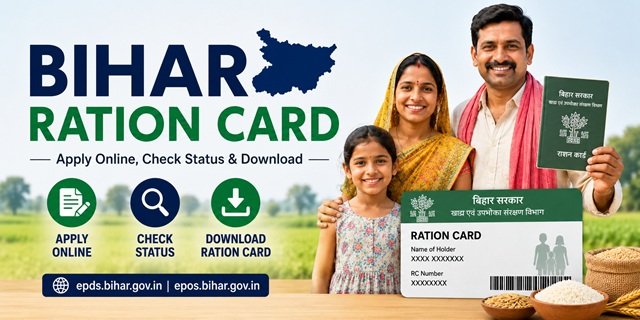
A Ration Card in Bihar is issued by the Food, Civil Supplies and Consumer Affairs Department of the state government. It allows eligible households to purchase subsidised food grains such as rice, wheat, and sugar every month from Fair Price Shops (FPS) under the Public Distribution System (PDS). The card also works as a valid proof of identity and residence for various government services.
Bihar manages its ration card system through two official portals. The EPDS Bihar portal (epds.bihar.gov.in) handles new applications, RCMS reports, and RC details. The AePDS Bihar portal (epos.bihar.gov.in) handles Aadhaar-enabled distribution tracking, FPS status, e-KYC, and transaction history.
Card Categories Issued in Bihar
The Food, Civil Supplies and Consumer Affairs Department issues the following types under NFSA:
Antyodaya Anna Yojana (AAY)
For the poorest households with no stable income or annual income below Rs 15,000, including landless agricultural workers, daily wage earners, widows, disabled persons, and elderly citizens without support. Each AAY household receives 35 kg of food grains per month at subsidised prices, regardless of family size.
Priority Household (PHH)
For households living below the poverty line that meet the eligibility criteria under NFSA 2013. Each eligible member receives 5 kg of food grains per month at subsidised rates of rice at Rs 3 per kg, wheat at Rs 2 per kg, and coarse grains at Rs 1 per kg.
Non-Priority Household (NPHH)
Issued to households that do not fall under the AAY or PHH categories. Primarily used as a proof of identity and address. No subsidised food grain entitlement is provided under this category.
Who Can Apply for a Ration Card in Bihar
To be eligible to get a Ration Card in Bihar State, the following conditions must be met:
- The applicant must be a permanent resident of Bihar.
- The household must not already hold a ration card anywhere in India.
- No family member should be employed in a regular government job or public sector undertaking.
- No family member should be an income taxpayer.
- The family must not own a motorised four-wheeler or heavy agricultural machinery.
- The household must fall within the income limits set for PHH or AAY categories under NFSA.
- The eldest woman of the household is the preferred primary applicant. In the absence of an adult female, the eldest male member may apply.
Documents You Will Need
- Aadhaar Card of all family members
- Bank account details (passbook or account number) of the head of the family
- Proof of residence (electricity bill, water bill, voter ID, or rental agreement)
- Family photograph
- Passport-sized photograph and signature of the head of the family
- Income proof or self-declaration
- Caste certificate (if applicable)
- Mobile number linked to Aadhaar Card (for OTP verification)
Applying Online Through the EPDS Portal
Bihar allows citizens to apply directly online using the Meri Pehchaan single sign-on system. No CSC visit is mandatory for online submission.
Step 1: Visit epds.bihar.gov.in and click on “Apply for Online RC” under the RC Online section.
Step 2: Click on “Login”. If you have a Meri Pehchaan account, enter your username and password. If you are new, click on “Sign Up for Meri Pehchaan” and register with your name, date of birth, mobile number, and password.
Step 3: After logging in, click on “Apply” and select “New Apply”. Choose whether you are applying for a Rural or Urban ration card.
Step 4: Fill in the form with personal details, including name, address, caste, income, and mobile number. Add all family members by clicking “Add Member” and entering each member’s name, relation, age, and Aadhaar number.
Step 5: Upload the required documents in PDF or JPEG format. Documents include Aadhaar cards, bank details, residential proof, family photograph, and income proof.
Step 6: Review all details, click “Go for Final Submission”, then click “Final Submit”.
Step 7: Note down the RTPS acknowledgement number generated after submission. This is used for all future status tracking.
Online applications must be finalised within 30 days of initiating the draft. Processing is done by the concerned Block Development Officer (BDO) or Sub-Divisional Officer (SDO).
Applying Offline at RTPS or BDO Office
Step 1: Visit your nearest RTPS (Right to Public Service) counter, Block Development Office (BDO), or Sub-Divisional Officer (SDO) office.
Step 2: Collect the application form from the counter or download it from the EPDS Bihar portal.
Step 3: Fill in the form with all family member details, address, income, and other required information.
Step 4: Attach self-attested photocopies of all documents and submit at the counter. Collect the acknowledgement receipt with the RTPS number.
Step 5: The application will be verified and processed by the designated officer. On approval, your name will appear in the beneficiary list.
You can also apply through your nearest CSC. Find the closest one at locator.csccloud.in.
Tracking Your Application Status
Step 1: Visit epds.bihar.gov.in and click on “RC Print” on the homepage.
Step 2: Enter your district, subdivision, and RTPS acknowledgement number.
Step 3: Click “Show” to view the current status. If approved, the ration card will appear and can be downloaded directly from this page.
Checking the District-wise Beneficiary List
Step 1: Go to epds.bihar.gov.in and click on “RCMS Report” on the homepage.
Step 2: Select your district and click “Show”. Choose your area type (Rural or Urban).
Step 3: Select your Block, Panchayat, and Village or Ward in sequence.
Step 4: The list for your area will appear. Click on any card number to open full details and download the e-ration card.
Viewing RC Details on the AePDS Portal
Step 1: Visit epos.bihar.gov.in and click on “RC Details” under the Reports section.
Step 2: Enter the month, year, and your ration card number, then click Submit.
Step 3: Your card details, including family members, monthly entitlements, and distribution status, will appear on screen.
Getting the Digital Copy
Via EPDS Bihar Portal
Go to the RCMS Report section on epds.bihar.gov.in, navigate to your district, block, panchayat, and village. Find your ration card number, click on it, and download the e-ration card as a PDF.
Via DigiLocker
Log in at digilocker.gov.in, search for “Food and Civil Supplies Department, Bihar”, enter your Ration Card number and district, and download the document from your DigiLocker account.
Via the Mera Ration App
The Mera Ration App by the National Informatics Centre lets you view card details, check monthly entitlements, find nearby Fair Price Shops, and track portability transactions under ONORC. Available on the Google Play Store and Apple App Store.
Adding or Removing a Family Member
Adding a Member
Log in to the RC Online section on epds.bihar.gov.in using your Meri Pehchaan credentials. Go to the modification section, select “Add Member”, enter the new member’s Aadhaar, name, age, and relation, upload the required document such as a birth certificate or marriage certificate, and submit. The addition is processed after verification.
Removing a Member
Log in to the RC Online portal, go to the modification section, select the member to be removed, enter the reason, attach supporting documents, and submit. Alternatively, submit a written request at the RTPS counter or BDO office.
Raising a Complaint or Grievance
Online via EPDS Bihar Portal:
Log in to epds.bihar.gov.in, navigate to the Grievance section, fill in your ration card number, district, issue type, and description, and submit. Note the reference ID to track resolution.
NFSA Grievance Portal:
You can also file a complaint at the NFSA grievance portal.
Helpline Numbers:
Call 1800-3456-194 or 1967 (toll-free), managed by the Food, Civil Supplies and Consumer Affairs Department, Government of Bihar.
Offline:
Submit a written complaint to your District Supply Officer, Block Development Officer, or Sub-Divisional Officer.
Quick Reference Links
- EPDS Bihar Portal (Apply, RCMS, RC Details): epds.bihar.gov.in
- AePDS Bihar Portal (FPS Status, e-KYC, Transactions): epos.bihar.gov.in
- NFSA State Portals: nfsa.gov.in state portals
- DigiLocker: digilocker.gov.in
- Mera Ration App: Download on Google Play
- CSC Locator: locator.csccloud.in
Frequently Asked Questions
Q. Can I apply online myself or do I need to visit an office?
Ans. You can apply directly online through epds.bihar.gov.in using your Meri Pehchaan login. No office visit is needed for online submission. Offline applications can be submitted at the RTPS counter, BDO office, SDO office, or through a CSC.
Q. What is the RTPS number?
Ans. RTPS stands for Right to Public Service. When you submit an application in Bihar, whether online or offline, you receive an RTPS acknowledgement number. This number is used to track your application status on the EPDS Bihar portal.
Q. How long does the process take?
Ans. Online applications must be finalised within 30 days of initiating the draft. After final submission, a new ration card is typically issued within 15 to 30 working days subject to verification.
Q. What is the difference between the EPDS and AePDS portals?
Ans. The EPDS portal at epds.bihar.gov.in is for applying, checking RCMS reports, RC details, and downloading the card. The AePDS portal at epos.bihar.gov.in is for tracking food grain distribution, checking FPS status, viewing transaction history, and completing Aadhaar-based e-KYC.
Q. What is Meri Pehchaan and why is it needed?
Ans. Meri Pehchaan is the Government of India’s single sign-on system. Bihar has integrated the RC Online application system with it for secure login. You need a Meri Pehchaan account to apply online through the EPDS Bihar portal.
Q. What is the monthly food grain entitlement?
Ans. AAY cardholders receive 35 kg per household per month. PHH cardholders receive 5 kg per member per month. Subsidised rates are rice at Rs 3 per kg, wheat at Rs 2 per kg, and coarse grains at Rs 1 per kg.
Q. Can this card be used to collect ration in another state?
Ans. Yes. Under the One Nation One Ration Card (ONORC) scheme, you can collect your entitled food grains from any Fair Price Shop across India using Aadhaar-based biometric authentication.
Q. What is e-KYC and is it compulsory?
Ans. e-KYC is Aadhaar-based electronic verification of all Ration Card members. It is mandatory for all cardholders in Bihar. If e-KYC is pending for any member, their food grain entitlement may be withheld. You can complete it at your Fair Price Shop or through the AePDS Bihar portal.
Q. How do I check my name in the list?
Ans. Visit epds.bihar.gov.in, click on RCMS Report, select your district, area type, block, panchayat, and village to view the beneficiary list for your area.
Q. What happens if the application is rejected?
Ans. Check the rejection reason on the status page on the EPDS Bihar portal. If incorrect, file a grievance on the portal or call 1800-3456-194. You can also submit a written appeal to the Block Development Officer or Sub-Divisional Officer with supporting documents.
Q. Is applying online free?
Ans.Yes. Applying through the EPDS Bihar portal is completely free. No fee is required for online submissions.
Q. How do I update my mobile number on the card?
Ans. Log in to the RC Online section on epds.bihar.gov.in using your Meri Pehchaan account and update your mobile number through the modification section. An updated mobile number is important for receiving OTP alerts and Smart PDS updates.

Tabassum is a government document researcher and writer with over 5 years of experience exclusively dedicated to tracking and simplifying Central and State Government document processes across India. She has researched and published detailed guides on 100+ government documents and certificates – including Aadhaar Card, PAN Card, Ration Card, Domicile Certificate, and Birth Certificate – covering all states and the Central Government, helping lakhs of Indian citizens successfully complete their paperwork in simple, easy-to-understand language.