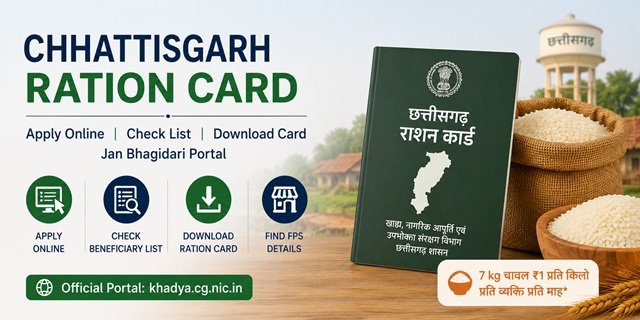
The Food, Civil Supplies and Consumer Protection Department, Government of Chhattisgarh, manages all Ration Card services through its official portal khadya.cg.nic.in. This portal provides access to the Jan Bhagidari section, where citizens can check beneficiary lists, view Gram- and Ward-wise card information, register for SMS alerts, check Aadhaar seeding status, file complaints, and download ration card forms. A second portal, the Sewa Setu portal (sewasetu.cgstate.gov.in), handles online applications specifically for the General APL ration card category.
Understanding which portal handles which service is the most important thing before starting any Ration Card process in Chhattisgarh. The two portals have clearly divided roles:
- Sewa Setu (sewasetu.cgstate.gov.in): Online application for General APL ration card only. Self-apply or apply through Sewa Setu Kendra or CSC. Application fee Rs 30.
- Khadya CG (khadya.cg.nic.in): Download BPL, PHH, and AAY application forms for offline submission. Also handles beneficiary lists, Jan Bhagidari services, SMS registration, Aadhaar seeding reports, complaint filing, and Navinikaran card renewal.
Chhattisgarh stands apart from every state in this series for a fundamental legislative reason: it is the first state in India to make food a legal right for its citizens. The Chhattisgarh Food Security Act 2012, passed by the state legislative assembly a full year before the central NFSA 2013, guarantees 7 kg of rice at Re 1 per kg per person per month to all registered ration card holders. In scheduled tribal areas under PESA (Panchayats Extension to Scheduled Areas), the state provides one additional kilogram of rice and one kilogram of free iodised salt per ration card per month. This provision for scheduled areas does not exist in any other state covered in this series.
The Chhattisgarh Food Security Act 2012 and What It Means
Before the Government of India passed the National Food Security Act in 2013, Chhattisgarh had already enacted its own state food security legislation in 2012. Under this Act, every registered household in the state is entitled to 7 kg of rice per person per month at Re 1 per kg. This is a legally enforceable right, not just a welfare scheme. The state runs this entitlement through the same PDS network and Fair Price Shops that distribute central NFSA allocations.
In scheduled tribal areas under PESA, two additional benefits apply over and above the standard entitlement: one kg of extra rice per month per ration card, and one kg of free iodised salt per month per ration card. These are state-funded benefits that go beyond anything offered under the central PDS framework.
Card Categories in Chhattisgarh
Antyodaya Anna Yojana (AAY)
For households in the most extreme food insecurity with no fixed income or landholding. Landless agricultural labourers without regular employment, families with no stable occupation, destitute widows, elderly persons without any support, and primitive tribal groups qualify. Each AAY household receives 35 kg of food grains per month at subsidised rates under NFSA, plus 7 kg of rice at Re 1 per kg under the CG Food Security Act.
Priority Household (PHH) or BPL
For families below the poverty line with an annual income below Rs 10,000. PHH families receive 5 kg of food grains per person per month under NFSA at subsidised rates, plus 7 kg of rice per person per month at Re 1 per kg under the state Act. PHH families in scheduled tribal areas receive an additional one kg of rice and one kg of free iodised salt every month.
General (APL)
For households above the poverty line, including permanent residents without any existing Ration Card, newly married couples without a card, and families that have recently relocated within a municipality, block panchayat, nagar panchayat, or corporation area. APL cardholders access PDS commodities at non-subsidised or minimally subsidised rates. The card serves as a valid identity and address document for government services and scheme applications. APL card applications are submitted online through the Sewa Setu portal.
Who Can Apply for a Ration Card in Chhattisgarh
- Must be a permanent resident of Chhattisgarh.
- Must not be an income taxpayer.
- Annual household income must not exceed Rs 10,000 for the BPL and PHH categories.
- In urban areas, one must not own a pucca house larger than 1,000 square feet.
- Must not hold large agricultural landholdings beyond the limits set by the state.
- No family member should already hold a ration card under another household anywhere in India.
- APL applicants include permanent residents without any card, newly married couples, and families relocated within municipal or panchayat areas.
Documents Required at the Time of Application
For APL card (Sewa Setu portal):
- Aadhaar Card (mandatory)
- Application form
- Passport-sized photograph of the Mukhiya (head of the family)
For BPL/ PHH/ AAY card (offline submission):
- Aadhaar Card of all family members
- Proof of Chhattisgarh residence (electricity bill, water bill, or rent agreement)
- Identity proof of the head of the family (Aadhaar Card or Voter ID)
- Income certificate from a revenue officer or self-declaration
- Caste certificate for SC/ST/OBC applicants
- Passport-sized photographs of the head of the family
- Mobile number linked to Aadhaar
- Bank account details for Aadhaar-seeded account
- Surrender certificate from the previous ration card if relocating from another state or address
Applying for a General APL Card Online via Sewa Setu
APL Ration Card applications in Chhattisgarh are submitted online through the Sewa Setu portal. The application fee is Rs 30, payable online.
Step 1: Visit sewasetu.cgstate.gov.in and click on Login or Register. New users register with their personal details. Existing users log in directly.
Step 2: After logging in, search for “General APL Issuance of APL Ration Card” in the services list, or navigate to Urban Administration and Development Department services and select the APL ration card service.
Step 3: Fill in the complete application form with your personal details, family member information, and address. Upload your Aadhaar Card, a passport-sized photograph of the head of the family, and the completed application form.
Step 4: Pay the application fee of Rs 30 online through the portal.
Step 5: Submit the application. A unique Application Reference Number (ARN) is generated immediately. Save this number for all future tracking.
Step 6: The Urban Administration processes the application within 30 working days. On approval, you receive an SMS notification on your registered mobile number and can download the digitally signed APL ration card directly from the Sewa Setu portal.
You can also apply through a Sewa Setu Kendra or nearest Common Service Centre if you need assisted submission. Find your nearest CSC at locator.csccloud.in.
Applying for a BPL, PHH, or AAY Card Offline
BPL, PHH, and AAY Ration Card applications in Chhattisgarh are not submitted online. The process is offline only.
Step 1: Download the relevant application form from khadya.cg.nic.in under the Jan Bhagidari section, or collect it from your nearest Gram Panchayat office (rural areas), Nagar Nigam (urban areas), or Food Inspector office.
Step 2: Fill the form carefully with all household details, Aadhaar numbers of all members, income information, and caste or category details. Attach self-attested copies of all required documents.
Step 3: Submit the completed application at your nearest Gram Panchayat office, Nagar Nigam, or Food Inspector office. Collect the receipt with your reference number.
Step 4: The Food Inspector conducts field verification at your address. On successful verification, the ration card is issued and linked to your Fair Price Shop within 15 to 30 working days.
Checking Your APL Application Status
Step 1: Go to sewasetu.cgstate.gov.in and log in with your registered credentials.
Step 2: Navigate to “Track Application Status” and enter your Application Reference Number (ARN).
Step 3: Your current application status will be displayed, showing whether it is under review, approved, or rejected. On approval, the download link for your digitally signed APL ration card also appears here.
Checking Application Status for BPL/ PHH/ AAY
Step 1: Go to khadya.cg.nic.in and click on Jan Bhagidari.
Step 2: Select the application status option. Enter your acknowledgement number or ration card number along with the required details.
Step 3: Your application status will appear on screen.
Renewing Your Ration Card Using the Navinikaran App
Chhattisgarh requires existing Ration Card holders to periodically renew their cards through a formal digital process called Navinikaran, managed through a dedicated mobile app available on khadya.cg.nic.in.
Step 1: Go to khadya.cg.nic.in and navigate to the Ration Card Navinikaran App download option on the homepage.
Step 2: Download and install the app on your Android device.
Step 3: Open the app, select the renewal option, enter your ration card number, Aadhaar number, and other required details accurately.
Step 4: Upload the required documents and click Submit. The renewal process is free of charge.
If you cannot use the app, visit your nearest Gram Panchayat or Food Inspector office for offline renewal assistance.
Checking the Jan Bhagidari Beneficiary List
The Jan Bhagidari section on khadya.cg.nic.in gives access to multiple beneficiary list views:
Gram and Ward-wise List
Step 1: Go to khadya.cg.nic.in and click on Jan Bhagidari.
Step 2: Select “Ration cards Gram/Ward wise card information”.
Step 3: Choose your district, then area type (urban or rural), then your local body or development block, then your ward or panchayat.
Step 4: Click “Show Information”. The ration card list for your ward or gram appears. Use Ctrl+F on a computer or the search function on your phone to find your name or card number.
Detailed Beneficiary Information
Click “Detailed information of ration card beneficiaries” under Jan Bhagidari. Select your district, block, and local ration shop to view household-level data, including card number, head of family name, card type, total members, and Aadhaar seeding status.
Caste and Category-wise Ration Card Reports
One of the most unique features of the Khadya CG portal is the availability of caste and category-wise ration card data accessible to the public. Under the Jan Bhagidari section, reports show the number and distribution of ration cards across SC, ST, OBC, and general categories for each district, block, and panchayat. This transparency feature allows citizens, researchers, and civil society to monitor whether food security coverage is reaching marginalised communities proportionately.
Registering for SMS Alerts
Step 1: Go to khadya.cg.nic.in and click on Jan Bhagidari.
Step 2: Click on “SMS Registration”.
Step 3: Fill in your name, district, development block, mobile number, and other required details.
Step 4: Submit the form to activate SMS alerts for your ration card and related government scheme notifications.
Downloading the Ration Card
APL card (after Sewa Setu approval):
Log in to sewasetu.cgstate.gov.in, go to your application details using your ARN, and download the digitally signed APL ration card PDF after approval.
BPL/PHH/AAY card via Khadya CG portal:
Go to khadya.cg.nic.in, navigate to Jan Bhagidari, click “View ration card information”, enter your ration card number, and use the print or download option on your card details page.
Via DigiLocker:
Log in to digilocker.gov.in, search for “Food and Civil Supplies Department, Chhattisgarh”, select Ration Card, enter your ration card number, and download the PDF.
Via the Mera Ration App:
The Mera Ration App by the National Informatics Centre allows CG ration card holders to view card details, check monthly entitlements, and locate nearby Fair Price Shops.
How to Modify Details in a Chhattisgarh Ration Card
If there is any change in your family or personal details, you can request a Ration Card modification through the Khadya CG portal or by visiting the concerned local authority office. Common modifications include adding a new family member, deleting a member, correcting a name, updating the address, or changing the Fair Price Shop (FPS).
To submit a modification request online, visit the Jan Bhagidari section on the Khadya CG portal and select the appropriate service. Fill in the required details, upload the supporting documents, and submit the application.
Depending on the type of modification, you may need the following documents:
- Birth Certificate for adding a newborn child
- Death Certificate for removing a deceased family member
- Marriage Certificate for adding a spouse
- Proof of Residence for address changes
- Identity documents for name corrections or other updates
After submission, keep the acknowledgement number safe as it can be used to track the status of your modification request.
If you prefer the offline method, visit your nearest Gram Panchayat, Nagar Nigam, Nagar Panchayat, Municipal Council, or Food Inspector office with your ration card and supporting documents. The concerned authority will verify the documents and process the requested changes.
Raising a Complaint or Grievance
Via the Call Centre on Khadya CG Portal:
Go to khadya.cg.nic.in, click on Jan Bhagidari, and select “Lodge complaint/suggestion in call centre”. Fill in your ration card number, district, nature of complaint, and description. Submit and note the complaint reference number. Check the status under “District Grievance Officer Reports and Complaint Status” in Jan Bhagidari.
Sewa Setu Grievance (for APL card issues):
Go to sewasetu.cgstate.gov.in, click on “Grievance / Information” in the top menu, fill in your details and complaint, and submit. You can also email sewasetu.helpline@cgchips.in.
NFSA Grievance Portal:
Escalate unresolved issues at the NFSA national grievance portal.
Helpline Numbers:
National PDS Helpline: 1967 (toll-free)
Sewa Setu Helpline: sewasetu.helpline@cgchips.in or WhatsApp 9203406400
Sewa Setu Address: 3rd Floor, State Data Centre Building, Opp. New Circuit House, Civil Lines, Raipur 492001
Offline:
Visit your nearest Food Inspector office or District Food Controller office. Contact details for all districts are at khadya.cg.nic.in.
Quick Reference Links
- APL Card Online Apply: sewasetu.cgstate.gov.in
- Khadya CG Portal (BPL/PHH/AAY forms, Jan Bhagidari, beneficiary list): khadya.cg.nic.in
- NFSA Grievance Portal: nfsa.gov.in grievance portal
- DigiLocker: digilocker.gov.in
- Mera Ration App: Download on Google Play
- CSC Locator: locator.csccloud.in
- NFSA State Portals: nfsa.gov.in state portals
Frequently Asked Questions
Q. Can I apply for a BPL or AAY ration card online in Chhattisgarh?
Ans. No. BPL, PHH, and AAY ration card applications in Chhattisgarh are submitted offline only. Download the relevant form from khadya.cg.nic.in under the Jan Bhagidari section, fill it, and submit it at your nearest Gram Panchayat office, Nagar Nigam, or Food Inspector office. Only the General APL ration card can be applied for online through the Sewa Setu portal.
Q. How do I apply for a General APL ration card online?
Ans. Go to sewasetu.cgstate.gov.in, register or log in, search for “General APL Issuance of APL Ration Card”, fill in the form, upload your Aadhaar, photograph of the head of family, and application form, pay the Rs 30 fee, and submit. You will receive an ARN for tracking. On approval within 30 working days, download the digitally signed card from the portal.
Q. What is the Chhattisgarh Food Security Act 2012?
Ans. The CG Food Security Act 2012 was passed by the state assembly before the central NFSA 2013, making Chhattisgarh the first state in India to make food a legal right. Under this Act, every registered ration card holder receives 7 kg of rice at Re 1 per kg per person per month. This is a state-funded entitlement that runs alongside the central NFSA allocation.
Q. What extra benefits do ration card holders in tribal areas get?
Ans. In scheduled tribal areas under PESA, Ration Card holders receive one additional kg of rice per month per card and one kg of free iodised salt per month per card, funded by the Chhattisgarh state government. This provision does not exist in any other state in this series.
Q. What is the Navinikaran app and who needs it?
Ans. Navinikaran means renewal. CG requires existing cardholders to periodically renew their cards through a dedicated app available at khadya.cg.nic.in. Open the app, enter your card and Aadhaar details, upload documents, and submit. The renewal is free. If you cannot use the app, visit your Gram Panchayat or Food Inspector office.
Q. What is the Jan Bhagidari section?
Ans. Jan Bhagidari means Public Participation. It is the citizen-facing section on khadya.cg.nic.in providing all public services without login: Gram/Ward-wise lists, district-wise data, detailed beneficiary information, application status, Aadhaar seeding reports, caste-category-wise data, SMS registration, and complaint filing.
Q. Can I register for SMS alerts for my ration card?
Ans. Yes. Go to khadya.cg.nic.in, click Jan Bhagidari, and select SMS Registration. Fill in your details and submit to receive notifications about your ration card on your registered mobile number.
Q. Can I use my CG ration card to collect ration in another state?
Ans. Yes. Chhattisgarh joined the One Nation One Ration Card scheme on 2 February 2022. NFSA AAY and PHH cardholders can collect their entitled food grains from any Fair Price Shop across India using Aadhaar biometric authentication.
Q. What is the application fee for an APL ration card?
Ans. The fee is Rs 30, payable online at the time of APL card application through the Sewa Setu portal. There is no fee for BPL, PHH, or AAY card applications submitted offline at government offices.
Q. How do I access caste-category-wise ration card data in Chhattisgarh?
Ans. Go to khadya.cg.nic.in, click Jan Bhagidari, and navigate to the caste-category-wise ration card report. Select your district to view the distribution of cards across SC, ST, OBC, and general categories. This public data is a transparency feature unique to Chhattisgarh.
Q. Where do I file a complaint about my Fair Price Shop?
Ans. Go to khadya.cg.nic.in, click Jan Bhagidari, and select “Lodge complaint/suggestion in call centre”. For APL card issues, use the Sewa Setu grievance section or email sewasetu.helpline@cgchips.in. For national PDS escalation, call 1967 or file at the NFSA grievance portal.

Tabassum is a government document researcher and writer with over 5 years of experience exclusively dedicated to tracking and simplifying Central and State Government document processes across India. She has researched and published detailed guides on 100+ government documents and certificates – including Aadhaar Card, PAN Card, Ration Card, Domicile Certificate, and Birth Certificate – covering all states and the Central Government, helping lakhs of Indian citizens successfully complete their paperwork in simple, easy-to-understand language.